E-4
<For models 225i/215i/205i>
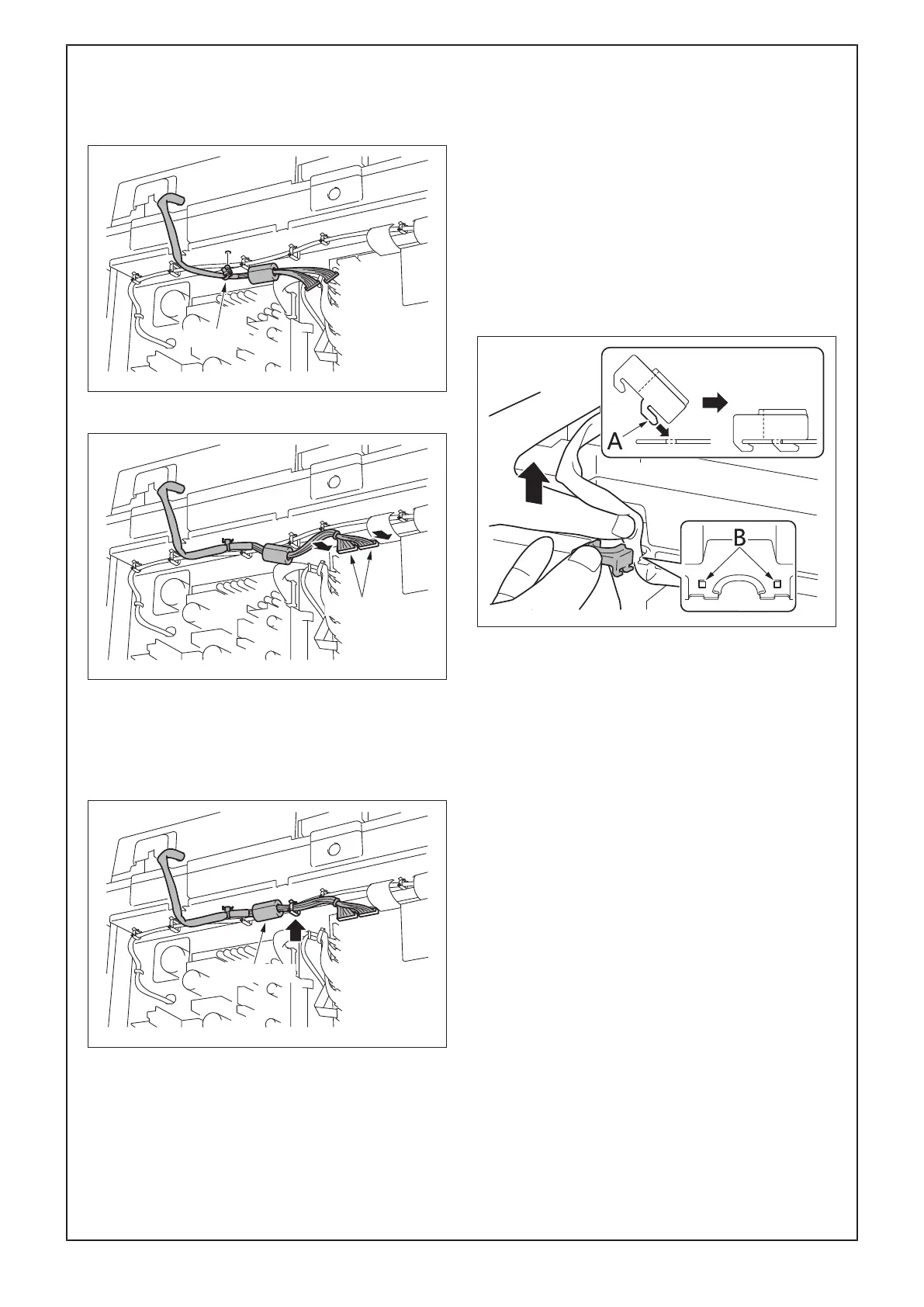
a) Insert the insertion part of the cable tie of the
wire harness of the DF into the hole shown in
the illustration.
b) Connect the two connectors to the main body.
c) Route the wire harness through the wire sad-
dle.
Note:
Install the ferrite core at the location shown in the
illustration.
(10) Attach the harness fixing cover in the manner
shown below to hold the DF wire harness in
place.
a) Press the wire harness with your fingers so
that it does not move.
b) Fit the tabs (A) of the harness fixing cover into
the holes of the plate (B) as shown in the illus-
tration and attach the harness fixing cover to
the metal plate.
Note:
If the wire harness sags down inside the main
body, the part of the wire harness located outside
the main body is pulled during operation and the
wire harness may be cut.



 To Next Page