E-5
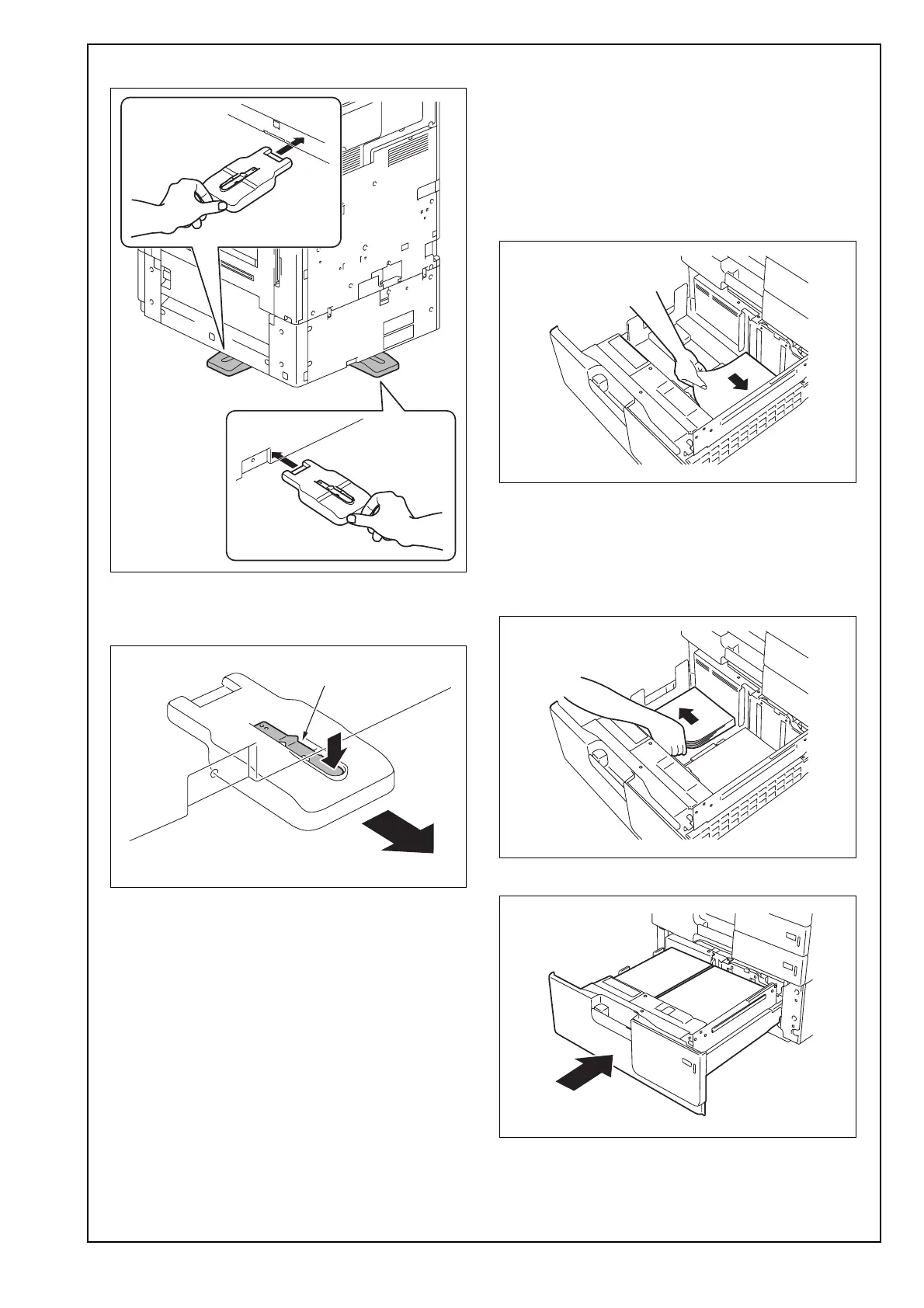
<right and rear>
• When removing the stabilizer to move the
machine or for other reasons, pull it out while
pushing the lever shown in the illustration.
<Loading paper>
(1) Slide the drawer out.
(2) Align the edges of the paper stack and place the
stack into the drawer.
Note:
• Make sure that the top level of the paper stack
does not exceed the ▼ (MAX) paper level indi-
cator.
• Correct any curl in the paper before loading.
(3) Align the edges of the paper stack and place the
stack into the drawer.
Note:
Make sure that the top level of the paper stack
does not exceed the ▼ (MAX) paper level indica-
tor.
(4) Slide the drawer back in.
Lever



 To Next Page