Chapter 5 Disassembly and Assembly
5-23
5.3.4 Replacing the Indicator
This section describes the instructions on how to replace the indicator.
Work outline
Listed below are the number of people and the rough standard of work hours required for performing the
works described in this section.
Requirements
The works in this section can be performed using only the standard tools.
1 See " Removal Procedures (Page 5-6)" in "5.2.3 Removing/Installing the Exterior Panel and
Insertion Unit" to remove the insertion unit.
Reverse the removed insertion unit and place it in a stable place in order to perform the replacing work.
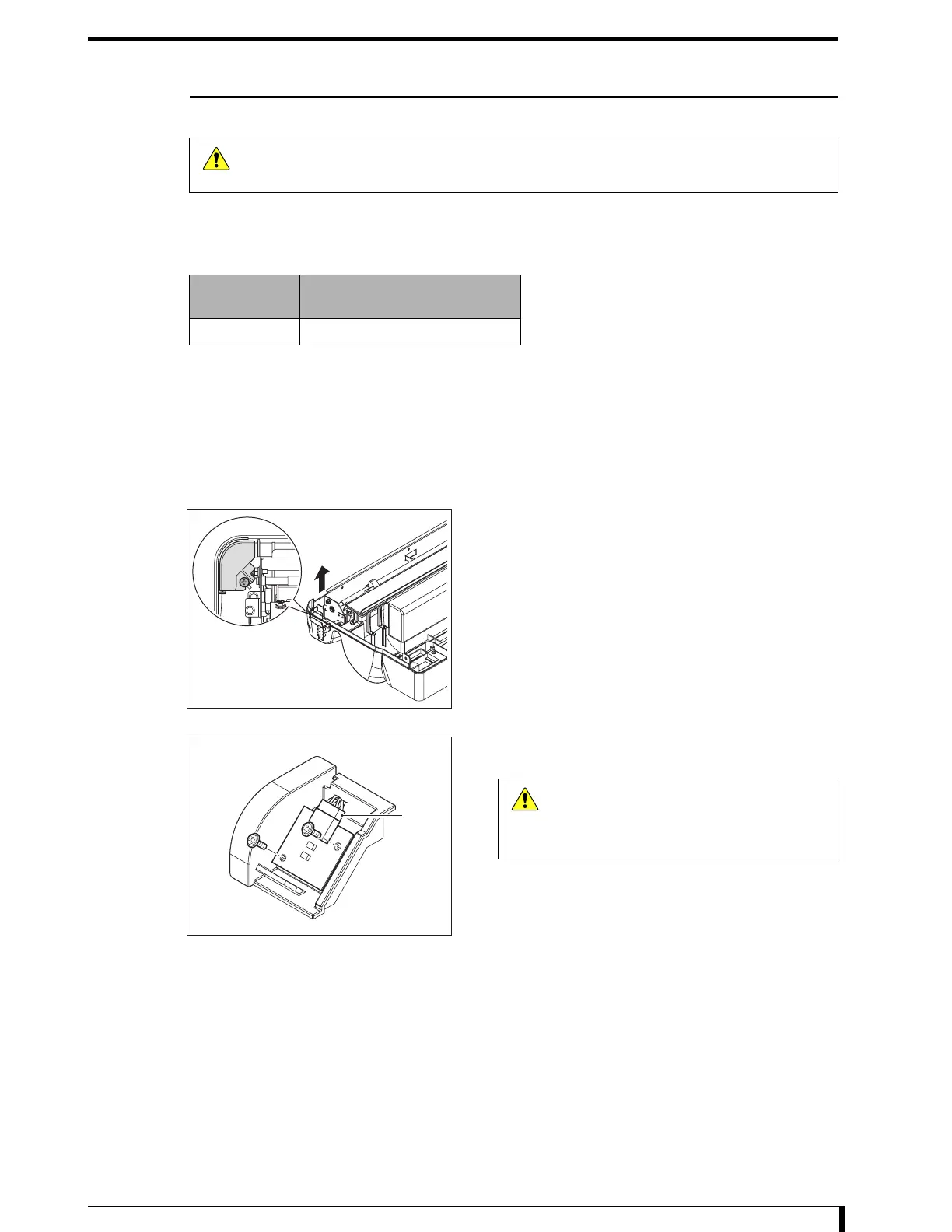
2 Remove the insertion indicator unit assembly.
•
1 tapping screw (M4 x 10)
3 Unplug a cable from the indicator.
•
Connector (J39)
4 Remove the indicator.
•
2 tapping screws (M3 x 8)
5 Install the new indicator.
•
2 tapping screws (M3 x 8)
6 Connect the cable to the indicator.
•
Connector (J39)
Caution
Be sure to turn off the power supply circuit breaker and unplug the power cable from the
equipment whenever you disassemble/assemble the equipment.
Personnel
Number
Work Hours (steps 2 to 7)
1
J39
Caution
When removing the connector, hold a notch
on the connector without pulling a cable.
Giving a strong pull to the cable may cause
it to be broken.















 To Next Page