10
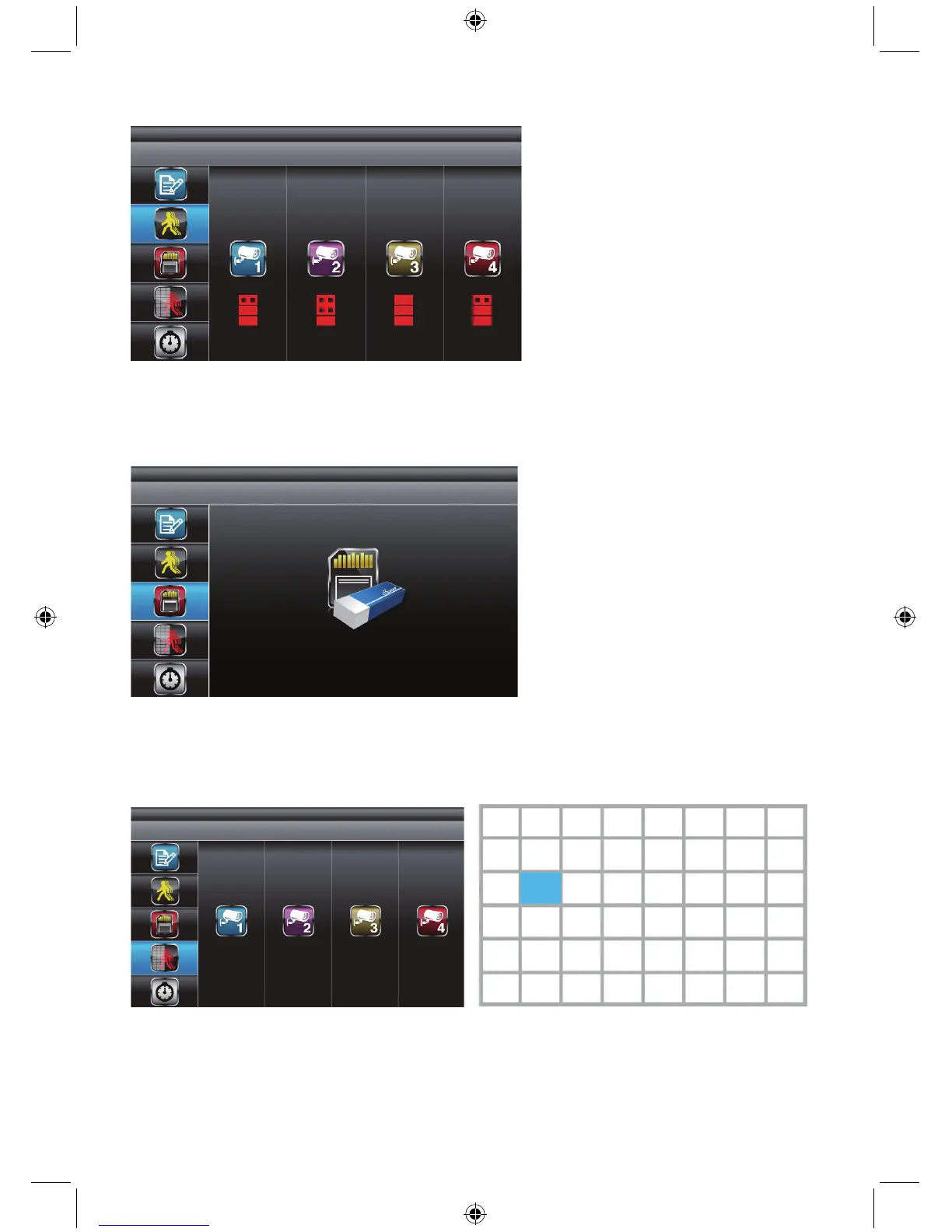
Motion detection sensitivity:
Use ▲▼ to select MOTION DETECTION SENSITIVITY section.
Use ◄► to highlight the camera for setup.
Use ▲▼ to adjust the sensitivity level: OFF / LV1 / LV2 / LV3 (LV3 is most sensitive).
Press ESC to exit.
Format memory card:
Use ▲▼ to select FORMAT STORAGE, press MENU to enter. Press MENU again to confirm and
begin formatting the memory card.
Note: If a new memory card is used then it must be formatted here first, before use.
Press ESC to exit.
Masking area:
Use ▲▼ to select MASKING AREA section.
Use ◄► to highlight the camera for setup, press MENU to enter.
Use ◄► ▲▼ to highlight the grid for no motion detection in this area.
Use MENU key to mask/unmask grid(s). Movements taking place inside the masked area will be
ignored.
Use ◄►▲▼ to select another grid for setup or press ESC to exit.


 To Next Page