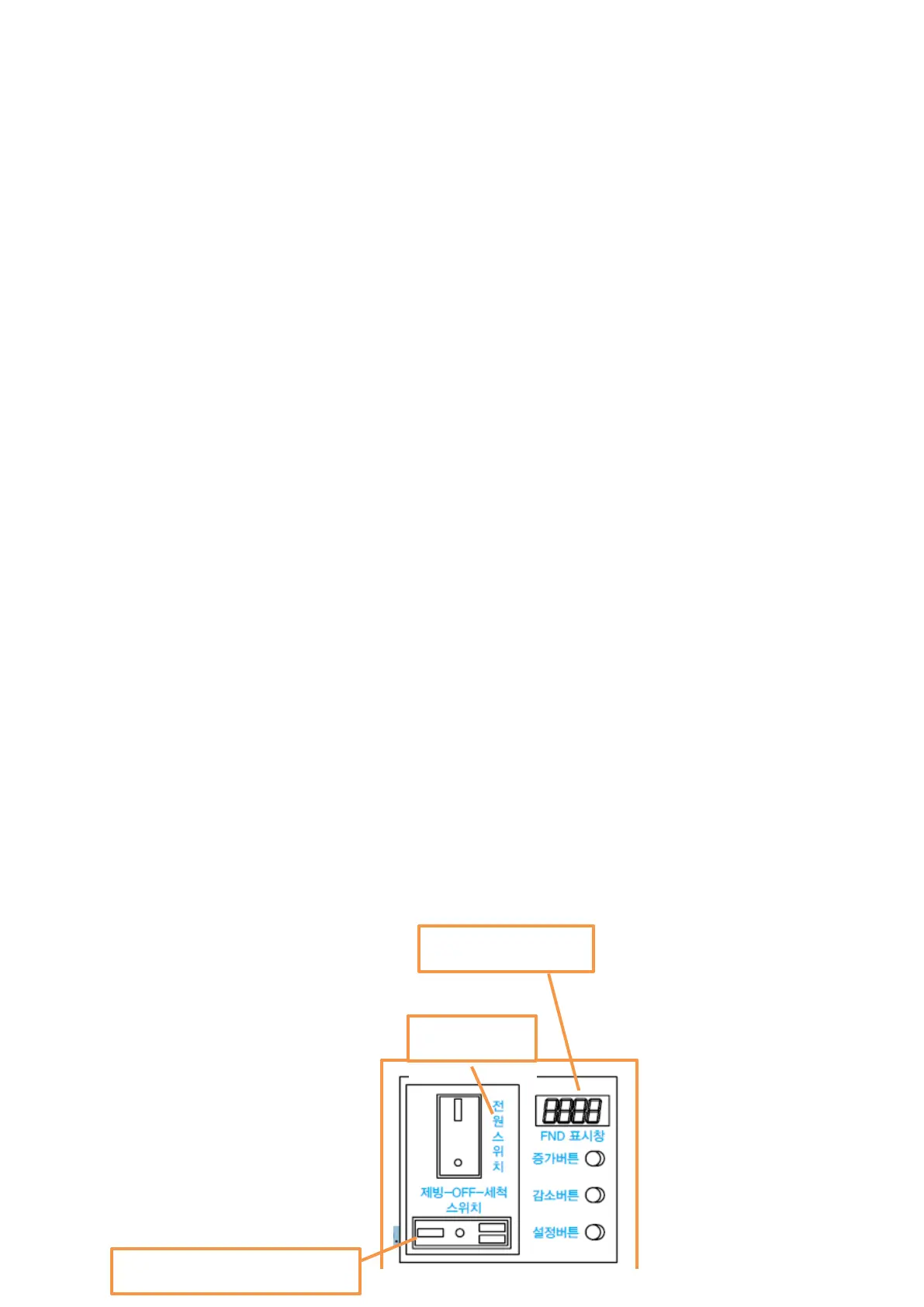
2) Automatic drain function (F5)
- Turn on the power switch and turn the ice making switch to "ICE MAKING" to start the operation
① FND 1
st
, 2
nd
digits (drain time): 2 seconds (oF ~ 99 seconds, Set Unit of one second).
② FND 3
rd
, 4
th
digits (drain interval): 1.0 hour.
(0.5 to 9.5 hours, every 30 minutes)
3) Initial water draining function (F4)
- Turn the power switch off and then on again (the ICE MAKING-OFF-WASH switch at "ICE
MAKING" position) to operate the function.
① Clean the water line and ice making cylinder thoroughly.
② FND 1
st
, 2
nd
(drain time) 30 seconds (oF ~ 99 seconds, Set Unit of one second).
③ Water supply operation to high water level after drainage.
④ FND 3
rd
, 4
th
digits (number of repetition) Reference: 3 times (1 ~ 9 times).
Stop switch
With the power switch tu
rned on, turn the "ICE MAKING-OFF-WASH" switch to center OFF, then
the ice making stops and the motor runs for another 60 seconds.
This function protects the motor by removing the remaining ice in the product.
The remaining ice will discharge even when it is OFF
ICE MAKING-OFF-WASH switch
14
for 3 seconds with any signal on the FND display. (30 seconds)
- Turn on the power switch and press the "DOWN + SET" button simultaneously
storage. Please also use this function for cleaning the inside.)
Automatic Draining, Water Draining)
1) Forced drainage function (Must be implemented to prevent freezing during winter
Three Draining Functions (Forced Draining,


 To Next Page