Usage and Precautions
1. Initial Use
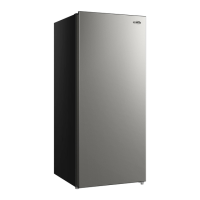
• Plug the refrigerator into an exclusive 110-120V~ socket.
• After the refrigerator is running, check the air suction for sufficient coldness. If it's
sufficiently cold, you may put food inside the cold box.
• This appliance is not intended for use by individuals (including children) with reduced
physical, sensory, or mental capabilities, or lack of experience and knowledge, unless they
have been given supervision or instruction concerning use of the appliance by a person
responsible for their safety. Ensure children do not play with the appliance unsupervised.
1. Digital Temperature Controller
A. Features:
The controller is mini-sized and intelligent, suitable for one Hp compressors. Its functions
include: Temperature Display/Control, Manual and Automatic Defrost, Illumination Control,
Value Storing, Self-Testing, and Parameter Locking.
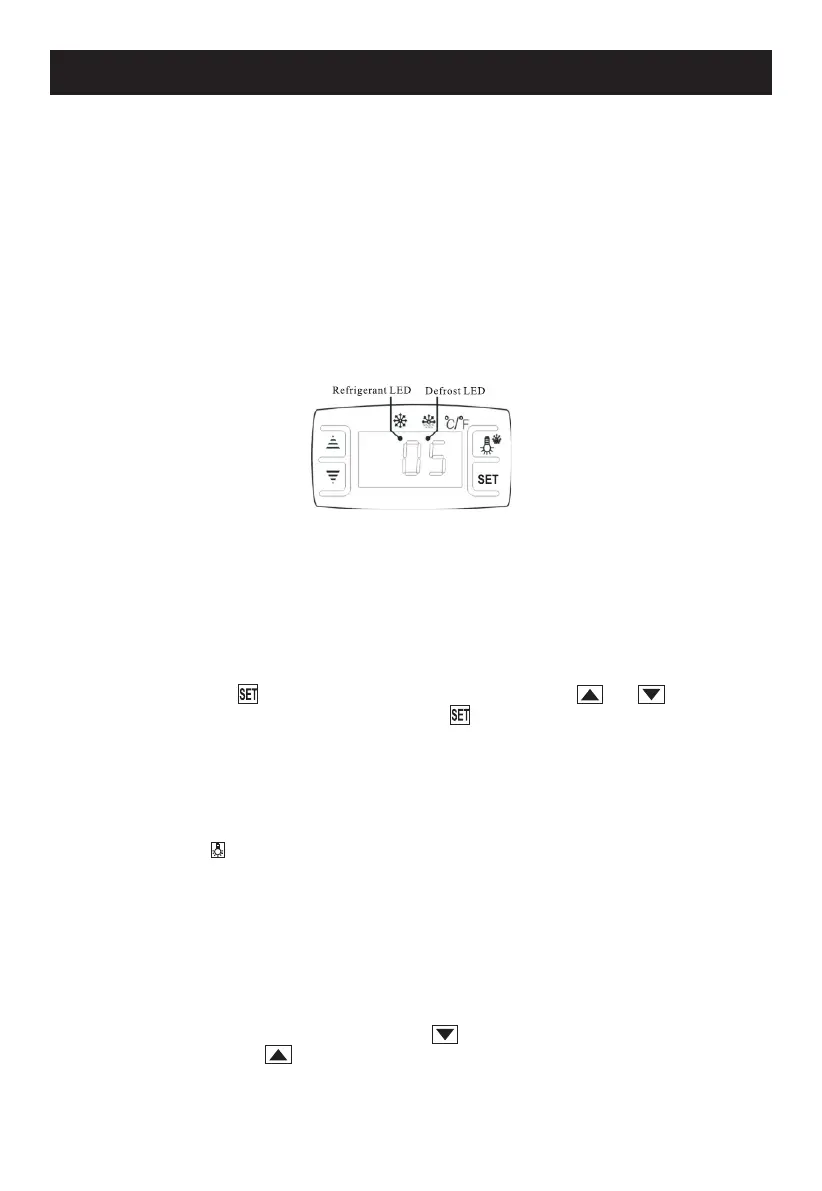
B. Front Panel Operations:
01. Temperature Setting:
Press the “ ” button to display the set temperature. Use “ ” or “ ” buttons to
adjust and store the temperature. Press “ ” again to exit and display the cold-room
temperature.
02. Display Default:
If no button is pressed within 10 seconds, the cold-room temperature will be automati-
cally displayed.
03. Lighting and Defrost Control:
Press “ ” button to control the light; hold it for 6 seconds to start or stop the defrost
cycle.
04. Refrigerant LED:
The LED is on during refrigeration and flashes when the cold room temperature is
stable.
05. Defrost LED:
The LED is on during defrosting and turns off when defrosting ends.
06. Digital Controller Reset:
If the display shows "Disorder", press “ ” for 2 seconds until the buzzer rings.
Quickly press “ ” for 6 seconds until the buzzer rings again. The display will flash
for 3 seconds and the controller will reset to factory settings.
4


 To Next Page