Maintenance Tips
1. Cabinet Cleaning
Clean the product weekly with the power supply disconnected. Use mild water or non-corrosive
cleaner. Avoid washing directly with a water faucet.
2. Condenser Cleaning
For optimal performance, clean the condenser every month. If "EE4" message appears on the
display, clean the condenser immediately. If "EE4" appears again after cleaning, please contact
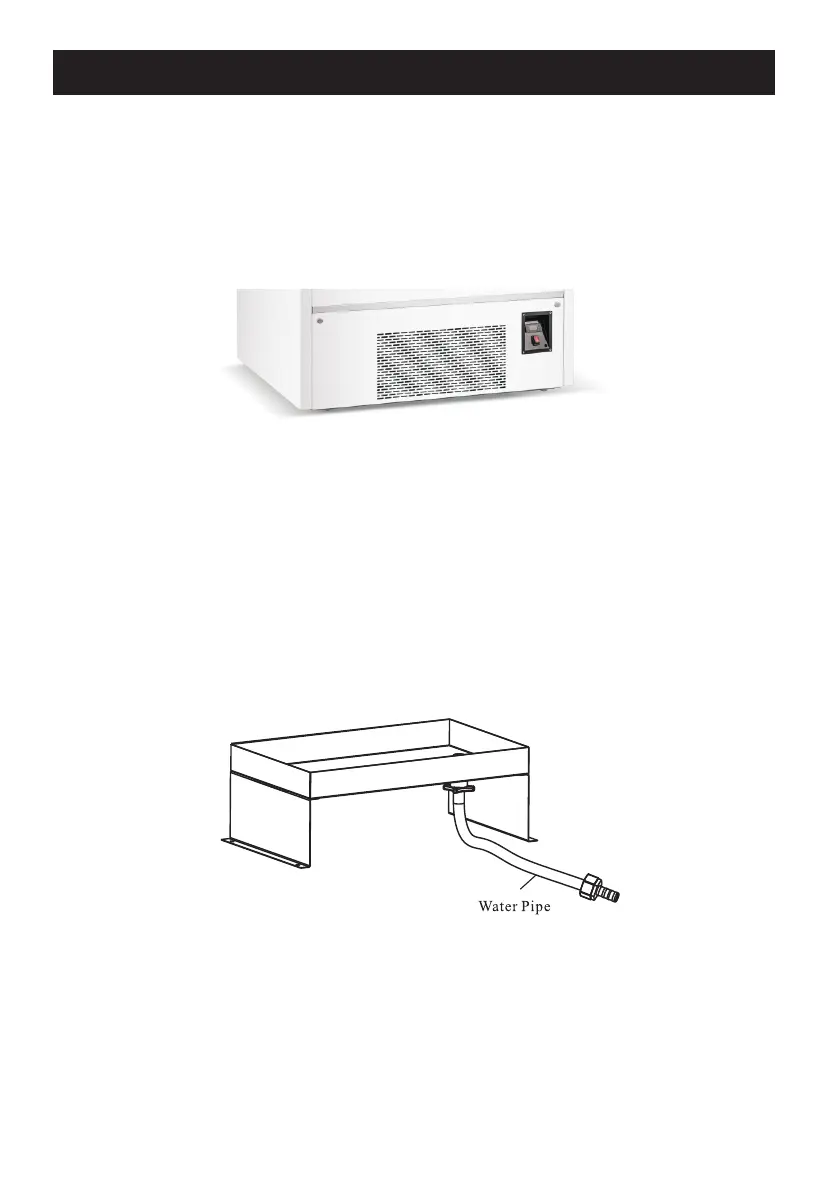
your service provider. To clean, turn off the power, loosen the screws on both sides, remove the
front panel, and clear the dust on the condenser fin using a wire brush or high-pressure air gun.
3. De-dusting the Condenser
Clean the condenser every three months with the power supply disconnected. Remove the
bottom panel for air suction and eliminate dust on the cooling fin of the condenser with a wire
brush or high-pressure air gun.
4. Leakage Check
Regularly check all connectors and welding joints for oil stains. If you spot any, implement
patching measures or call a professional for help.
5. General Observation
Regularly observe the operation of the product. If you notice abnormal noise, smell, or smoke,
disconnect the power supply immediately and call a professional. Do not restart the product
before the issue is resolved.
6. Condensation Water Drainage
Please ensure the water pipe is unobstructed, and its position is lower than the joint connected
to the upper water receiver. This setup allows for efficient and uninterrupted drainage, which is
crucial for maintaining optimal performance and longevity of your unit.
If you notice any blockage or issues with the drainage, we recommend calling a professional to
address the problem.
Please note:
We will not be responsible for any accidents incurred by failure to follow these guidelines.
6


 To Next Page