48
4. EDIT SYSTEM
Deleting a mark
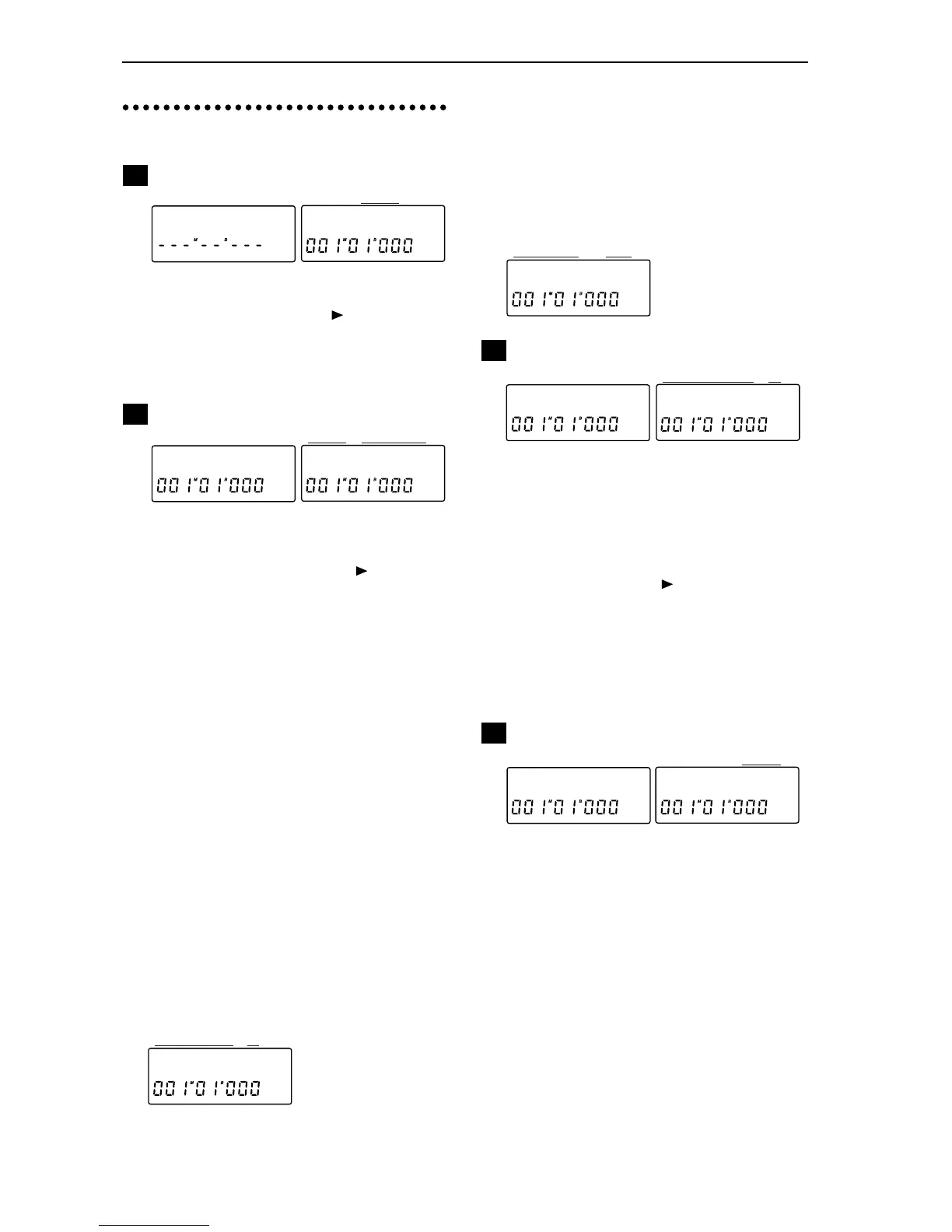
P1-1 Select the mark to be deleted...........[All, 001...100]
Selects the mark that you wish to delete. After making
your selection, hold down the [ ] key for approxi-
mately 1 second to delete the selected mark.
All: All marks will be deleted.
001...100: The mark of the specified number will be
deleted.
MIDI/SYNC settings
P2-1 Synchronization signal selection.......................
[Gen, RcvMMC, DevID]
Selects the type of synchronization parameter. When
“MIDI/Sync” is displayed, press the [ ] key and then
press the [SYSTEM] key to make the selection.
Gen (Sync Generate from MIDI): Synchronization
messages will be transmitted from MIDI OUT. In P2-2
you can select the type of messages that will be trans-
mitted.
RcvMMC (Receive MMC): Select this when you wish
to receive MMC (MIDI Machine Control) messages
from MIDI IN. In P2-3 you can switch reception on/
off, and in P2-4 you can specify the Device ID.
DevID (Device ID): Specify the Device ID that will be
used for MMC. In P2-4 you can specify the Device ID
which will be used when receiving MMC from an
external device.
P2-2 Sync Generate settings ............[Clock, MTC30, Off]
This setting can be changed if you selected Gen in P2-1.
Clock: MIDI Clock messages will be transmitted from
MIDI OUT.
MTC30: MTC30NDF (MIDI Time Code 30 non-drop
format) messages will be transmitted from MIDI OUT.
Off: Synchronization messages will not be transmitted
from MIDI OUT.
P2-3 MMC reception on/off.......................................[o, -]
This setting can be changed if you selected RcvMMC
in P2-1.
o (On): MMC will be received from MIDI IN. Set the
Device ID in P2-4.
- (Off): MMC will not be received from MIDI IN.
P2-4 Device ID setting ............................................[01...32]
If you selected DevID in P2-1, this parameter specifies
the Device ID that will be used when receiving MMC
from an external device.
If you selected RcvMMC in P2-1 and selected o (On) in
P2-3, MMC messages will be received from an external
device if the Device ID settings of the two devices
match.
Channel pair enable setting
P3-1 Pair enable selection..................[Pan, Snd/Aux, EQ]
P3-2 Pair enable on/off ..............................................[o, -]
For pan, effect send/aux send and EQ, you can specify
whether or not to enable pairing when the Pairing set-
ting is On. (Refer to “26. PAIR On/Off”, p.60) With a
setting of o (On), pairing will be valid. When “ChPair
Sw” is displayed, press the [ ] key, and then press the
[SYSTEM] key to access the function that was selected
in P3-1, and turn it on/off in P3-2. The selected setting
will be common to channels 1–6. It is not possible to
adjust settings independently for each channel.
Pairing for [Channel] faders and [TRACK STATUS]
subject to pairing will be enabled automatically when
Pairing is ON.
INPUT 1/2 assign
P4-1 INPUT 1/2 assign.........................................[Ch, Mst]
Specifies the input destination of the audio signals
from the INPUT 1/2 jacks.
Ch (Channel): They will be input to mixer channels.
Normally you will use this setting.
Mst (Master): They will be input to the master bus. Use
this setting when you are cascading the output from
another mixer, or when you wish to combine an exter-
nal sound source with the playback of the eight tracks
during mixdown, etc.


 To Next Page