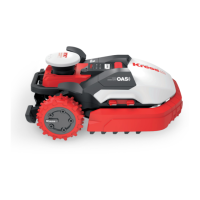
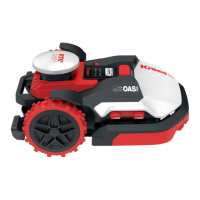
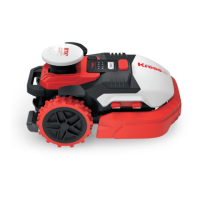
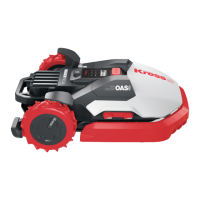
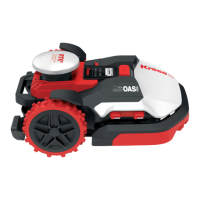
This document is an owner's manual for the Kress Mission™ RTK robotic lawnmower, specifically for models KR233E.1 and KR236E.1. It provides detailed information on product safety, operation, maintenance, technical specifications, and troubleshooting.
Function Description
The Kress Mission™ RTK robotic lawnmower is designed for lawn mowing, aiming to maintain a healthier and better-looking lawn. It operates automatically within a defined virtual boundary. The RTK (Real-Time Kinematic) antenna in the machine senses when it approaches the virtual boundary or an obstacle, prompting the product to select a new direction. The mower can be programmed to operate at any time or frequency, depending on the lawn size. It is not intended for digging, sweeping, or snow cleaning.
Important Technical Specifications
The manual provides technical data for two models: KR233E.1 and KR236E.1, as well as for the antenna and 4G-GPS module.
For the Mower (KR233E.1 / KR236E.1):
- Rated voltage: 20V Max.* (for both models)
- No load speed: 3200/min (KR233E.1) / 3600/min (KR236E.1)
- Cutting area: 12000m² (KR233E.1) / 24000m² (KR236E.1)
- Cutting diameter: 35 cm (for both models)
- Cutting height: 30-60 mm (for both models)
- Cutting Height Positions: 7 (for both models)
- Battery type: Lithium-ion (for both models)
- Battery model: KA3010 (KR233E.1) / KA3210 (KR236E.1)
- Charging time approx.: 84 min. (KR233E.1) / 30 min.** (KR236E.1)
- Charger model: KA3717 (KR233E.1) / KA3722 (KR236E.1)
- Charger rating:
- KR233E.1: Input: 100-240V~50/60Hz, 230W, Output: 28V, 7.0A
- KR236E.1: Input: 220-240V~50/60Hz, 640W, Output: 32V, 20.0A***
- Machinery weight: 20 kg (KR233E.1) / 21.8 kg (KR236E.1)
- Protection degree: III (for both models)
- App: Y (for both models)
- Frequency bands for Bluetooth: 2400-2483.5 MHz (for KR236E.1, not specified for KR233E.1)
- Maximum Output Power for Bluetooth: 8 dBm (for KR236E.1, not specified for KR233E.1)
- Maximum slope within the work surface: 40% (for both models)
For the Antenna:
- Rated voltage: 5V±2%
- Operating temperature: -40°C~85°C
- Storage temperature: -40°C~85°C
- RF Output Power (Max) for various bands:
- DCS1800(B3): 30dBm
- WCDMA B1/B8: 24dBm
- LTE-FDD B1/B3/B7/B8/B20/B28: 23dBm
- LTE-TDD B38/B40: 23dBm
For 4G-GPS Module -GNSS:
- GNSS GPS Band L1: 1575.42+/-1.023
- Galileo Band E1: 1575.42+/-1.023
- BDS Band E11: 1561.098+/-2.046
- GLONASS Band G1: 1579.5~1605.8
Noise Data:
- A weighted sound pressure (LpA): 50.6 dB (A) for KR233E.1, 56.6 dB (A) for KR236E.1 (KpA= 3.0 dB(A))
- A weighted sound power (LWA): 58.6 dB (A) for KR233E.1, 64.6 dB (A) for KR236E.1 (KWA= 3.0 dB(A))
- Wear ear protection when sound pressure is over: 80dB(A)
Usage Features
- Virtual Boundary: The machine operates within a virtual boundary that needs to be established and regularly maintained. It checks for the boundary before each working cycle and will shut down if it's not detected.
- Obstacle Avoidance: The RTK antenna helps the machine sense obstacles and the virtual boundary, prompting it to select a new direction.
- Safety Features:
- Requires careful reading of instructions and familiarity with controls.
- Not for use by children or persons with reduced capabilities unless supervised.
- Blades, blade bolts, and cutter assembly should be regularly inspected for wear or damage.
- The lawnmower should not be operated without the guard in place.
- Hands and feet must be kept away from rotating parts and the discharge opening.
- The appliance should never be picked up or carried while the motor is running.
- A disabling device must be operated before clearing blockages, checking, cleaning, or working on the appliance.
- Modifying the original design of the robotic lawnmower is not permitted.
- The mower should not be used with defective blade discs, blades, screws, nuts, or cables.
- Always switch off the robotic lawnmower when not in use.
- The mower starts only when powered on and the correct PIN code is entered.
- Avoid using the machine in bad weather conditions, especially with lightning risk.
- Warning signs should be placed around the working area in public spaces.
- Do not leave the machine unattended if pets, children, or people are in the vicinity.
- Battery Use: Only rechargeable batteries replaceable by skilled persons should be used. Only the detachable supply unit provided should be used for recharging. Do not expose the appliance or battery to excessive temperatures, mix battery types, use non-rechargeable or damaged batteries.
- Manual Charging: The Mission™ RTK can be manually docked into the charging base. The green light on the charging base will flash, indicating charging.
- Winter Hibernation: For extended battery life and machine health, it is recommended to clean, fully charge the battery, and turn off the power before storing the mower in a shed or garage during winter. The underside should be protected from water, and it should not be stored upside down outdoors.
Maintenance Features
- Regular Cleaning and Inspection: The mower needs to be cleaned and checked regularly.
- Blade Replacement:
- Blades are razor sharp on two edges and rotate in both directions.
- Blades should be checked for chips or damage and replaced if found.
- Typically, blades need replacement weekly, but frequency can be adjusted based on cutting quality.
- Always replace ALL blades and use new screws to ensure blade retention and balance.
- Before replacing blades, turn off the Mission™ RTK and wear protective gloves.
- Steps for blade replacement involve flipping the mower, removing the battery cover and battery, unscrewing and removing the fixing disks, removing old blades, screwing on new blades and disks, and refitting the battery and cover.
- After replacement, ensure blades spin freely.
- Cleaning the Body: The body can be cleaned with a spray bottle filled with water, a soft brush, or a clean cloth. Avoid solvents or polishes. Hose water cleaning is supported.
- Cleaning the Underside:
- Turn off the Mission™ RTK and wear protective gloves.
- Flip the mower upside down to expose the blade disc, chassis, front wheel, and driving wheels.
- Clean thoroughly with a soft brush or moist rag. Hose water cleaning is supported.
- Rotate the blade disc to ensure it rotates freely and check that blades spin freely around fixing screws.
- Remove any stuck debris to prevent cracks in the blade disc.
- Cleaning Contact Pins and Charging Strips: Periodically clean the contact pins on the charging base and the charging strips on the mower with a cloth to remove grass clippings or debris, ensuring successful charging.
- Battery Storage: For proper storage, the battery should be fully charged and kept in a cool, dry place between -20°C and +60°C. The recommended operation temperature is between 0-55°C.
- Troubleshooting Guide: The manual includes a troubleshooting section with common symptoms, causes, and solutions. If issues persist, users are advised to contact their dealer.
- Software Updates: For certain issues, updating the Mission™ RTK's software is recommended.

 Need help?
 General

 To Next Page