Commissioning
21
Pos: 10.21 /Übersc hriften/Überschri ften 2/A-E/BBeleuchtun g @ 0\mod_1195658399935_7 8.docx @ 1881 @ 2 @ 1
4.6 Lighting
Pos: 10.22 /BA/Er stinbetriebnahme/Easy Cut/Anbau Beleuchtungs anlage EC 28/32 (P) @ 10\mod_1221661519150_78. docx @ 136233 @ @ 1
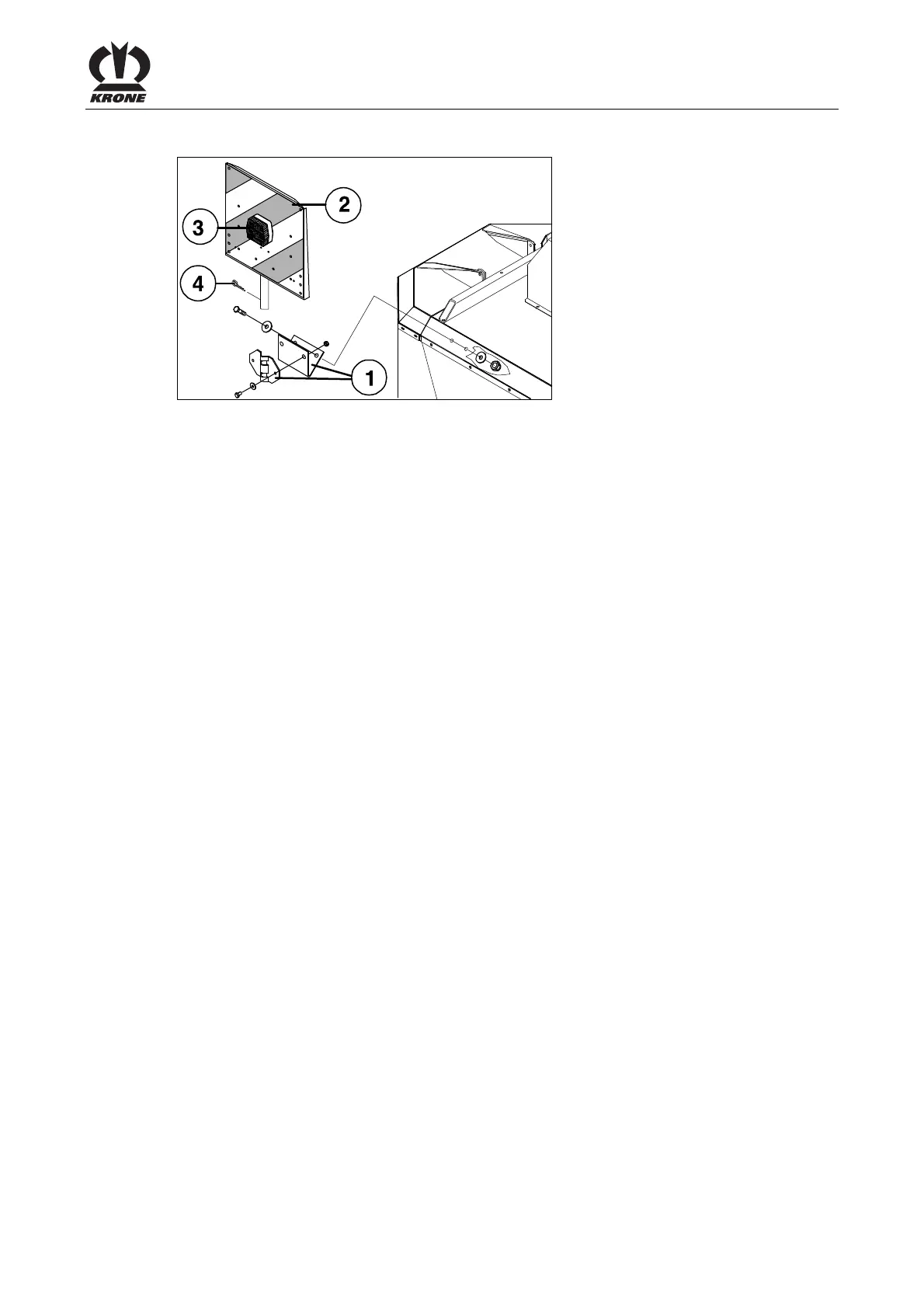
EC-0-016
Fig. 7
• Install the light holder (1).
• From above, push warning boards (2) with lighting (3) into the light holder * (1).
• Secure with a spring cotter pin (4).
• Check functionality of the lighting.
* = Standardised section according to Din 11027
Pos: 11 /Layout Module /---------------Seitenumbruch---------------- @ 0\mod_1196175311226_0.docx @ 4165 @ @ 1



 To Next Page
 Loading...