-A10-
5.6 Tensioning and Sealing the Straps
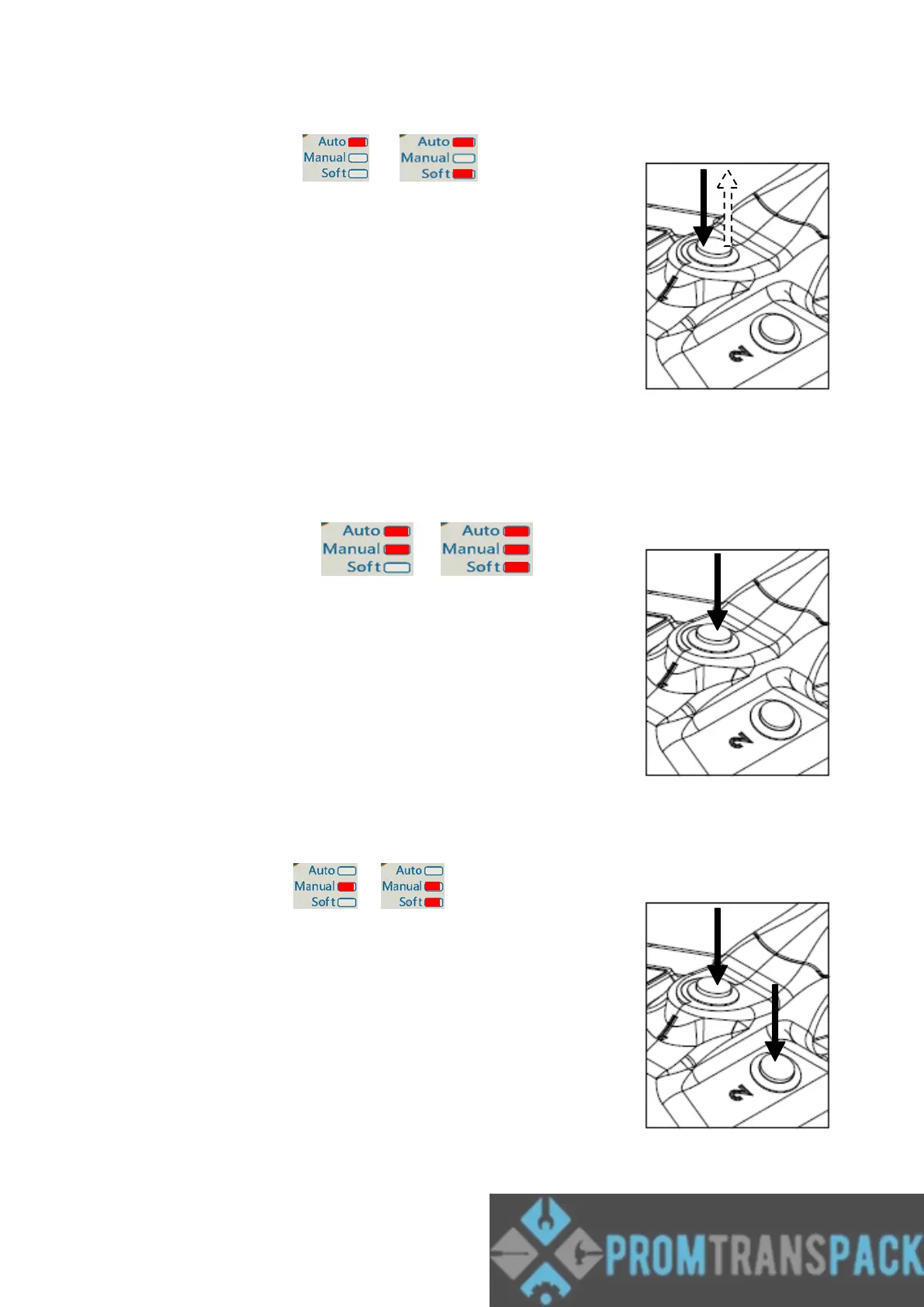
5.6.1 Auto mode or
Press down the tension switch “1” ,hold on or leave
the tension switch,the tool will tensioning till desired
tension is reached. Then the tool will do sealing and
cutting by itself. After the audible signal sound, cycle is
finished.
Caution!
In some case want to stop tool work, just push down
Tension or sealing switch.
Max tensioning time is 4 second. That is Press down
the tension switch “1” ,after 4 seconds still nor reach
desired tension, tool will stop tensioning.
5.6.2 Semi-Auto mode or
Press down the tension switch “1” until the desired
tension is reached. The tool will do sealing and
cutting by itself.
The tensioning process can be stopped at any time
and continued again. since release tension switch “1”
tensioning process will stop, press down again and
again till the desired tension is reached, The tool will
do sealing and cutting by itself.
After the audible signal sound, cycle is finished.
5.6.3 manual mode or
Press down the tension switch “1” till desired
tension is reached, tool will have “be” sound . or
release it, and press down again and again till the
desired tension is reached.
Press down the sealing switch “2” for sealing and
cutting straps.
After the audible signal sound, cycle is finished.



 To Next Page