-A13-
5.9.2 Cycle counter
Press and hold sealing switch and “SET” for 1 second, the digital display will show the
strapping cycle. The counter number contains 6 digits which are displayed orderly from
millions digit to one digit after showing the “-” symbol, and each digit displays 1 second
with a 0.5-second blank interval. Then cycle counter number will display again after the “-”
symbol, then the tool will go to standby mode.
For example, “- 0 0 0 1 3 8 –“ means the tool has performed strapping 138 times.
5.9.3 Panel function lock
Press and keep holding tension switch and sealing switch , then insert the battery, and
the display will show letter “L” (Lock) for 1 second and all setting will be locked. In
this situation, all the value indicates your set up before locking.
If the user wants to change the mode to operation mode, tension force setting mode or
sealing time setting mode, the display will show letter “L” only. The cycle counter is
still accessible in this situation.
The procedure to unlock panel function is the same as the procedure to lock panel
function.
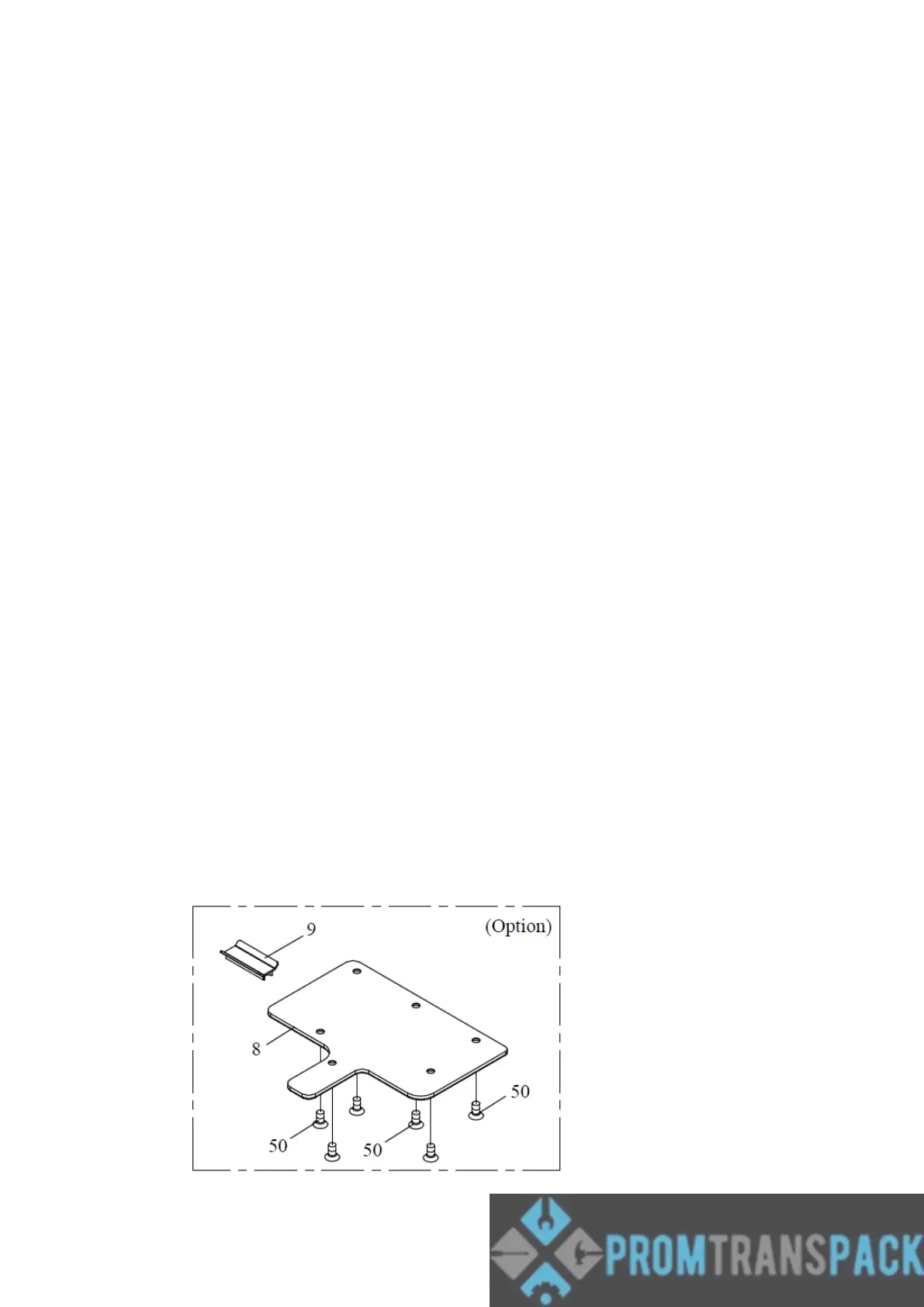
5.10 Options install
5.10.1 WEARING PLATE
The tool can be equipped with a stainless steel plate to protect the base against
excessive wear when using it on abrasive surfaces like bricks, concrete, stones, etc ...
The kit can be ordered with item H46-52100



 To Next Page