-A14-
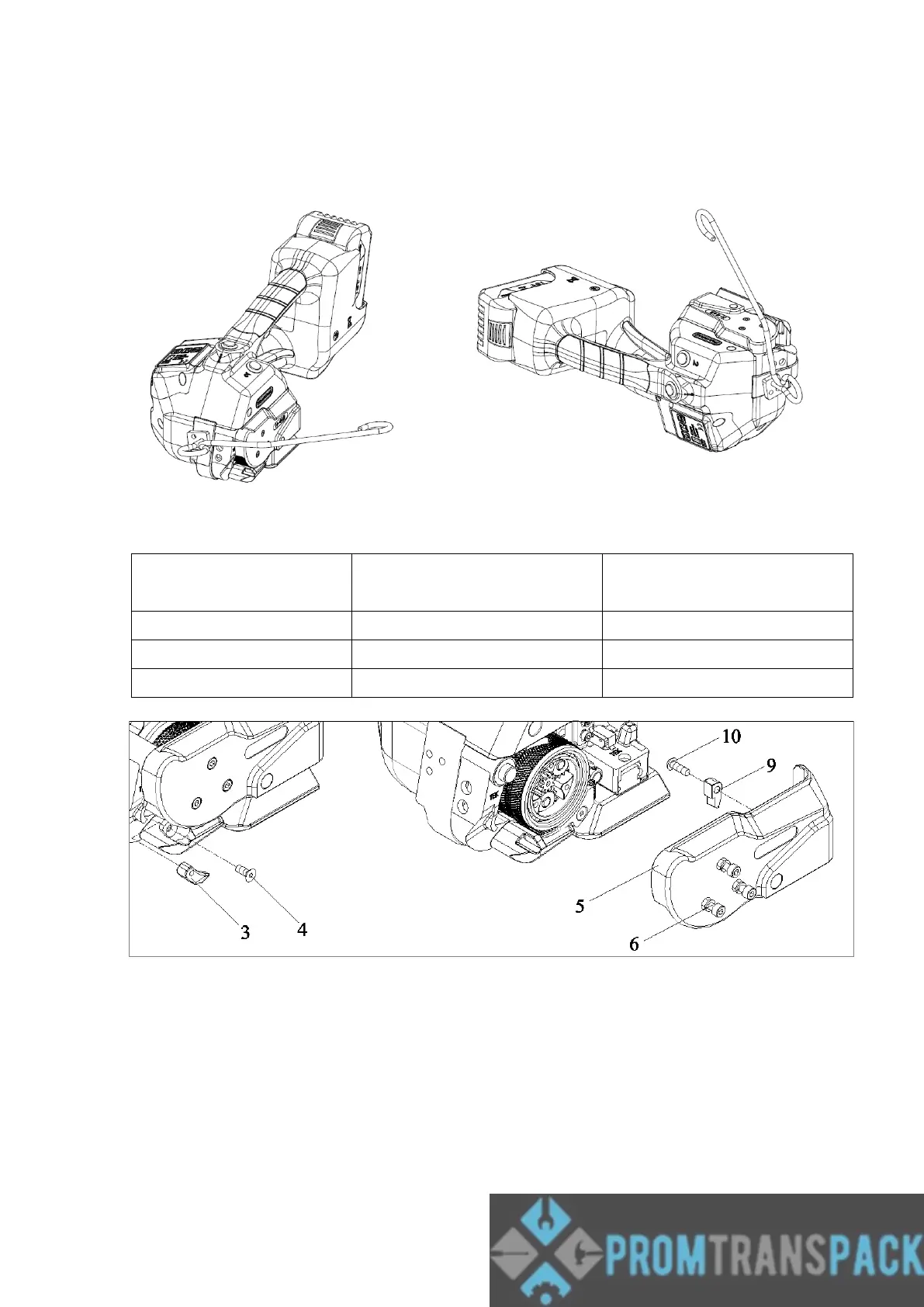
5.10.2 SUSPENSION HOOK
The tool could be equipped with a suspension hook(H46-50300). The hook must be
fixed to the tool by two screws (included) in vertical or horizontal position
5.11 Change strap width
5.11.1 Remove battery from tool. Remove three screws #6.
5.11.2 Remove End Cover #5.
5.11.3 Remove screw #4 and strap stop(front) #3. Install the selected strap stop. Tighten the
screw #4 after applying sealants such as Loctite222.
5.11.4 Remove screw #10 and strap stop(front) #9. Install the selected strap stop. Tighten the
screw #10 after applying sealants such as Loctite222.
5.11.5 Fit end cover #5, Tighten the screw #6 after applying sealants such as Loctite222.



 To Next Page