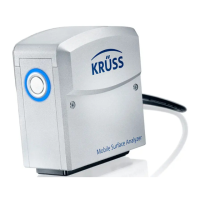
The KRÜSS Bubble Pressure Tensiometer BP50 is an instrument designed for measuring the dynamic surface tension of liquids using the bubble pressure method. It also serves for the calibration of the capillaries used in this method. The device is intended for exclusive use with accessories supplied by KRÜSS or identical substitutes for disposable accessories.
Function Description:
The BP50 operates by generating gas bubbles in a liquid sample through a capillary connected to a pressure sensor. The pressure required to expand a bubble works against the liquid's surface tension. The instrument calculates the liquid's surface tension from the maximum bubble pressure detected during bubble formation. The time from the start of bubble formation to the detection of maximum pressure is defined as the surface age, which can be specified over a wide measuring range with the BP50. The device, when used with the LabDesk software, offers several measurement options:
- Measurement of dynamic surface tension as a function of surface age.
- Time-dependent measurement of dynamic surface tension at a constant surface age.
- Single measurement at a constant surface age, including a quality evaluation of the results displayed in color.
Important Technical Specifications:
- Dimensions: 70 × 40 × 250 mm (Width × Depth × Height)
- Weight: 600 g
- Power consumption: 2.5 W
- Operating voltage: 5VDC (via USB)
- Interface: USB
- Operating Environment: The BP50 should not be used at ambient temperatures below 10°C and above 40°C, or in air containing condensate. It is not resistant to acids, bases, or organic solvents, except for the immersed components (capillary and temperature sensor).
Usage Features:
The BP50 is controlled via a simple keypad and connected to a computer via a USB cable for software-driven measurements.
- Control Panel: Features
Run, Status, and Cal LED indicators, along with PURGE, CAL, and ON/OFF keys.
- LED Indicators:
Run (Blue, continuous): Data transmission to LabDesk during measurement or calibration.Status (Green, flashing): Unit waiting for measurable bubbles.Status (Green, continuous): Unit has detected measurable bubbles.Status (Red, continuous): Firmware update mode.Cal (Blue, continuous): Calibration started via BP50 or LabDesk.
- Key Functions:
ON/OFF: Switches the compressor on/off. The BP50 is ready for use once connected to a switched-on computer; pressing ON/OFF is not required for measurement or calibration.PURGE: Forces liquid out of the capillary. Holding this key activates the compressor for one second to expel liquid.CAL: Initiates calibration.
- Capillary Fitting: Requires disposable gloves to prevent contamination. The capillary is fitted to the holder with slight pressure.
- Immersion:
- Manual Mode: For small surface ages (up to approximately 1500 ms), manual immersion is possible, requiring a steady hand and consistent immersion depth.
- Using a Stand: For surface ages greater than 1500 ms, a stand is recommended. The standard arm can be fixed to a laboratory stand, and the BP50 fits into its opening. The sample vessel is placed on a laboratory sample stage, and the capillary is immersed by raising the stage. An optional stand with a lifting device allows for precise immersion by lowering the device with an adjusting screw.
- Calibration: Essential for every new capillary. It determines the ratio between measured bubble pressure and surface tension using a reference liquid (typically water). Calibration can be performed manually or via LabDesk software. The reference liquid must be free from surface-active substances and its surface tension must be independent of surface age.
- Forcing out Liquid: After a measurement, liquid remains in the capillary due to capillary force. This must be forced out by an air stream using the
PURGE key or automatically if configured in LabDesk.
- Measurements: Carried out under software control using LabDesk, where parameters are defined. The capillary is immersed in the reference liquid, and the measurement is run via the software.
- Firmware Update: Firmware updates can be downloaded from the KRÜSS website and uploaded to the BP50. This involves extracting the firmware archive, disconnecting the BP50, holding the
CAL key while connecting to USB (entering firmware upload mode, indicated by a red Status LED), and using the KrussUSBFirmwareUploader.exe program to send the new firmware.
Maintenance Features:
- Cleaning the Sample Vessel:
- Step 1 (Water Cleaning): Rinse under hot flowing water, wiping alternately with paper, then rinse with distilled water.
- Step 2 (Check Cleanliness): Wipe with moistened tissue paper. A squeaking sound indicates freedom from surfactant residues. If the paper slides, more intensive cleaning is needed.
- Step 3 (Scarfing, if necessary): Scarf the sample vessel with a Bunsen burner flame. Use crucible tongs and fire-proof gloves. Allow glass to cool on a heat-resistant sheet. Warning: Scarf slowly and evenly, do not allow to glow red-hot, cool before rinsing, and wear laboratory clothing and safety goggles to prevent injury from shattering glass.
- Step 4 (Oxidising Acid Cleaning, if necessary): For persistent contamination, clean with concentrated oxidising acid. This must only be done by trained personnel familiar with acid handling dangers and safety procedures.
- General Cleaning Agents: Do not use cleaning agents containing surfactants (soap, rinsing agents) or alkaline cleaning agents. Use only pure solvent and clean, lint-free cloths.
- Cleaning the Surface of the BP50: Use soft cloths that will not scratch the surface. Clean with pure water and a little rinsing agent if necessary. Avoid organic solvents, as they can dull the BP50's surface.
- Repairs: If repairs are necessary, contact KRÜSS customer support for a repair number. Instruments must be cleaned and liquids removed before dispatch. Original packaging should be used for shipping.

 Need help?
 General

 To Next Page