GP800 UPS INSTALLATION
- 15 -
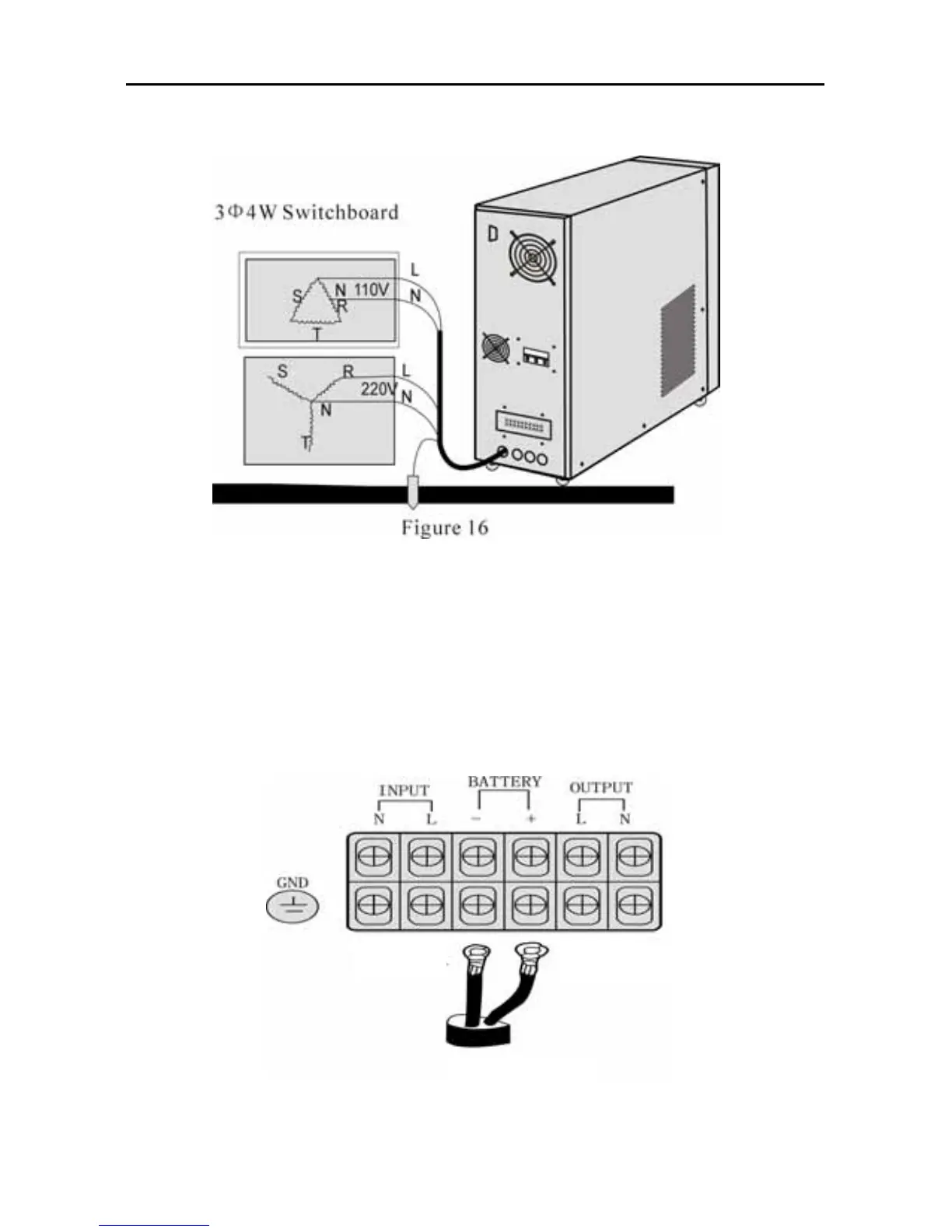
8. Try to make the ground close to connecting point of grounding club or
origination point in switch- board. Please refer to figure 16.
* Please install wiring according to input voltage system purchased
Please contact professional personnel or our service department if there
is problem in installation.
5.3 DC input wiring
1. DC input connection please refer to AC input installation rules.
2. Connection way and position, please refer to figure 17.
BATT- BATT+
Figure 17



 To Next Page