EasyManua.ls Logo

KStar 1K - User Manual

KStar 1K
20 pages
Print Icon
To Next Page IconTo Next Page
Loading...
User Manual
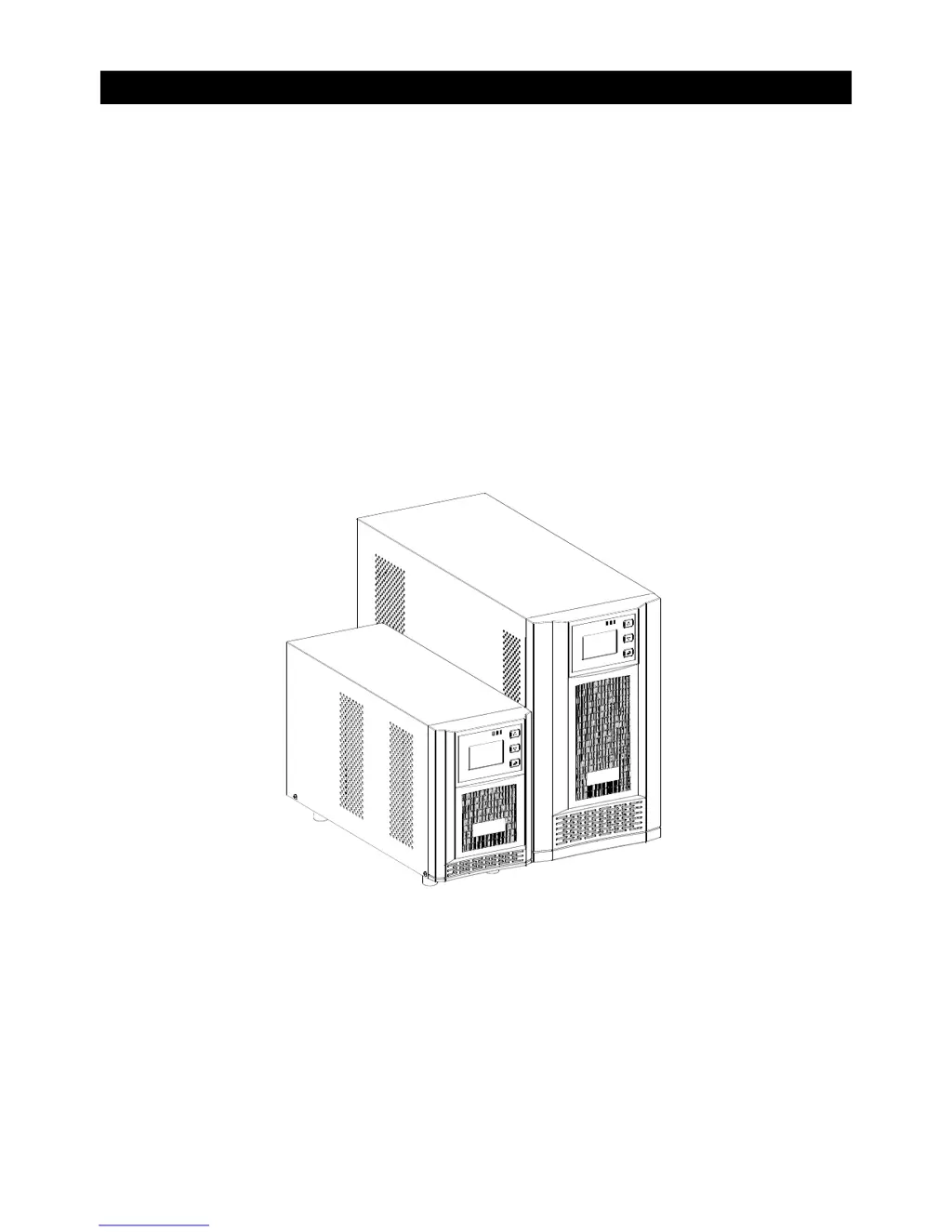
Line Interactive Sinewave-UPS
1K/2K/3K VA
Uninterruptible Power Supply System


Questions and Answers

  • S
    Steven TorresJul 31, 2025
    Why is the KStar 1K UPS battery backup time so short?
    • M
      mchavezJul 31, 2025
      There are a couple of reasons why your KStar UPS battery backup time might be shorter than expected: * The batteries may not be fully charged. In this case, charge the batteries for at least 5 hours and then check the capacity. * The batteries may be defective.
  • D
    Denise TorresAug 4, 2025
    What to do if KStar UPS shows overload and beeps?
    • V
      vincentpatrickAug 4, 2025
      If your KStar UPS displays overload codes and the alarm is sounding every second, it means the UPS is overloaded. To resolve this, remove some of the connected devices from the UPS output to decrease the load.
  • J
    Janet HallAug 8, 2025
    What does fault code 14 mean on my KStar 1K UPS?
    • P
      patricia46Aug 9, 2025
      Fault code 14 on your KStar UPS indicates that the UPS shut down automatically because a short circuit occurred on the UPS output. You should check the output wiring and the connected devices to see if any are causing a short circuit.
  • S
    Sonya WhiteAug 13, 2025
    What does fault code 43 mean on my KStar 1K?
    • M
      melissacohenAug 13, 2025
      Fault code 43 on your KStar UPS indicates that the UPS shut down automatically because of an overload at the UPS output. To fix this, remove some of the connected devices from the UPS output to reduce the load, and then restart the UPS.
  • K
    Kelly SmithAug 17, 2025
    What to do if load icon flashes on LCD of KStar 1K UPS?
    • S
      Steven EvansAug 17, 2025
      If the load icon flashes on the LCD display of your KStar UPS and the alarm sounds every second, it indicates that the external or internal battery is incorrectly connected. Check to ensure all batteries are properly connected.
  • E
    Erin YoungAug 21, 2025
    How to fix a KStar UPS with no power but normal mains?
    • S
      Sydney TannerAug 21, 2025
      If your KStar UPS has no indication and alarm even though the mains power is normal, it could be due to the following reasons: * The AC input power is not connected well. Check if the input power cord is firmly connected to the mains. * The AC input is connected to the UPS output. Ensure you plug the AC input power cord into the AC input correctly.
  • T
    Todd ThomasAug 27, 2025
    Why does my KStar 1K UPS display EPO and sound an alarm?
    • V
      Victor MarksAug 27, 2025
      If your KStar UPS displays 'EPO' on the LCD and an alarm is sounding, it means the EPO (Emergency Power Off) function has been activated. To disable the EPO function, set the circuit in the closed position.

Summary

Important Safety Warnings

1-1. Transportation Safety

Proper transport of the UPS system in its original packaging to prevent shock and impact.

1-2. Environmental Preparation

Ensure UPS acclimates to environment, avoid moisture, direct sunlight, and blocked vents.

1-3. Installation Safety Guidelines

Guidelines for connecting loads, cables, and UPS to an earthed outlet, avoiding overload.

1-4. Operational Safety Precautions

Precautions during operation: do not disconnect mains, handle internal power, prevent foreign objects.

Important Safety Warnings

1-5. Maintenance and Battery Safety

Warnings on hazardous voltages, qualified personnel, battery shock risk, and proper battery/fuse handling.

Installation and Setup

2-1. Rear Panel View

Diagrams of rear panel layout for 1K IEC Type and 2/3K IEC Type UPS models.

2-2. UPS Installation Procedure

Steps for installing the UPS, including re-connecting battery wires before initial setup.

Installation and Setup

2-3. UPS Setup Steps

Instructions for UPS input connection to a grounded receptacle and output connection to segments 1 and 2.

Installation and Setup

2-4. Battery Replacement

Procedure for hot-swappable battery replacement for 1KVA UPS, including safety cautions.

Installation and Setup

2-5. Battery Kit Assembly

Steps for assembling a 2-battery kit, including removing tapes and connecting terminals.

Operations

3-1. Button Operation Guide

Explanation of function and inquiry buttons, including their press and hold actions.

3-2. LED Indicator Meanings

Description of green, yellow, and red LED indicators and their operational meanings.

Operations

3-3. LCD Panel Overview

Details on LCD panel sections: numerical value display and mini diagram for status.

3-4. Parameter Inquiring

How to inquire about UPS parameters: output, load, temperature, input, and battery voltage.

Operating Modes

Line Normal Mode

UPS operation when input AC is normal, charging battery and protecting the load.

Line Boost Mode

UPS operation when AC is low, using boost stages to charge battery and protect load.

Operating Modes

Line Buck Mode

UPS operation when input AC is high, using buck mode to charge battery and protect load.

Battery Mode

UPS operation when input AC is out of range, using battery power with LED/buzzer alerts.

Operating Modes

Fault Mode

UPS behavior during faults: yellow/red LEDs, buzzer, output cutoff, and fault code display.

Faults Reference Code

Troubleshooting

Storage and Maintenance

General Operation and Maintenance

Notes on user-serviceable parts, battery replacement timing, and proper disposal of spent batteries.

Storage Guidelines

Recommendations for UPS storage: charge before storage and periodic recharging.

Specifications

KStar 1K Specifications

General IconGeneral
BrandKStar
Model1K
CategoryUPS
LanguageEnglish

Related product manuals