‐5‐
2. InstallationAndSetup
NOTE: Before installation, please inspect the unit. Be sure that nothing inside the package is
damaged. Please keep the original package in a safe place for future use.
2-1. Rear Panel Vie
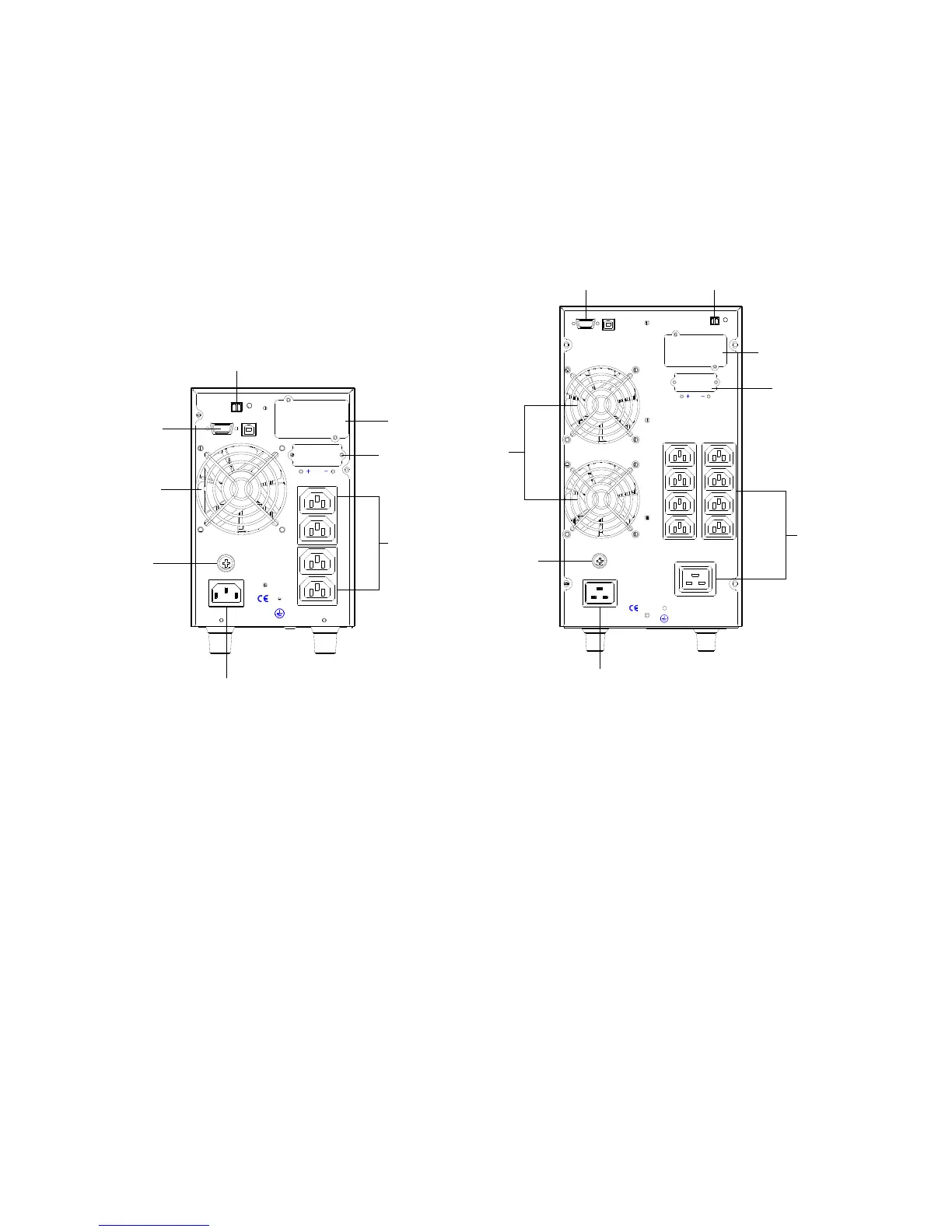
1K IEC Type 2/3K IEC Type
1. Segment 1 outlets: connect to non-critical loads. Will cut off the load when battery voltage
reach to 11.0V/pcs, The segment 1 cut off battery voltage can be set by soft tool by RS232
port.
2. Segment 2 outlets: connect to mission-critical loads.
2-2. Install The UPS
For safety consideration, the UPS is shipped out from factory without connecting battery wires
Before install the UPS, please follow below steps to re-connect battery wires first.
INPUT
INTELLIGENT SLOT
24VDC
EXT.BATTERY
SEGMENT1
SEGMENT2
RS232
USB
EPO
FUSE
E
S
U
F
RS232,USB
FAN
EPO
BATTERY
SOCKET
INTERNAL
SNMP SLOT
OUTPUT
SOCKET
INPUT
SOCKET
FUSE
E
S
U
F
INPUT
RS232
USB
EPO
INTELLIGENT SLOT
72VDC
EXT.BATTERY
SEGMENT1 SEGMENT2
FUSE
HIGH CURRENT OUTPUT
INPUT
SOCKET
OUTPUT
SOCKET
BATTERY
SOCKET
INTERNAL
SNMP SLOT
RS232,USB
EPO
FUSE
FAN



 To Next Page