GP800 UPS STATUS HANDLING
- 21 -
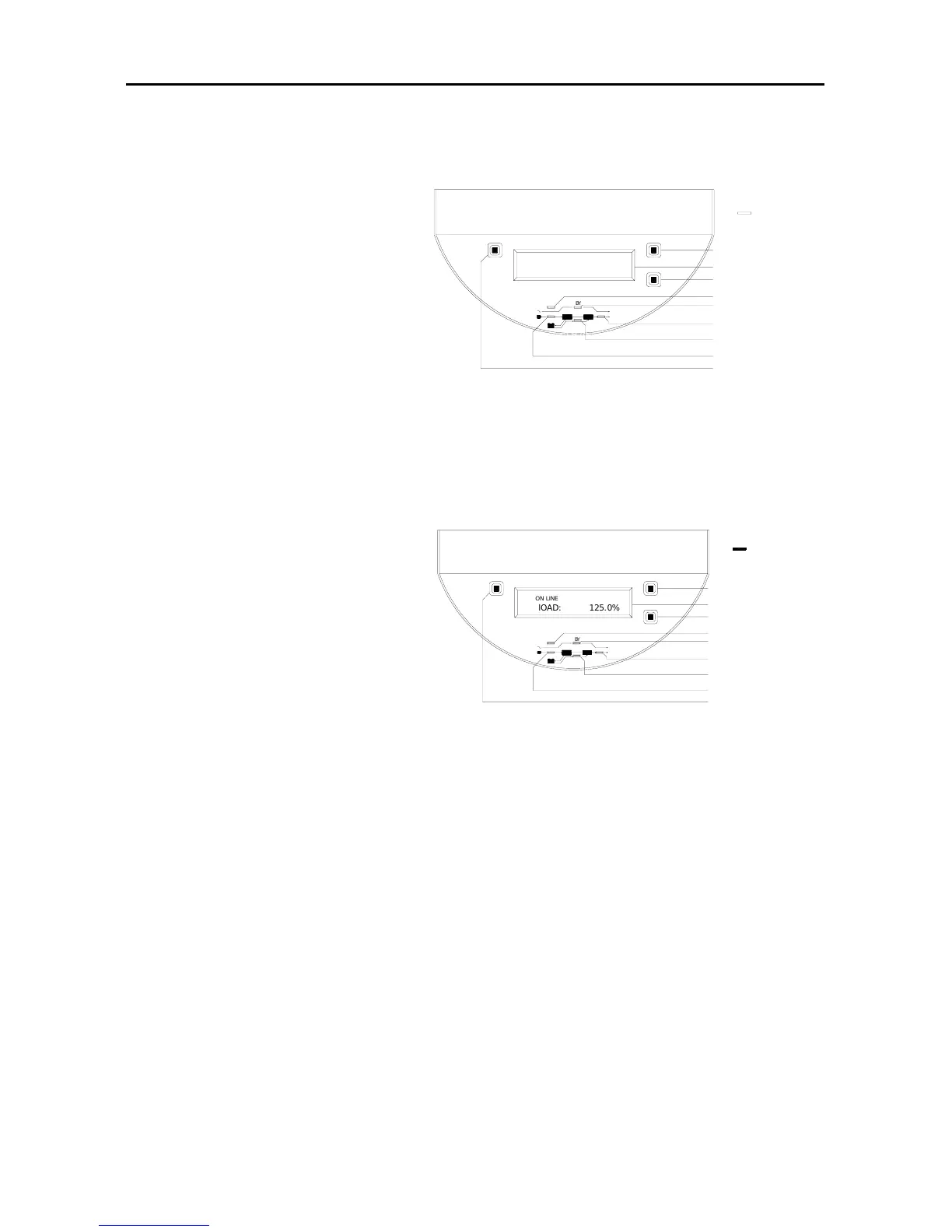
5. panel indicator status is as the right figure:
(1) UPS running status
Utility power is normal
and it converts to utility
mode. UPS don’t start up
if didn’t press the “ON”
button down on the UPS
panel.
(2) Handling way:
Please deal with it refer to status dealing flow Chart 2.
6. panel indicator status is as
the right figure:
(1) UPS running status:
Utility supplies power.
Under overload 125%,
overload
indicator is lit on and the
buzzer long beeps.
(2) Handing way:
Please remove load to ensure the percent of LCD output power
indicated is below 100%.
If the problem still presents after removing load, please refer to flow
Chart 3 of status handling.
Figure 26
Figure 27
BZ
OUT
IN
BATT
B
Y
FAULT
Off
Down
On
Sw itch O N
LCD
Fault indicator
Bypass indicator
Output indicator
Input indicator
Switch OFF
Cycle display button
battery energy indicator
BZ
O
N
L
I
N
E
l
O
A
D
:
1
2
5
.
0
%
Switch OFF
Input indicator
battery energy indicator
Output indicator
Bypass indicator
Fault indicator
LCD
Cycle display button
Sw itch ON
On
Down
Off
FAULT
B
Y
BATT
IN
OUT



 To Next Page