GP800 UPS STATUS HANDLING
- 23 -
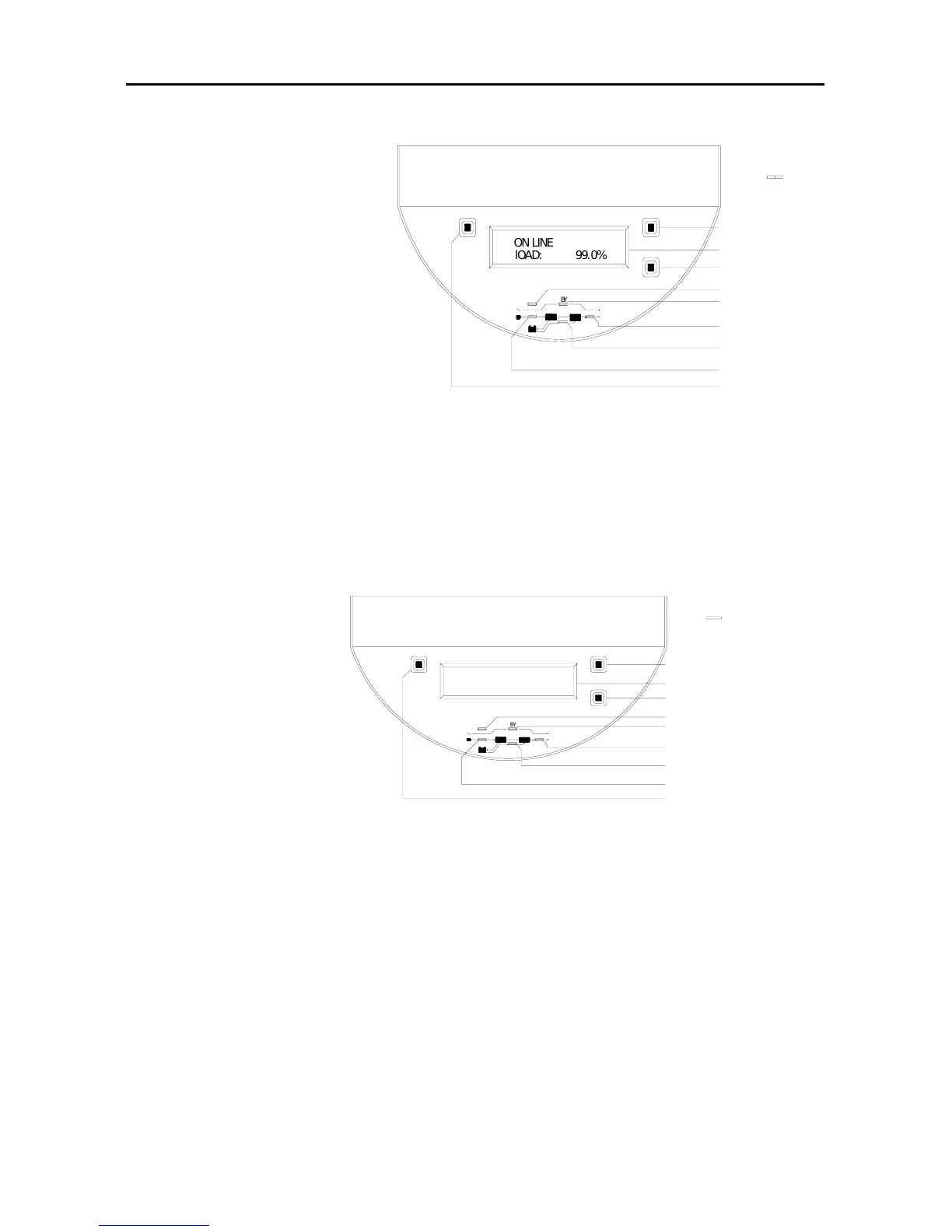
Figure 30
9.panel indicator status is right figure:
(1) UPS running
status: Utility power
is disconnected and
UPS is battery
powered. Buzzer beeps
once every one second
when the battery power
will be exhausted.
(2) Handling way:UPS will
be shut down, please save files and close your computer.
10.panel indicator status is right figure:
(1) UPS running status:
Utility power
may have been
Disconnected
and battery power
has been exhausted,
shutdown UPS auto-
matically.
(2) Handling way:
When utility power comes back,UPS will automatically restart.If
utility power is disconnected for long time (ab-ove 6 houses), please
turn off UPS according to switch on/off program for power
disconnection of long time.
Figure 31
BZ
OUT
IN
BATT
B
Y
FAULT
Off
Down
On
Sw itch ON
Cycle display button
LCD
Fault indicator
Bypass indicator
Output indicator
battery energy indicator
Input indicator
Switch OFF
l
O
A
D
:
9
9
.
0
%
O
N
L
I
N
E
BZ
Switch OFF
Input indicator
battery energy indicator
Output indicator
Bypass indicator
Fault indicator
LCD
Cycle display button
Sw itch ON
On
Down
Off
FAULT
B
Y
BATT
IN
OUT



 To Next Page