ENGLISH
18
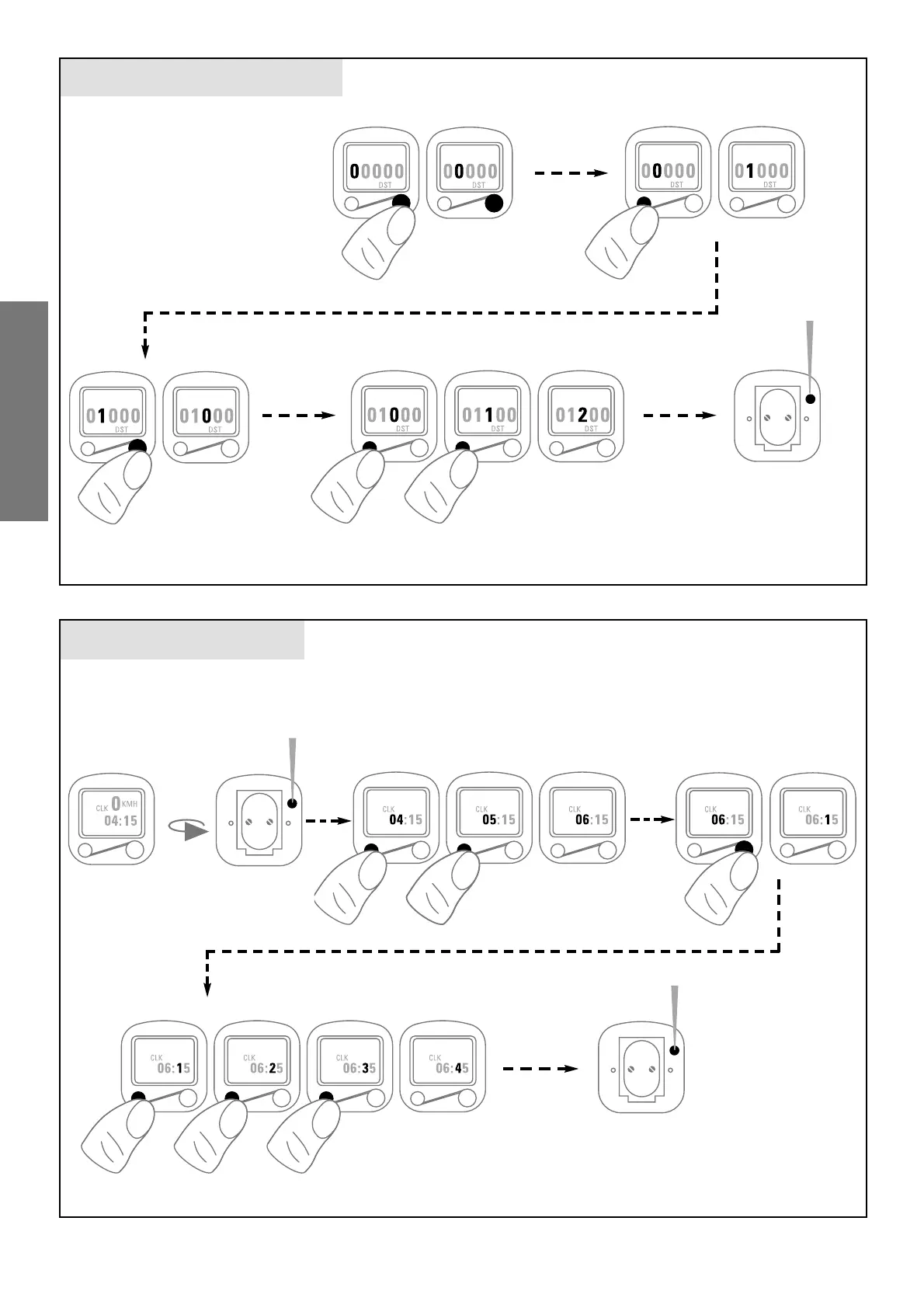
TOTAL MILEAGE „DST“
TIME „CLK“
after changing battery
1 sec
5 sec
1 sec
1. use the right button to select
the position to be changed
1. make sure the time is indicated
and push the button on the
back approx. 5 seconds (time
starts blinking)
2. push the left button until the cor-
rect figure is shown on the display
3. by pushing the right button you
jump to the next figure
4. repeat pos. 2 + 3 until correct time is indicated
5. push the button on
the back approx. 1
second to terminate
the setting procedure
2. push the left button until the cor-
rect figure is shown on the display
3. by pushing the right button
you jump to the next figure
4. repeat pos. 2 + 3 until the previously
noted total mileage is indicated
5. push the button on the back
with a sharp object approx. 1
second to terminate the set-
ting procedure (the value is
then stored)









 To Next Page