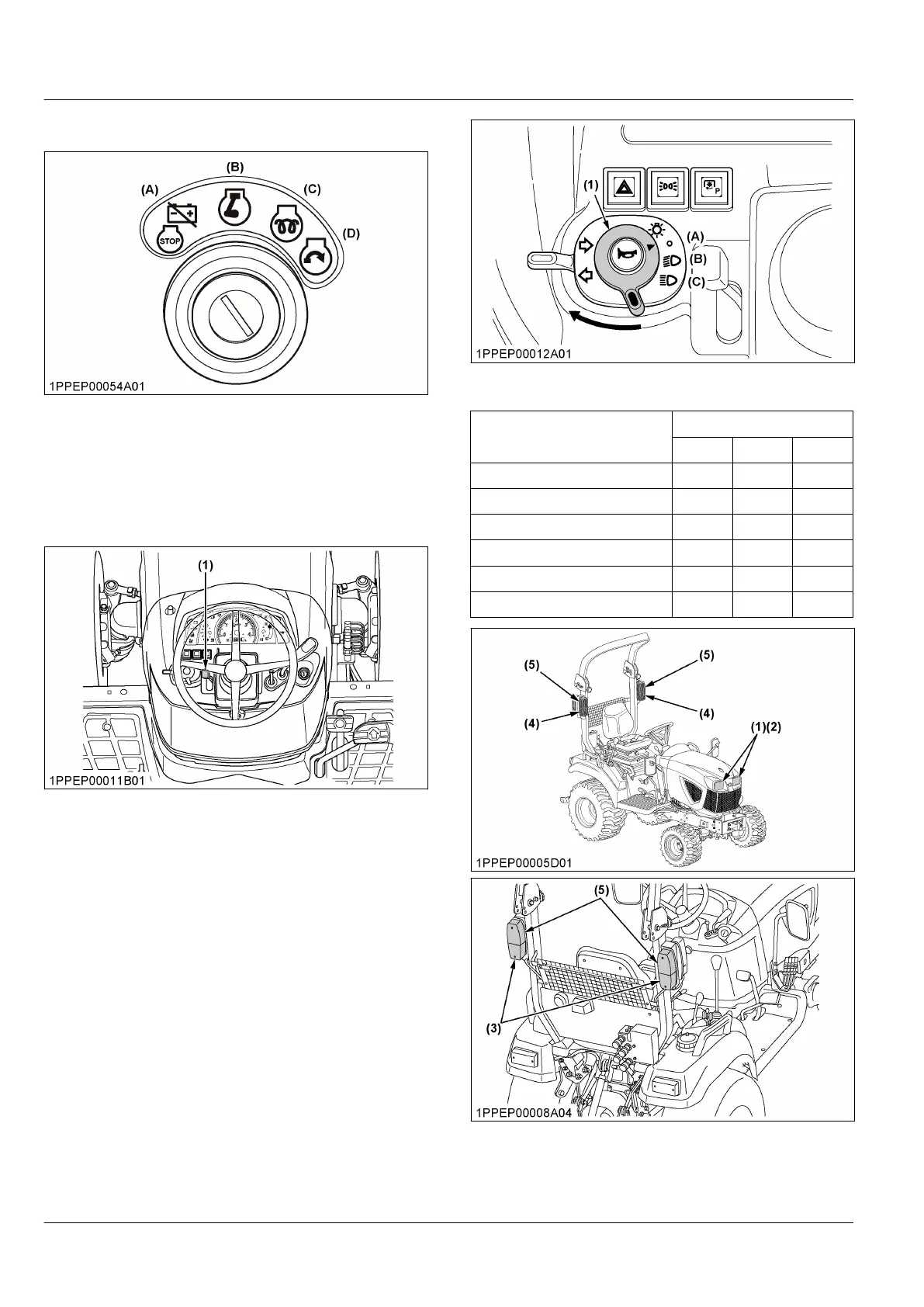
1. Key switch
(A) Off
(B) On
(C) Preheat
(D) Start
2. Tilt lever
Adjust the steering wheel to the proper position. To
adjust the steering wheel, pull the tilt lever.
(1) Tilt lever
3. Head light switch
Turn the head-light-switch clockwise, and the following
lights are activated on the position of the head-light-
switch.
(1) Head light switch
(A) Off
(B) On (low beam)
(C) On (high beam)
Light name
Switch position
(A) (B) (C)
Head light (low beam) OFF ON ---
Head light (high beam) OFF --- ON
High beam indicator OFF OFF ON
Rear light OFF ON ON
Registration plate light OFF ON ON
Side marker light OFF ON ON
(1) Head light (low beam)
(2) Head light (high beam)
(3) Rear light
(4) Side marker light
(5) Direction indicator / Hazard
light
INSTRUMENT PANEL AND CONTROLS
INSTRUMENT PANEL, SWITCHES AND HAND CONTROLS



 To Next Page