- 8 -
GB
DE
GB
FR
ES
IT
PT
NL
SE
DK
NO
FI
GR
2019 21
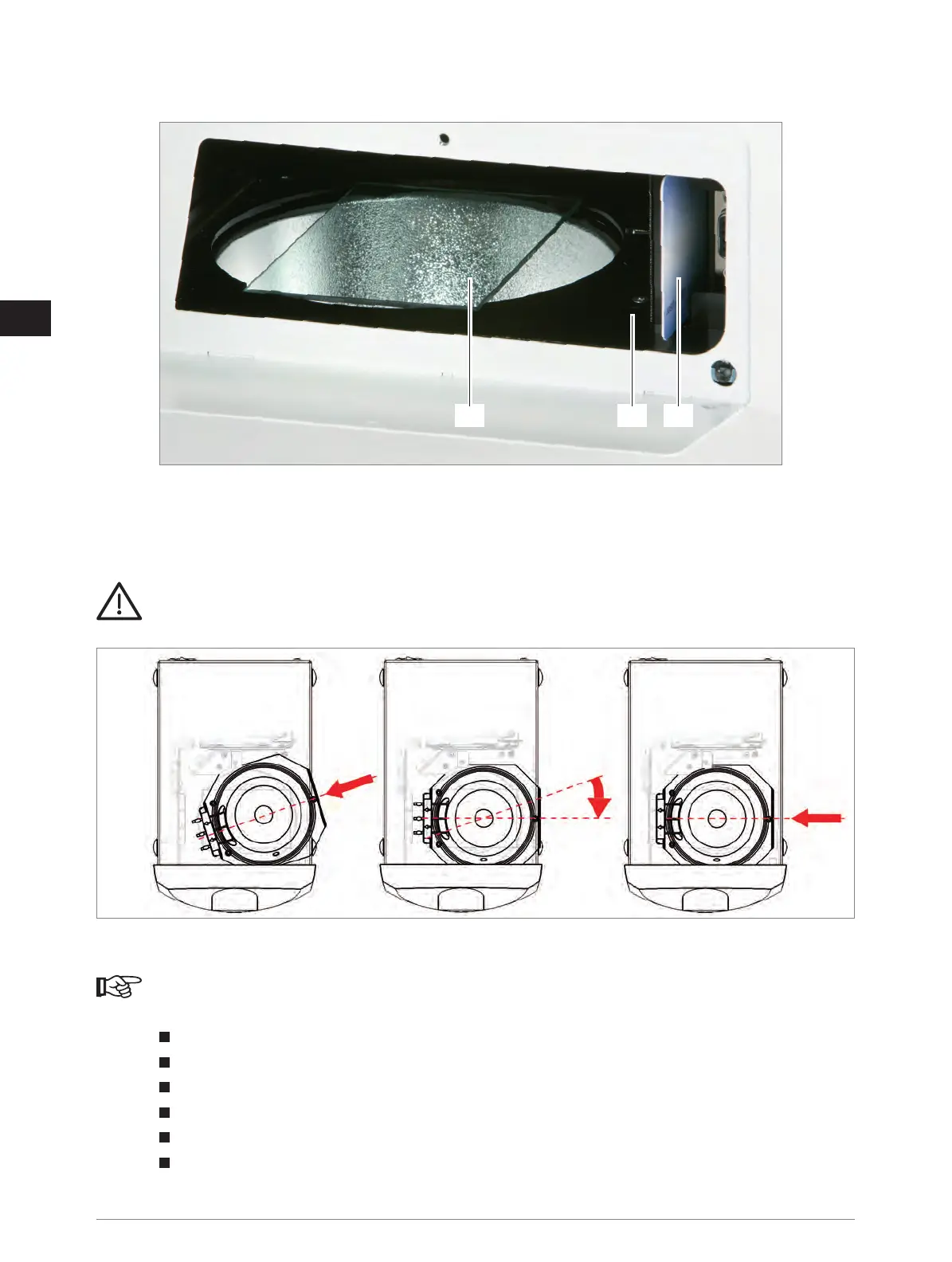
19) Filter disc
20) Chip card
21) Hole for emergency opening of drawer
The flash lamp is inserted directly above filter disc and will connected via a 3 pole ceramic socket which is secured
against wrong poling.
CAUTION
Insert flash lamp with medium pushing force to the stop (see following graphics)!
Risk of damage to the flash lamp and ceramic socket when not plugged correctly.
If flash lamp is inserted incorrectly or incompletely, it would not be possible to close the maintenance flap!
Insert chip card in card reader. The golden pins must show to rear panel of HiLite
®
power 3D. The chip card for the lamp stores
unit data during the operation to obtain detailed information in the event of complaints or service.
NOTE
New units are pre-initialized when shipped and are ready for use after insertion of chip card and bulb.
After bulb and chip card replacement you need to execute an initialization process as follows:
Switch off the unit and open the lateral maintenance flap (exchange flash lamp and chip card).
Close the lateral maintenance flap.
Switch on the unit, all LED rings are lit shortly (control of the function).
The 6 s / 5 min cycle flashes – press the button within 2 seconds.
The 90 s / 10 min cycle flashes – press the button within 2 seconds.
The 180 s / 15 min cycle flashes – press the button within 2 seconds.
If the buttons are not pressed within the given period, the unit will start and display the error “Wrong chip card” see paragraph 8.2
Errors and how to eliminate those. Switch the unit off and on again. Repeat the steps described above.



 To Next Page