11 41
EN
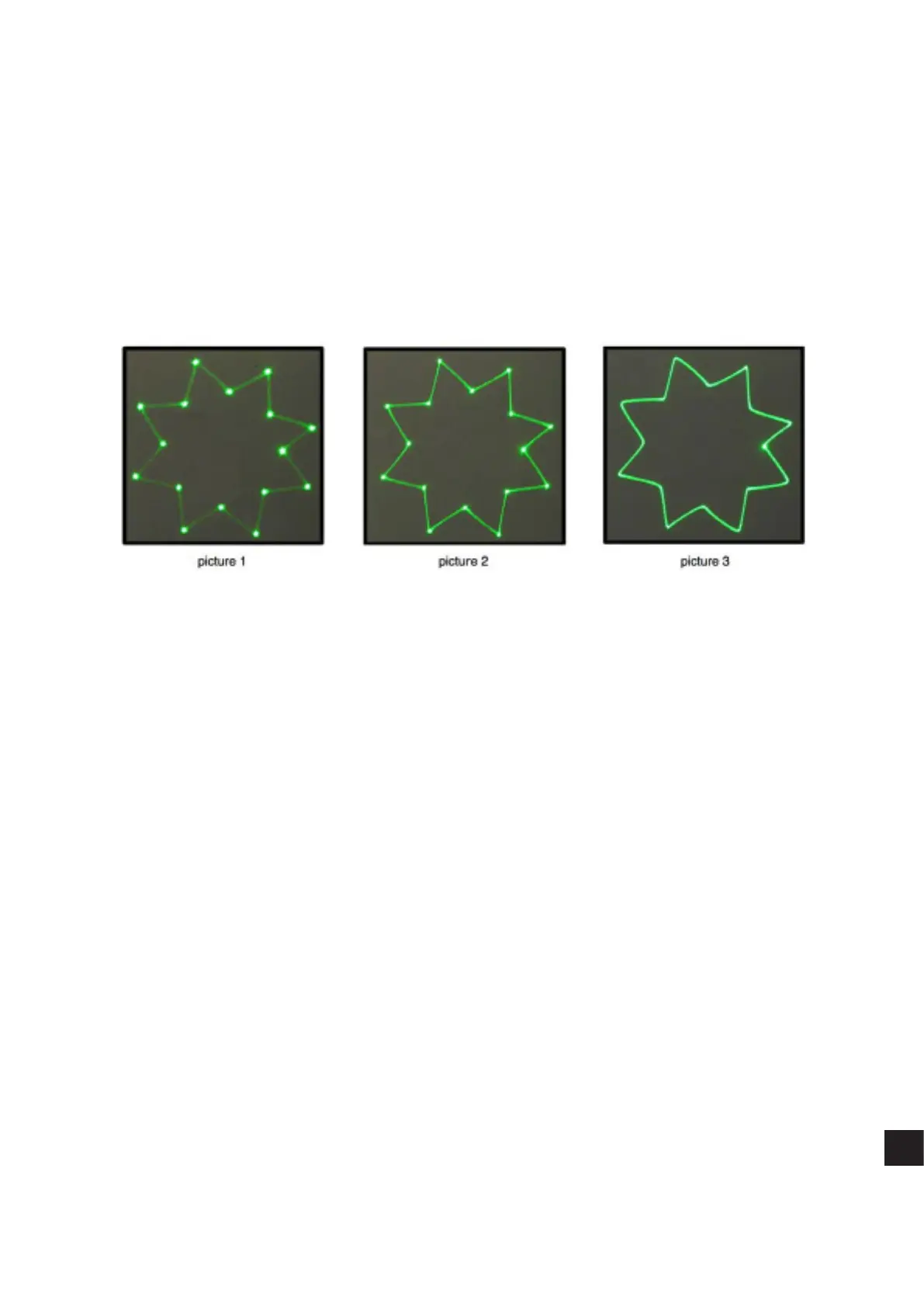
Inthe following pictures you see the same star eect scanned atdierent scan rates atfull scanning angle (60degrees).
Picture 1: the scan rate and/ornumber
of points is too low. The corner
points are more visible than the lines
between them and the whole eect
flickers. The scan-rate and/ornumber
ofpoints needs tobeincreased.
Picture 2: the scan-rate and/
or number of points is about right.
The whole eect has more orless the
same intensity and does not flicker.
Picture 3: further increasing of the
scan-rate and/or number of points
results inthe eect starting todistort,
firstly around corners only. This
indicates that you are exceeding the
maximal scan rate of the scanning
system! If you operate the scanning
system at scan-rates higher than the
maximum scan-rate of the scanning
system the scanners will get damaged
irreversibly due to overheated coils
damaging rotor magnets.


 To Next Page
 Loading...