Printer Environment
1-29
1.5.2 KIR
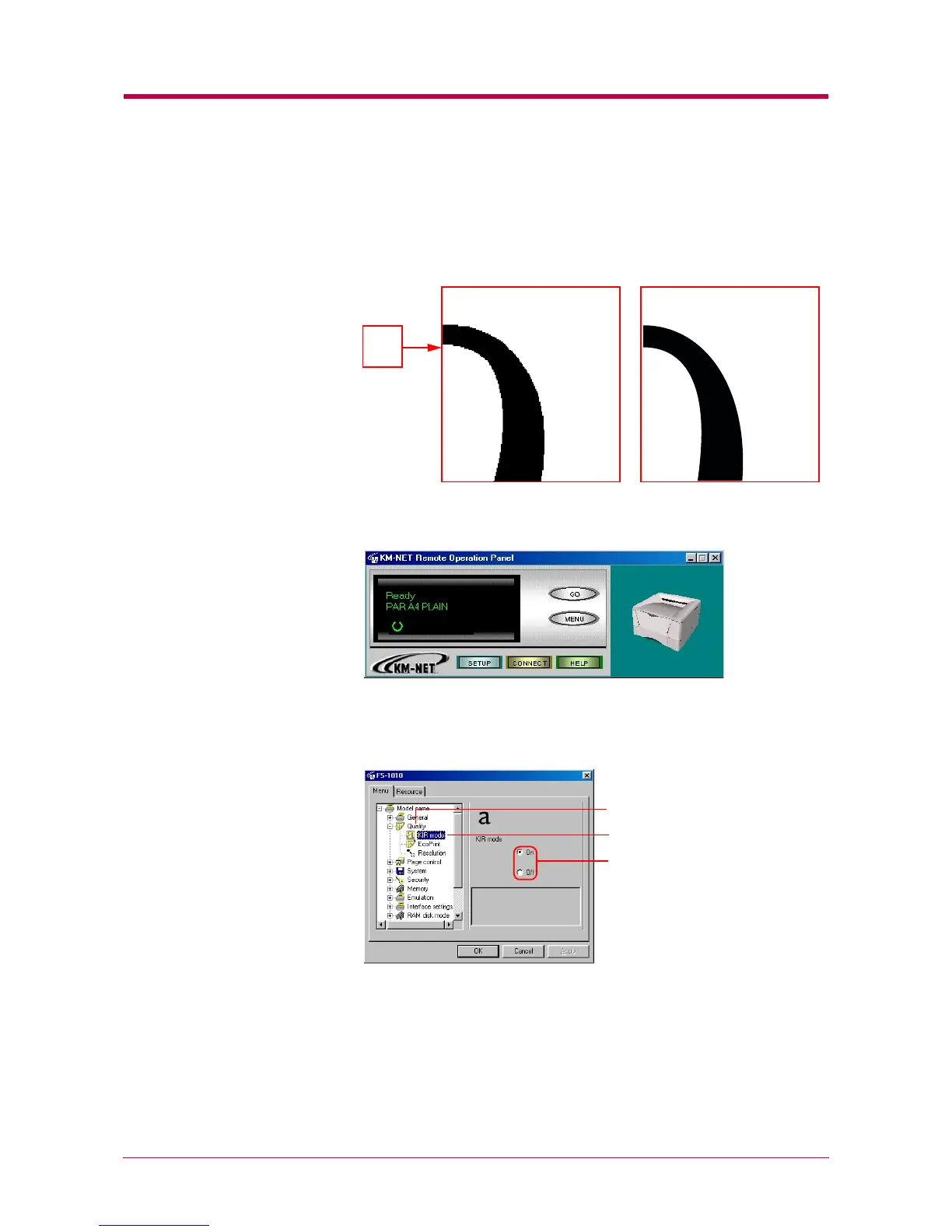
This printer incorporates the KIR (Kyocera Image Refinement) smoothing
function. KIR uses software to enhance resolution, resulting in high-
quality printing. The default setting is On.
1
Click the MENU button on the start-up screen.
2
The Menu dialog box appears. Select and double click Quality, then
click KIR mode. You can toggle the KIR mode On and Off using the
radio buttons on the right side of the screen.
3
After you have selected On or Off, click the OK button to return to
the start-up screen. The KIR mode is changed.
With KIR Off With KIR On
Q
KIR mode
Quality
KIR mode


 To Next Page