Paper
1-24
1.4.6 Paper Source Properties
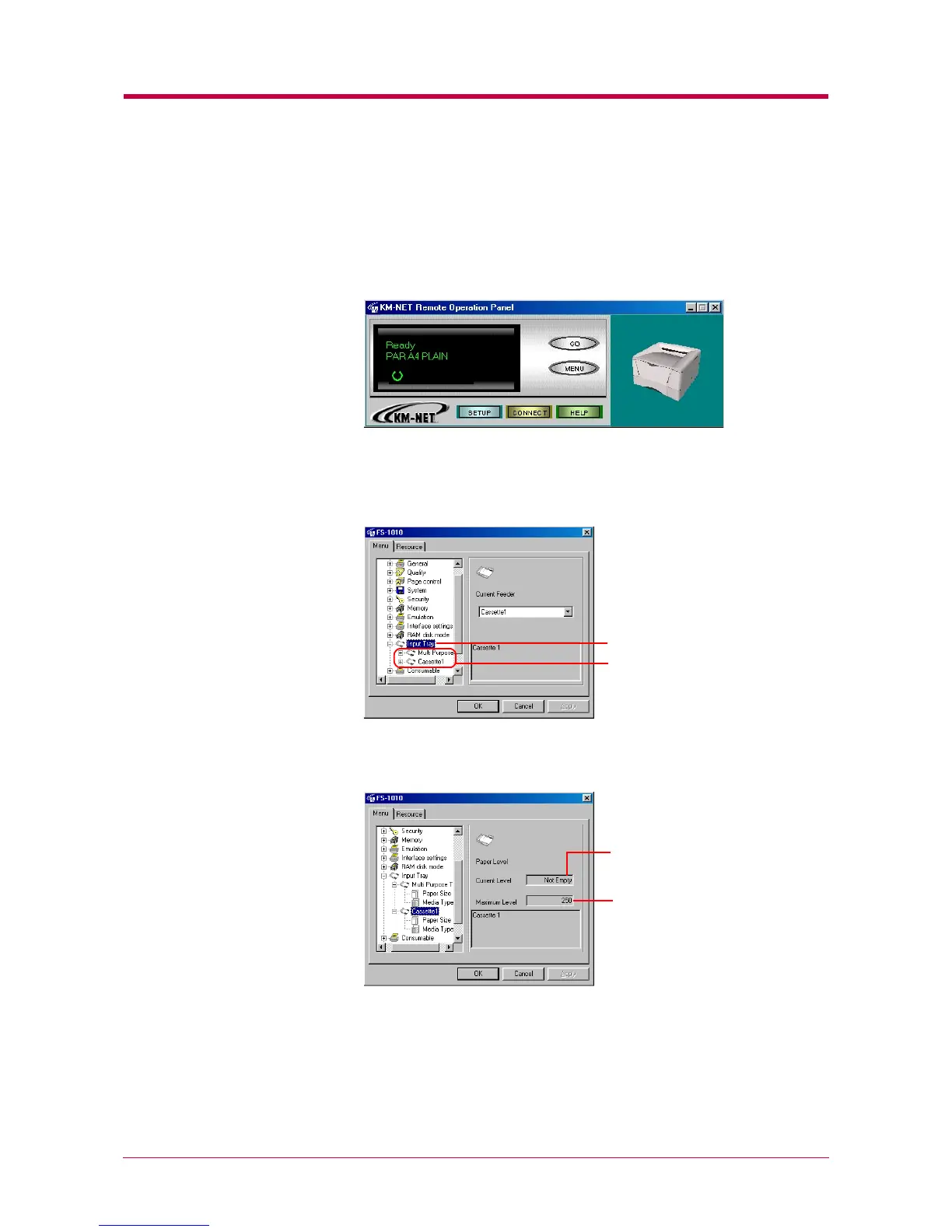
You can display information about the paper source, such as whether paper
is loaded and the maximum paper capacity.
1
Click the MENU button on the start-up screen.
2
The Menu dialog box appears. Select and double click Input Tray. The
printer’s paper sources are displayed. If the optional paper feeder is
installed, Cassette 2 is displayed under Cassette 1.
3
Click the paper source whose properties you wish to confirm.
Input Tray
Paper Sources
The maximum number of
pages the paper source can
accommodate.
Indicates whether the paper
source is empty or not.


 To Next Page