Paper
1-22
1.4.5 Media Type Settings for Paper Sources
You can select the media (paper) type for each paper source. The default
setting is plain.
1
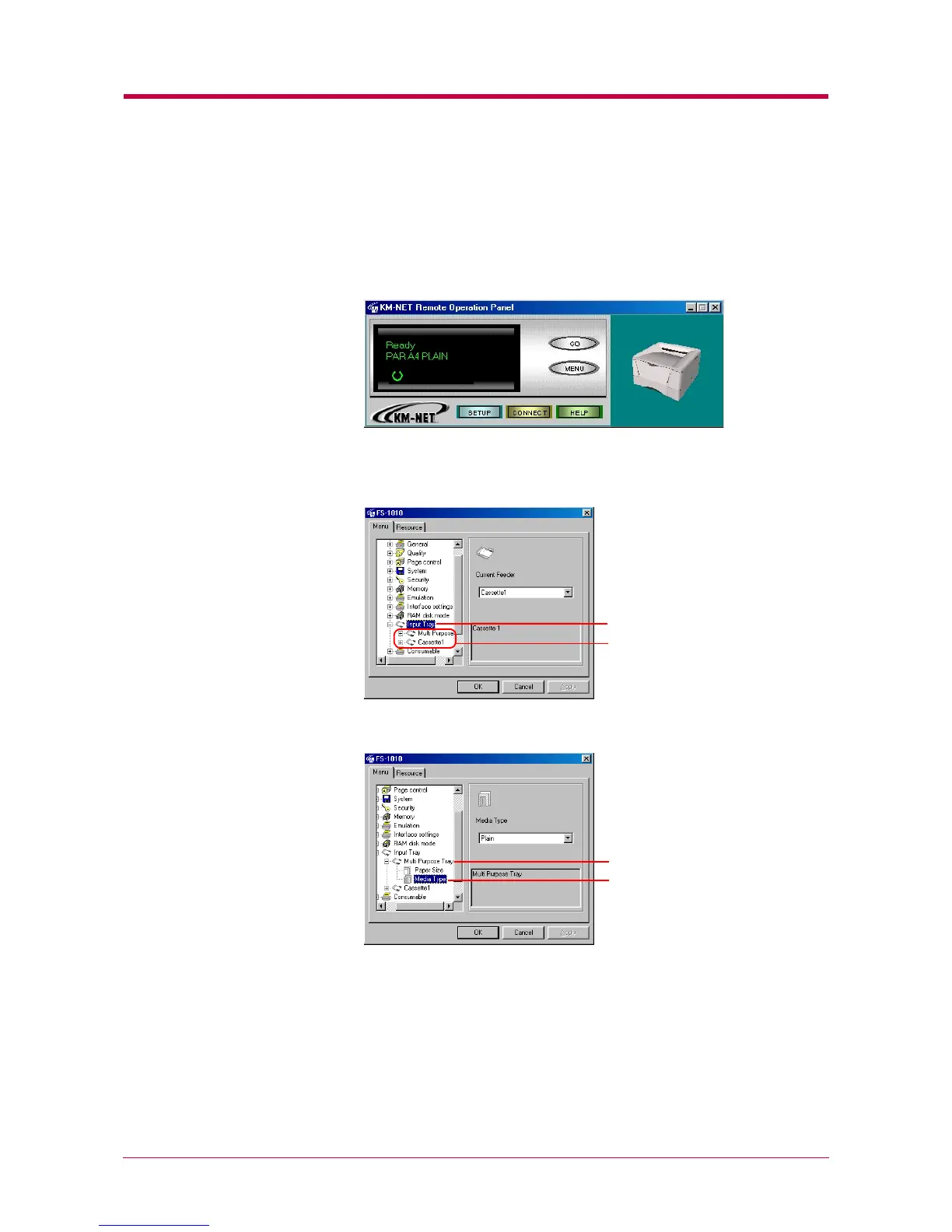
Click the MENU button on the start-up screen.
2
The Menu dialog box appears. Select and double click Input Tray and
the printer’s paper source is displayed.
3
Select and double click Multi Purpose Tray, then click Media Type.
Input Tray
Paper Sources
Multi Purpose Tray
Media Type


 To Next Page