Other Settings
1-52
1.6.6 Displaying the Resource List
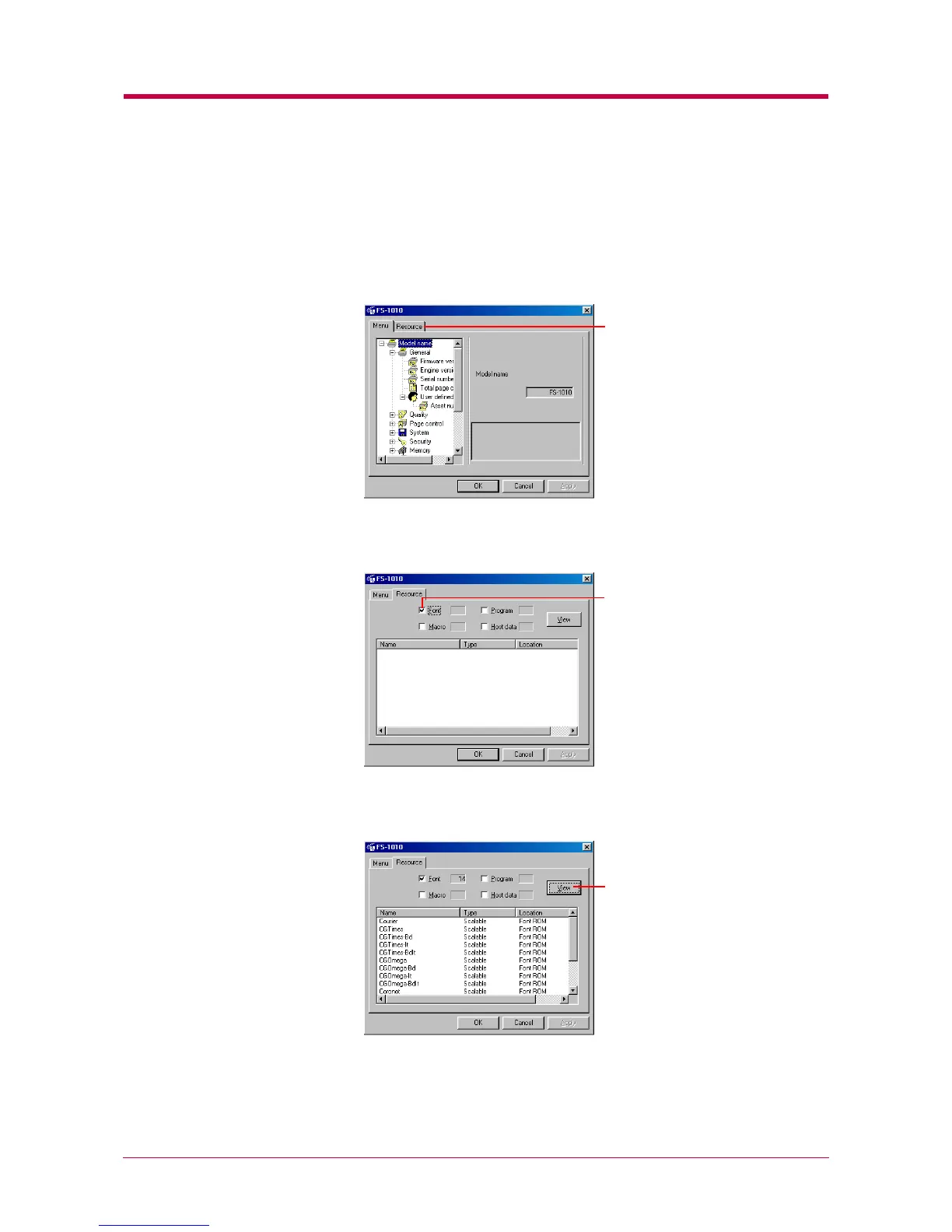
When the printer is connected to a network, you can display the printer’s
resource list, including fonts, programs, macros, and/or host data.
1
Click the Resource tab.
2
Click the check box that corresponds to the resource you want to
display.
3
Click the View button. A list of all items for that resource are
displayed.
4
After confirming, click the OK button to return to the start-up
screen.
Resource tab
Font check box
View


 To Next Page