Printer Environment
1-35
1.5.8 Emulation
You can set the default emulation for each of the printer’s interfaces. The
default setting is PCL.
1
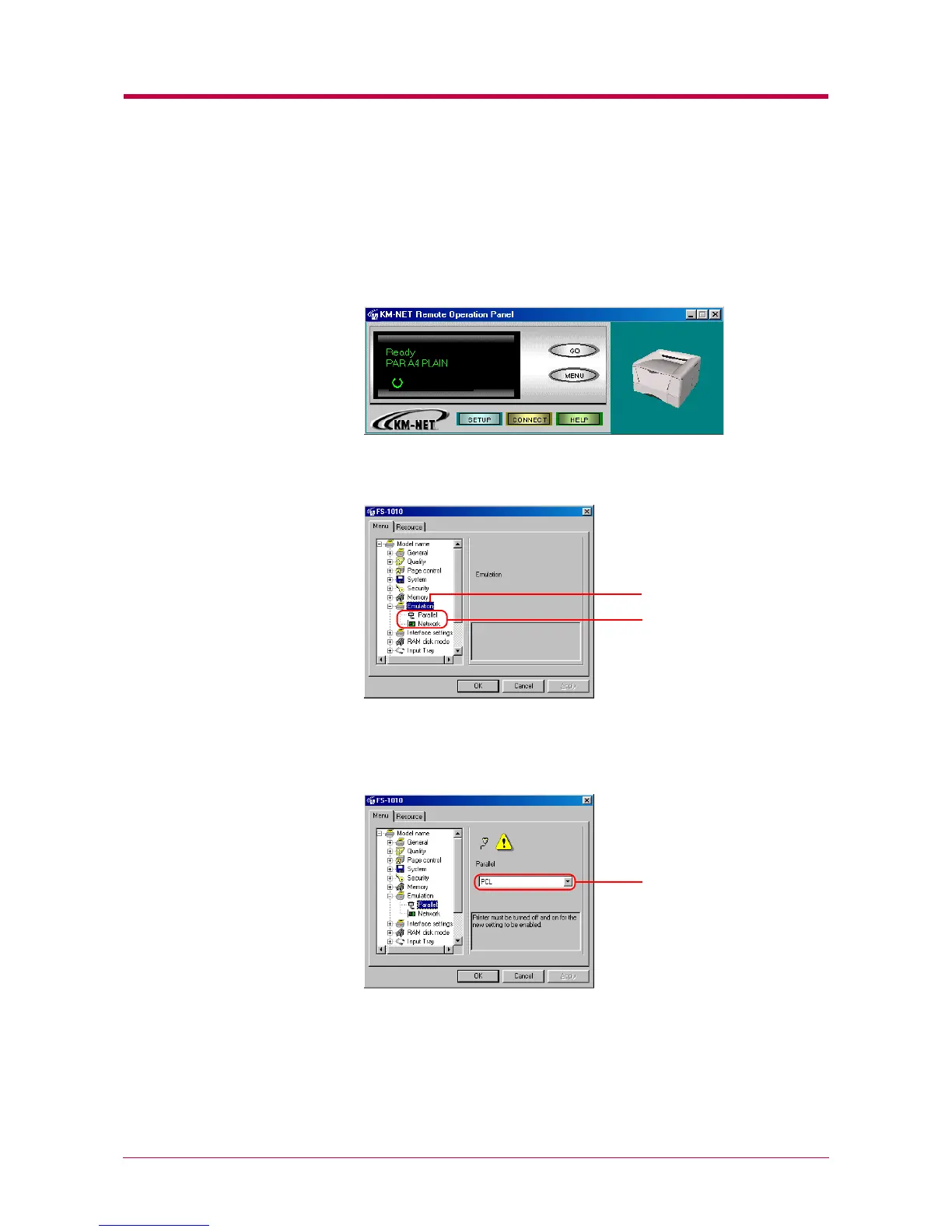
Click the MENU button on the start-up screen.
2
The Menu dialog box appears. Select and double click Emulation.
The available interfaces are displayed.
3
Click the interface whose emulation you want to change. The current
emulation is displayed in the pull-down menu box on the right side of
the screen.
Interfaces
Emulation
Current emulation


 To Next Page