Printer Environment
1-36
4
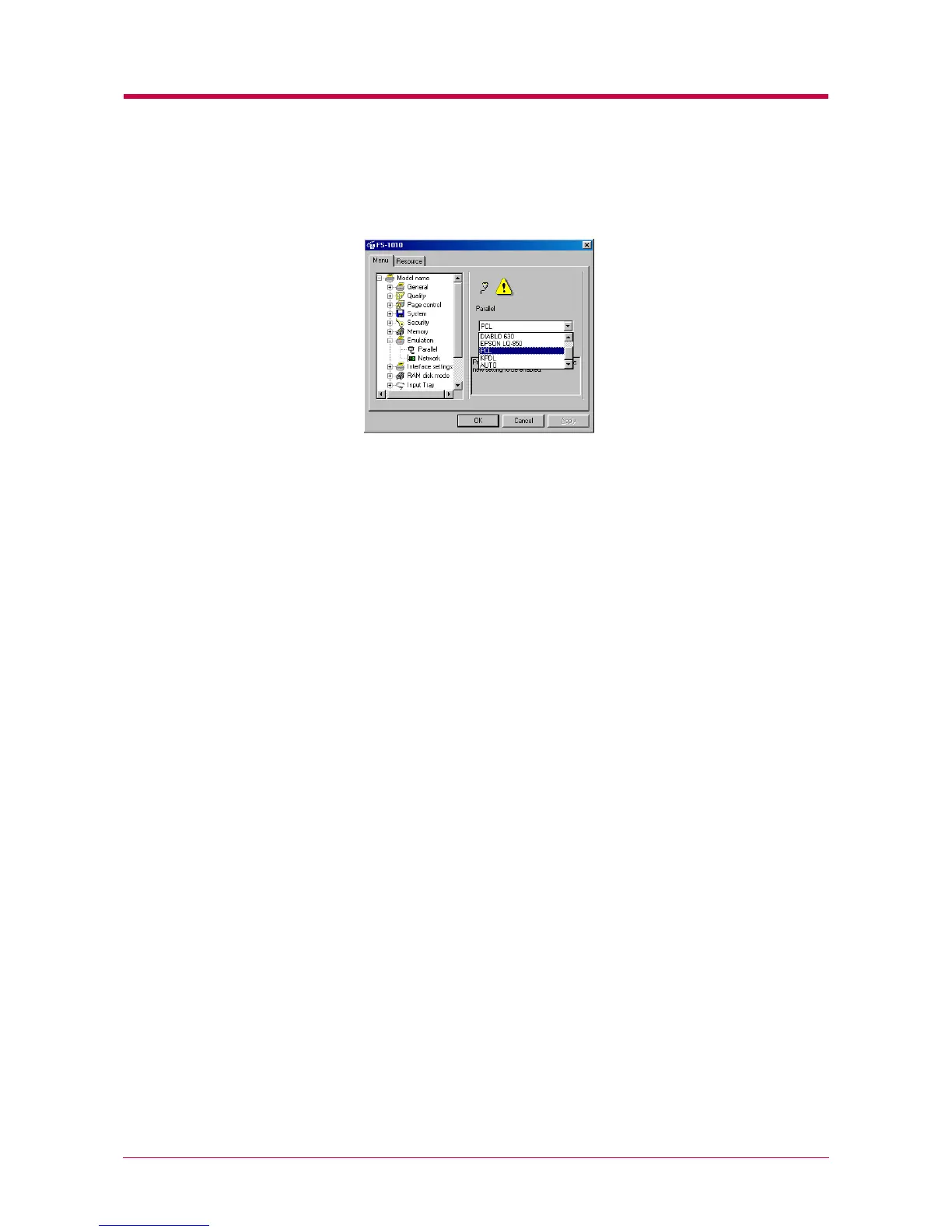
Click the ▼ button next to the pull-down menu on the right side of
the screen, and select an emulation.
The printer emulates operation of the following printers:
•Line printer
• IBM Proprinter
• DIABLO 630
• EPSON LQ-850
•PCL (default)
•KPDL
• KPDL (AUTO)
5
After you have selected an emulation, click the OK button to return
to the start-up screen.
6
Turn the printer’s power off and on again to make the new setting
effective.


 To Next Page