Printing from Windows Applications
2-21
2.3.2 Setting Custom Paper Size
The printer can feed non-standard size of paper. The paper cassette can
accommodate paper whose sizes are ranging from 148 to 216 mm in width
and 210 to 297 mm in length as well as Legal size. Note the MP tray can
accommodate paper whose sizes are ranging from 70 to 216 mm in width
and 148 to 297 mm in length.
To set the custom size
1
Display the printer driver’s Properties dialog box from the
application software.
2
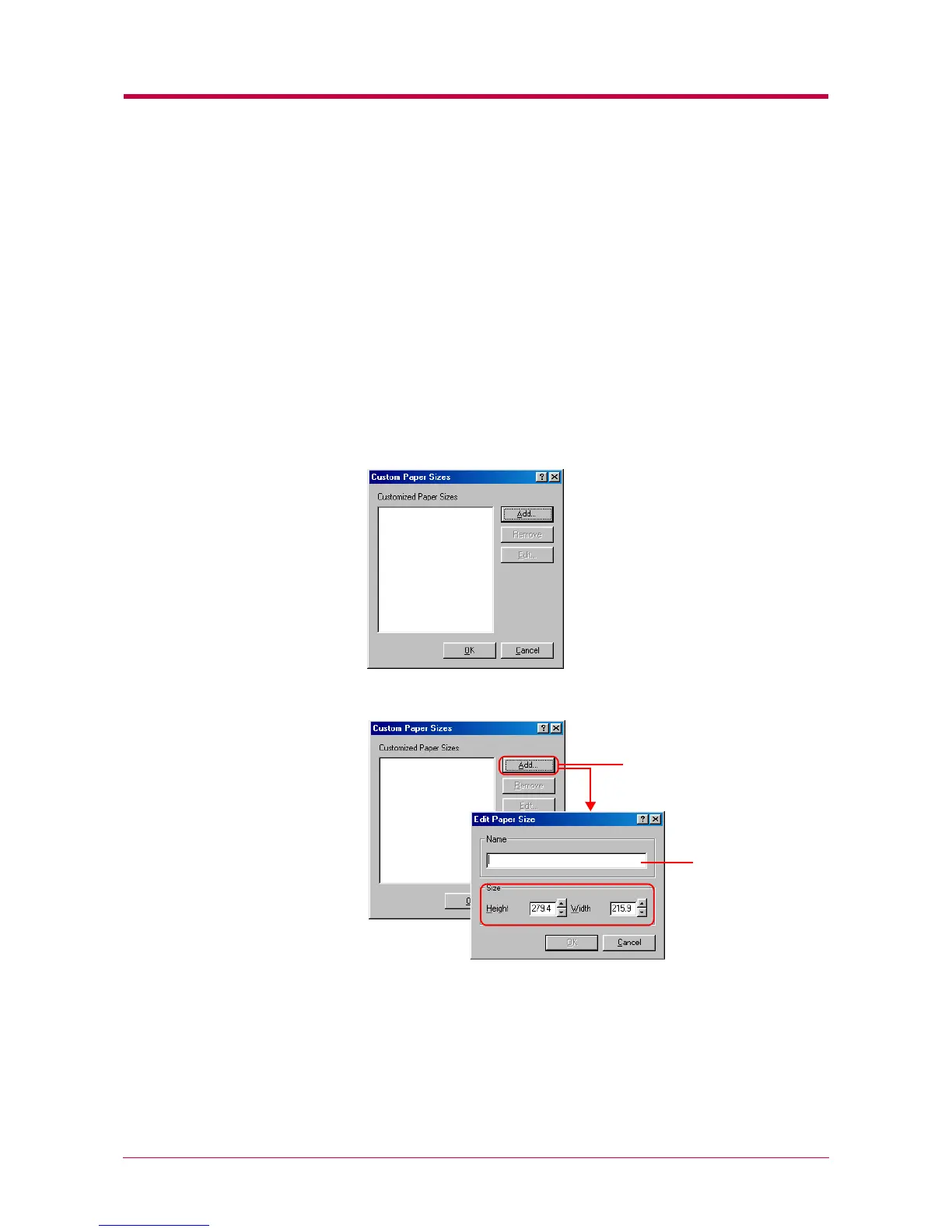
Click the Custom button on the Media tab. The Custom Paper Sizes
dialog box appears.
3
Click the Add button. The Edit Paper Size dialog box appears.
4
Enter a descriptive name for the custom size in Name.
Add button
Name settings


 To Next Page