Printing from Windows Applications
2-22
5
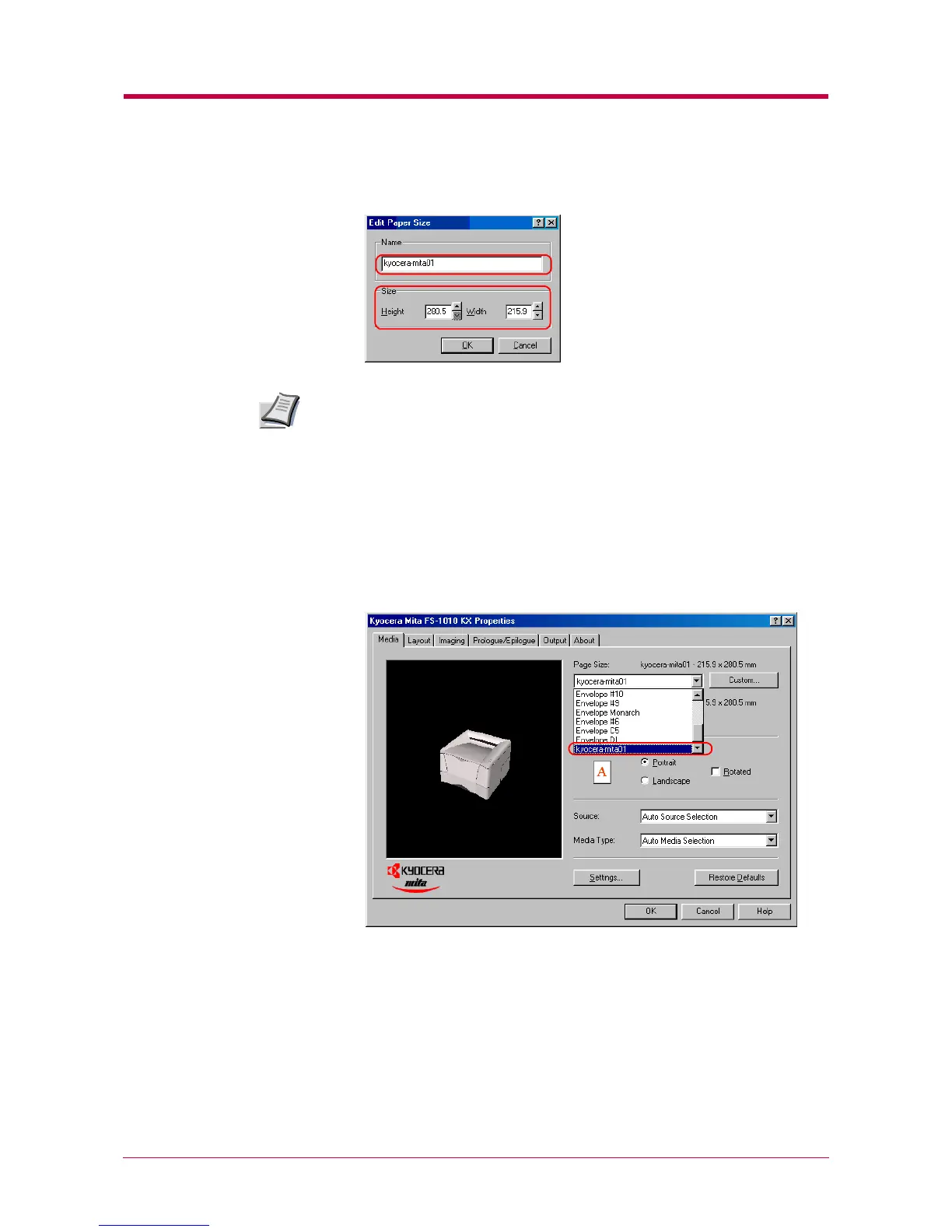
Enter the height and width of the custom size in Size.
You can select the unit of measurement; inches or millimeters, on the
User Settings dialog box to be accessed by clicking the User button on
the Device Settings tab.
6
Click the OK button. The custom paper size is added to the
Customized Paper Sizes list.
7
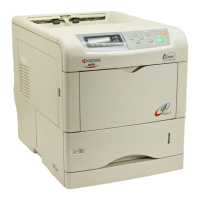
Click the OK button. The Media tab is displayed again.
8
Select the Custom Size from the Page Size drop down list.
9
Click the OK button again to return to the Print dialog box.
10
Click the OK button to start printing.
Note


 To Next Page