Other Settings
1-45
1.6 Other Settings
1.6.1 Printer Properties
You can confirm items such as the printer’s serial number and the total
number of copies printed to date.
1
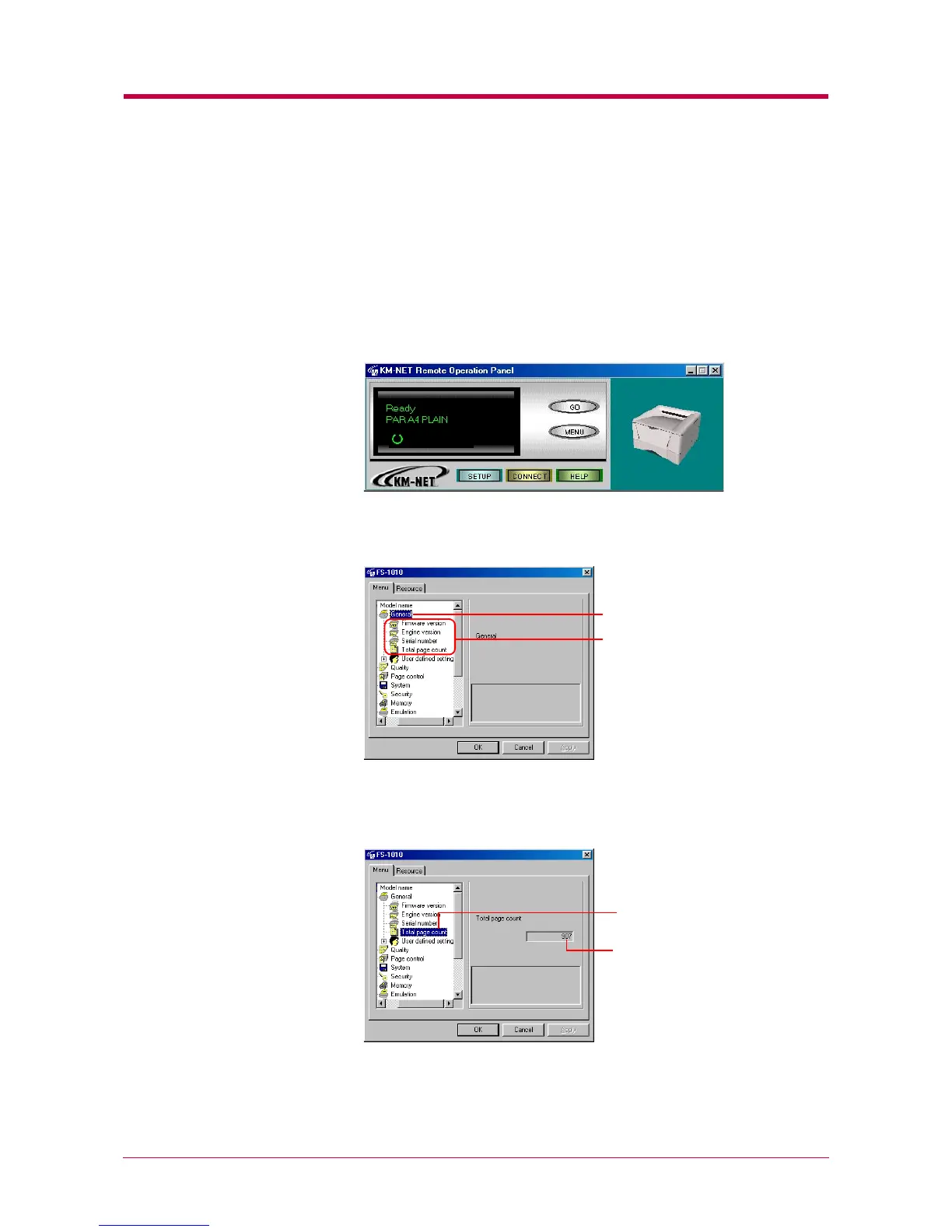
Click the MENU button on the start-up screen.
2
The Menu dialog box appears. Select and double click General, and
the property items are displayed.
3
Click the item you want to confirm to display the contents on the
right side of the screen. Total page count was clicked to display the
following sample screen.
4
After confirming settings, click the OK button to return to the start-
up screen.
Property items
General
Total page count
Total page


 To Next Page