Installing the Printer Driver
2-6
10
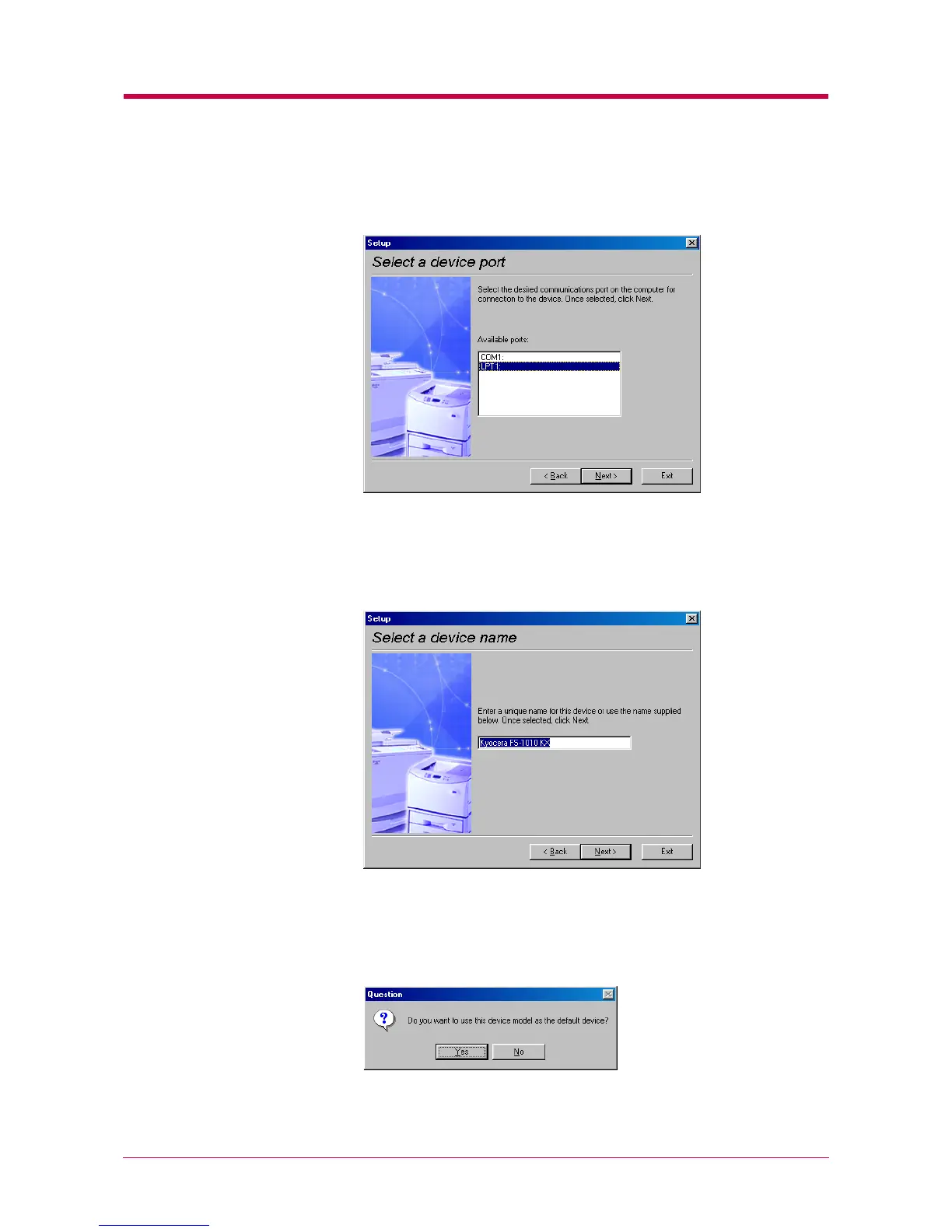
In the Select a device port window, select the interface you want to
use for connecting to the printer.
Click the Next button.
11
In the Select a device name window, enter a unique name for the
printer, if desired.
Click the Next button.
12
If you want to use the printer as the default printer, click the Yes
button.


 To Next Page