Installing the Printer Driver
2-11
6
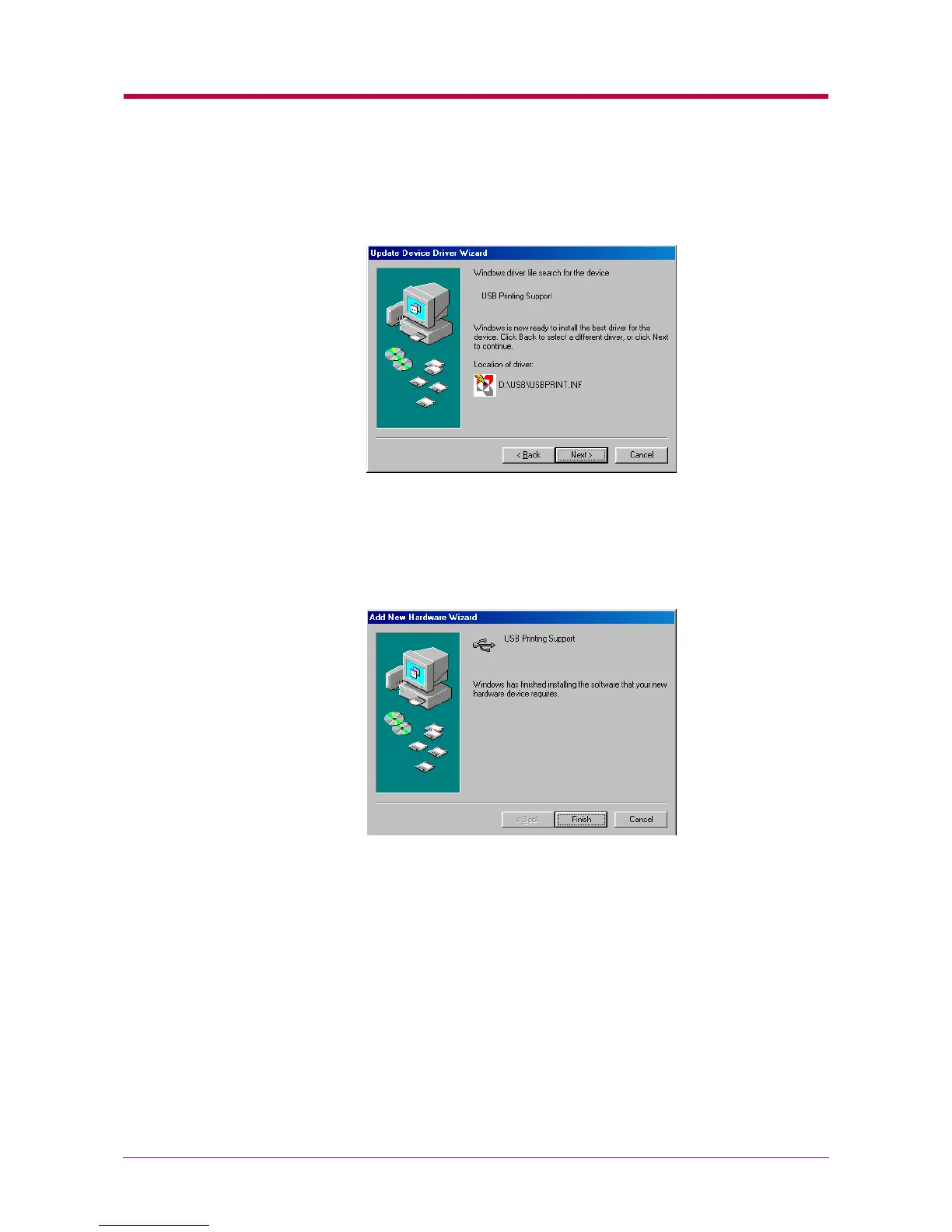
The Wizard will search the directory. The following dialog box will open
when the necessary file has been found. Make sure [CD-ROM drive
letter ]:\USB\USBPRINT.INF is shown on the dialog box.
Click the Next button. The installation of USB Printing Support will
start.
7
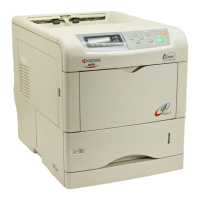
The following dialog box will open when the installation has been
completed. The above completes installing the USB Printing
Support. Proceed to the next section.
Click the
Finish
button.


 To Next Page