6-48
Using Various Functions > Functions
Border Erase, Border Erase/Full Scan
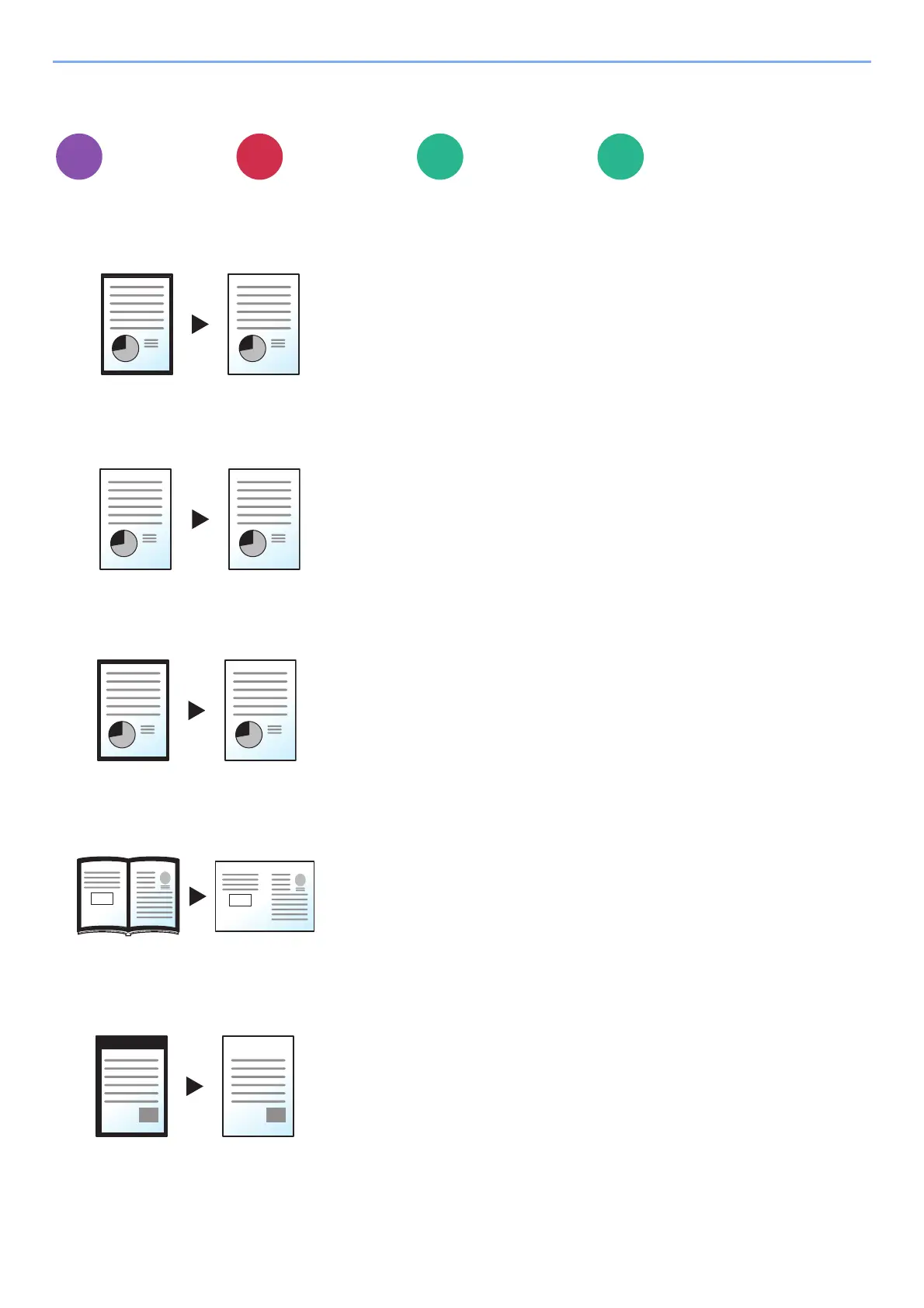
Erases the black border that forms around the image.
Standard
Full Scan
Border Erase Sheet
Border Erase Book
Individual Border Erase
Layout/Edit
Advanced
Setup
Functions Functions
Erase the black frame created in the original. Erasing width is fixed.
Scan originals without white margins. No border erase.
Erase the black frame created in the original. Erasing width can be adjusted.
Erases black borders around the edges and in the middle of the original such
as a thick book. You can specify the widths individually to erase the borders
around the edges and in the center of the book.
You can specify border erase widths individually for all edges.
Send
Custom
Box
USB
Drive



 To Next Page