47
Getting Ready
Charging with the Specied AC Adapter
How to charge the product using Type C Common AC
Adapter 02 (sold separately) is described here. For
information on the specified AC adapter (sold separately),
see "Related Accessories" (▶P. 75).
1
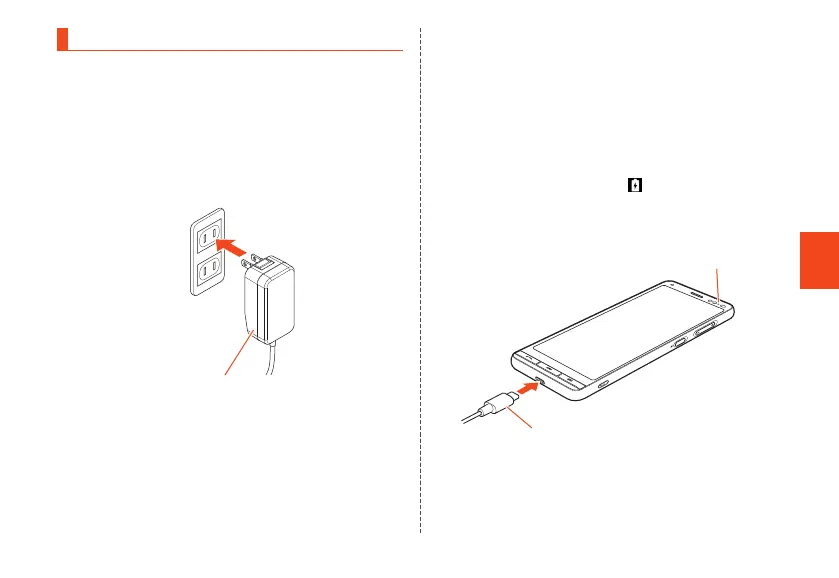
Connect the power plug of Type C
Common AC Adapter 02 (sold separately)
to an outlet (100V - 240V AC)
Type C Common AC Adapter 02
(sold separately)
2
Insert the USB Type-C plug of Type C
Common AC Adapter 02 (sold separately)
straight into the external connection
terminal
The USB Type-C plug is reversible and can be
inserted to the terminal which side is up.
Make sure that the charging light turns into red. When
the battery power turns on, "
" appears on the status
bar.
When charging is complete, the charging light turns
into green.
Type C Common AC Adapter 02
(sold separately)
Charging light
CB70_EN.indb 47 2020/02/07 13:41:15













 To Next Page