Section 5 COPY FUNCTIONS
5-8
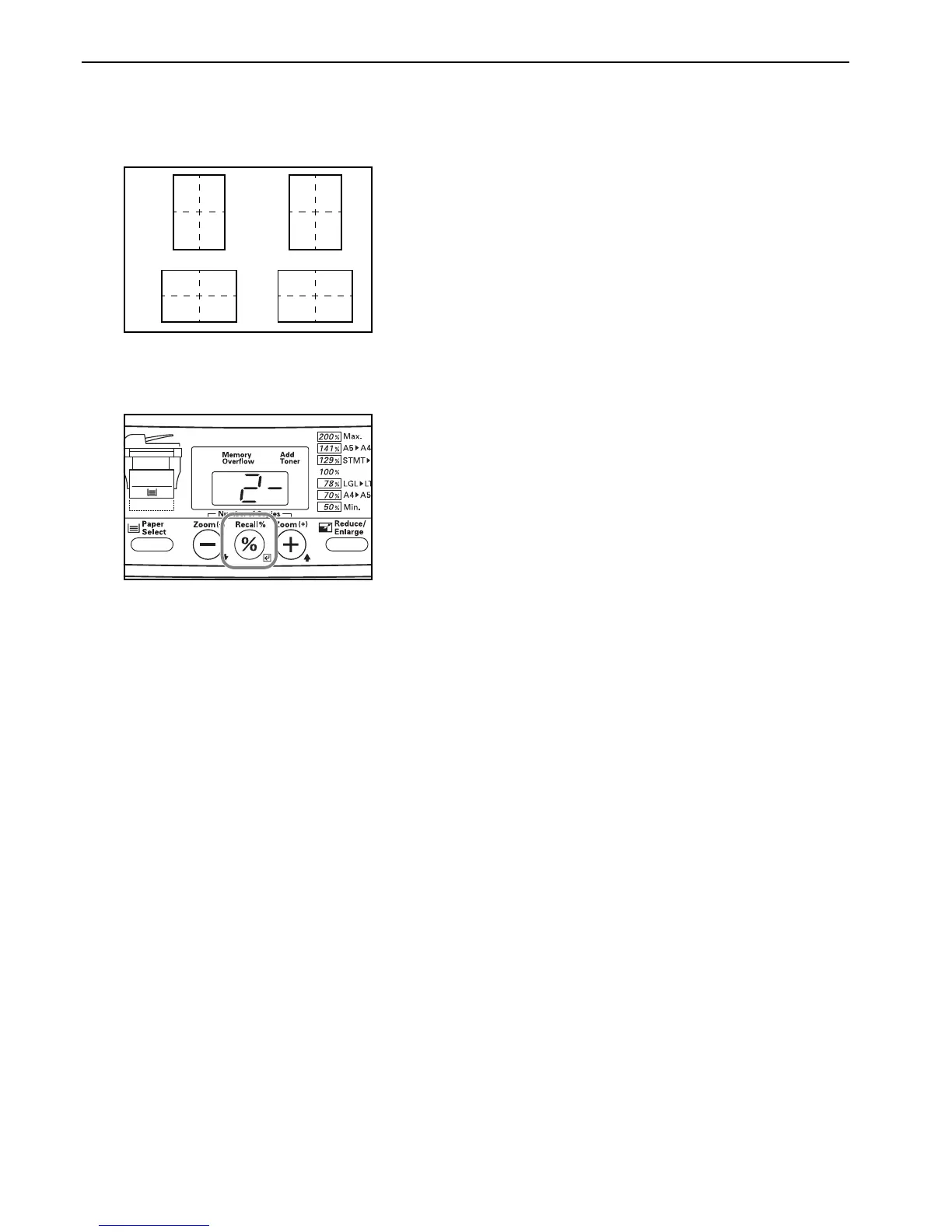
4 Press the Number of Copies / Zoom(+) or the Number of
Copies / Zoom(-) key until the number that corresponds to
desired layout order (1 – 4) is shown. The displayed code
numbers refer to the available layout orders as explained in
the following table.
5 Press the Recall%/Enter key.
The displayed numbers will flash and the copier will return
to a copy-ready state.
1-:
12
34
3-:
12
34
2-:
13
24
4-:
13
24



 To Next Page