3NC/3NB/3NK
1-4-23
(9)
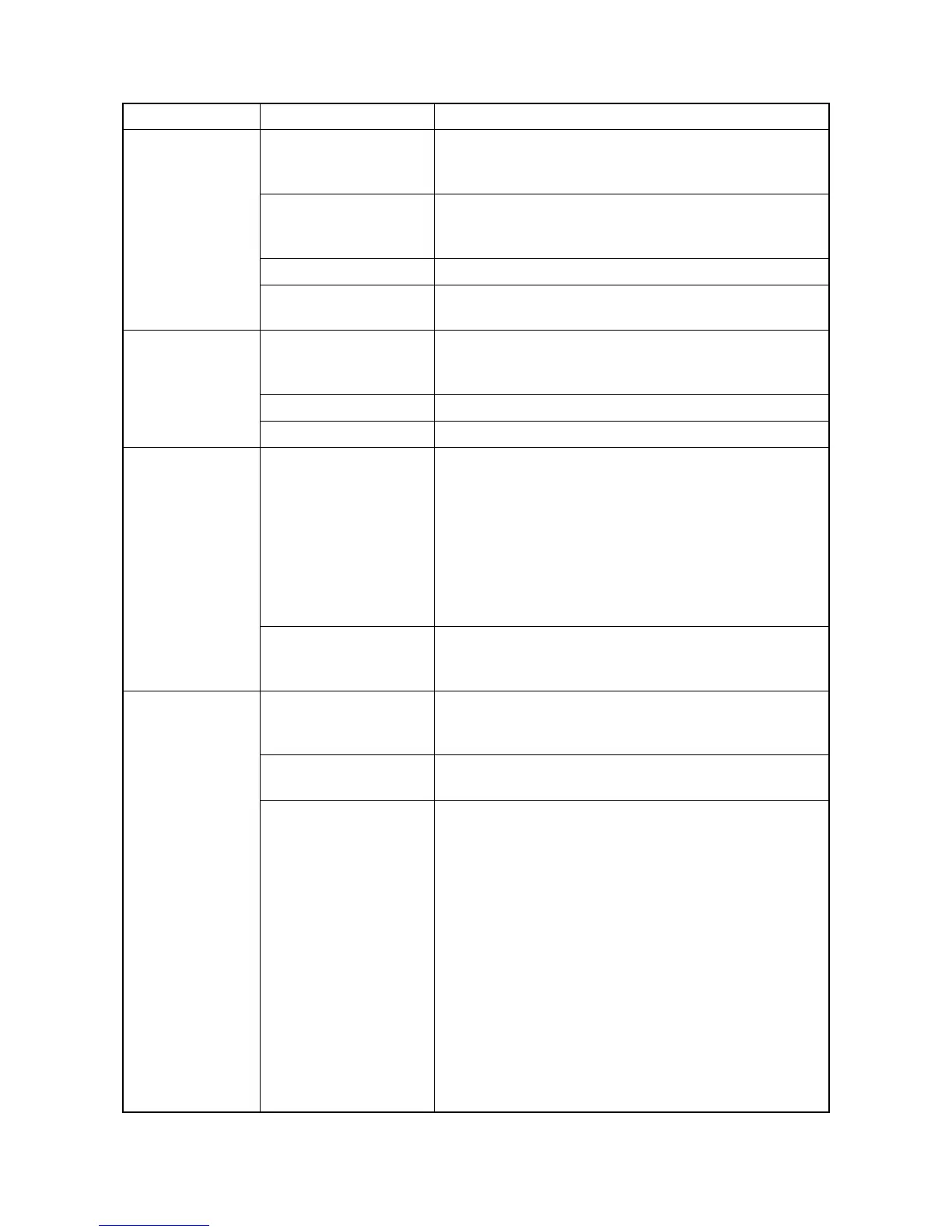
Bridge conveying
motor1,2 does not
operate.
1. Defective connector
cable or poor con-
tact in the connector.
Reinsert the connector. Also check for continuity within the
connector cable. If none, replace the cable.
Bridge conveying motor1,2 and DF main PWB (YC10)
2. Defective drive trans-
mission system.
Check if the rollers and gears rotate smoothly. If not,
grease the bushes and gears. Check for broken gears and
replace if any.
3. Defective motor. Replace the bridge conveying motor1,2.
4. Defective PWB. Replace the bridge PWB and check for correct operation.
(see page 1-5-4)
(10)
Bridge solenoid
does not operate.
1. Defective connector
cable or poor con-
tact in the connector.
Reinsert the connector. Also check for continuity within the
connector cable. If none, replace the cable.
Bridge solenoid and engine PWB (YC20)
2. Defective solenoid. Replace the bridge solenoid.
3. Defective PWB. Replace the engine PWB and check for correct operation .
(11)
A paper jam is
indicated when the
main power switch
is turned on.
1. A piece of paper torn
from paper is caught
around DF paper
entrance sensor, DF
middle sensor, DF
eject paper sensor,
bridge conveying
sensor1,2 or bridge
eject sensor.
Check visually and remove it, if any.
2. Defective sensor. Replace the DF paper entrance sensor, DF middle sensor,
DF eject paper sensor, bridge conveying sensor1,2 or
bridge eject sensor.
(12)
[Out of staples.
Add staples.] is
displayed when the
main power switch
is turned on.
1. Defective connector
cable or poor con-
tact in the connector.
Reinsert the connector. Also check for continuity within the
connector cable. If none, replace the cable.
Stapler empty sensor and DF main PWB (YC12)
2. Defective stapler
empty sensor.
Replace the staple unit.
(see page 1-5-5)
3. Defective PWB. Replace the DF main PWB and check for correct operation.
Problem Causes Check procedures/corrective measures



 To Next Page