2JL/2JJ/2JG/2JD
1-2-17
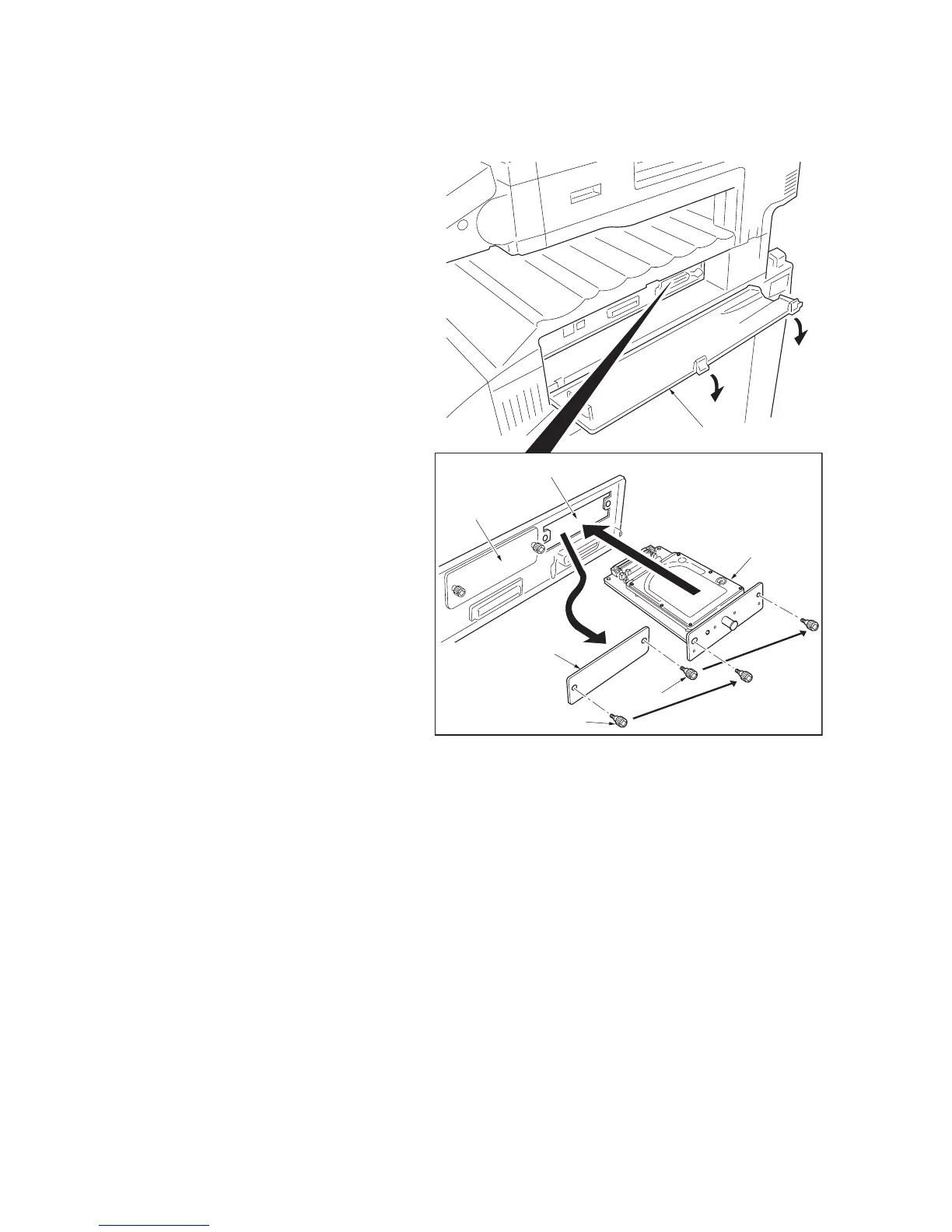
1-2-5 Installing the hard disk (option)
Procedure
1. Turn the main power switch off and discon-
nect the power cord plug from the AC outlet.
2. Open the interface cover.
3. Remove the two screws and then remove
the slot cover of slot (HDD).
4. Insert the hard disk into the slot (HDD).
Secure the hard disk using the two screws.
5. Close the interface cover.
6. Connect the power cord to the AC outlet
plug and turn the main power switch on.
7. Format the hard disk. (See the operation
guide.)
Figure 1-2-26
Screw
Hard disk
Slot (HDD)
Slot (OPT)
Interface cover
Screw
Slot cover



 To Next Page