EasyManua.ls Logo

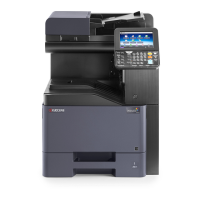
Kyocera TASKalfa 305 - User Manual

Kyocera TASKalfa 305
92 pages
Print Icon
To Next Page IconTo Next Page
Loading...
User Guide
TASKalfa 255/TASKalfa 305
Printer Driver

Table of Contents

Other manuals for Kyocera TASKalfa 305

Questions and Answers

  • W
    Willie BryantSep 4, 2025
    Why can't my Kyocera All in One Printer perform broadcast transmission?
    • J
      james46Sep 4, 2025
      Broadcast transmission cannot be performed if the memory does not have free space. Send after the memory has free space, or create free space in the memory.
  • J
    Jason JordanSep 18, 2025
    Why can't I use sub address bulletin board communication on my Kyocera TASKalfa 305?
    • J
      Jeanette MillerSep 18, 2025
      If the other party’s fax machine does not have the same sort of sub address bulletin board communication function, it cannot receive faxes via a sub address bulletin board. Check with the recipient. If your entry is correct, check with the recipient.
  • R
    Ronald MasonSep 16, 2025
    What to do if I cannot output from a Sub Address Box on my Kyocera TASKalfa 305?
    • J
      Joanne ClarkSep 16, 2025
      If you cannot output from a Sub Address Box, and a box password has been set, enter the correct box password.
  • E
    Emily BarronSep 14, 2025
    What to do if Kyocera All in One Printer cannot perform memory forwarding?
    • D
      Douglas RhodesSep 14, 2025
      If your printer is unable to perform memory forwarding, check the memory forwarding setting.
  • J
    Jessica TaylorSep 12, 2025
    Why can't my Kyocera All in One Printer perform sub address transmission?
    • B
      Barbara WrightSep 13, 2025
      Sub address transmission cannot be performed unless the recipient fax machine has a similar sub address transmission feature. If your entry is correct, check with the recipient. This machine does not use a sub address password for reception. Check with the recipient.
  • A
    Anna EstradaSep 12, 2025
    Why Kyocera All in One Printer cannot perform memory reception?
    • M
      Michael WarnerSep 12, 2025
      Memory reception cannot be performed if the memory does not have free space. You should receive after the memory has free space, or create free space in the memory.
  • J
    Joseph ZunigaSep 9, 2025
    What to check if there is no print output after reception on Kyocera TASKalfa 305 All in One Printer?
    • N
      Nicholas ParkerSep 9, 2025
      If there is no print output after reception, check the forwarding destination settings.
  • J
    Jeffrey WoodsSep 7, 2025
    Why I cannot use the remote switching function on my Kyocera TASKalfa 305?
    • C
      cooperdawnSep 7, 2025
      Some phones may transmit tone signals using buttons. Refer to the operation manual of your phone set. Also, check the registration. (Default: 55)
  • M
    Matthew LeonSep 6, 2025
    What to do if Kyocera TASKalfa 305 All in One Printer cannot perform encrypted communication?
    • C
      Calvin JonesSep 6, 2025
      If your printer is unable to perform encrypted communication, double-check the registrations both at the sender and recipient ends.
  • C
    Carl HarrisAug 21, 2025
    What to do if Job Accounting restriction exceeded on Kyocera TASKalfa 305?
    • D
      Danielle MillerAug 21, 2025
      If the number of paper used has exceeded the limit preset by Job Accounting, no further operation is possible. Press [End] to cancel the job. Try performing the job again after resetting the limit for paper use.

Kyocera TASKalfa 305 Specifications

General IconGeneral
FunctionsPrint, Copy, Scan, Fax
Print technologyLaser
Print Speed (Black)30 ppm
Print Speed (Color)30 ppm
Print Resolution1200 x 1200 dpi
Monthly Duty Cycle100, 000 pages
Copy Resolution600 x 600 dpi
Scan Resolution600 x 600 dpi
Duplex PrintingYes
Standard Paper Capacity500 sheets
Standard Memory1 GB
Maximum Memory2 GB
Operating System CompatibilityWindows, Mac, Linux
TypeAll-in-One Printer
Copy Speed30 cpm
Scanner TypeFlatbed, ADF
Scan Speed (Color)30 images per minute
Supported Paper SizesA4, A5, B5, Letter, Legal
ConnectivityUSB 2.0, Ethernet
Network Connectivity10/100/1000 Base-TX

Related product manuals