2-28
Before Using the Fax Machine > Quick Setup Screen
Quick Setup Screen
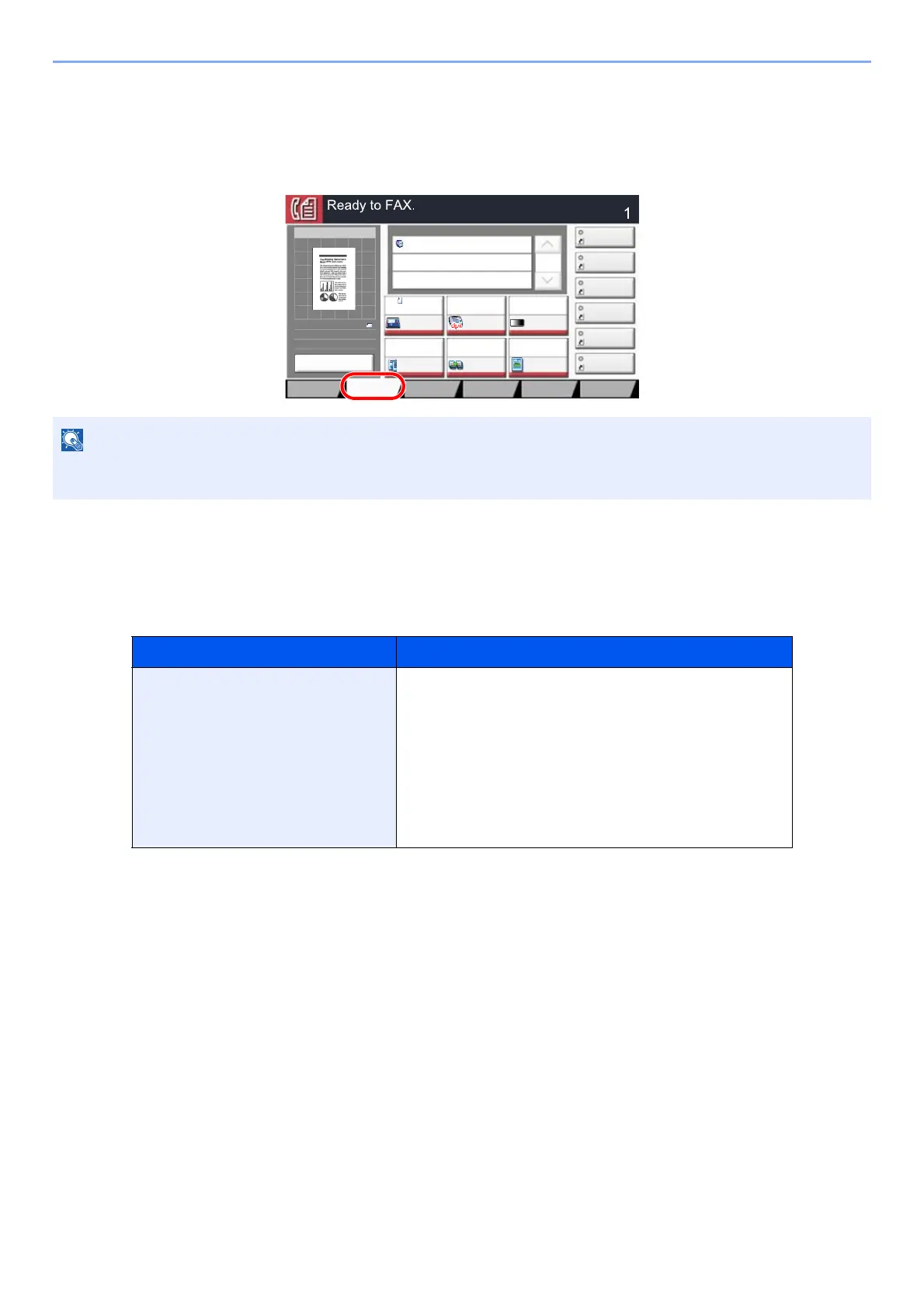
To display the Quick Setup Screen, which shows frequently used fax send settings, select [Quick Setup] tab in the fax
base screen.
Functions Available for Registration in the Quick Setup
Screen
Default registrations and the functions available for registration are as follows.
The settings that can be configured in the Quick Setup Screen are basic settings. To configure advanced settings, use
the [Org./Sending Data Format], [Image Quality], and [Advanced Setup] screens.
Default Registration Functions Available for Registration
1: Original Size
2: FAX TX Resolution
3: Density
4: 2-sided/Book Original
*1
5: Continuous Scan
6: Original Image
*1 This is "Book original" if the optional document processor is not installed.
Original Size
2-sided/Book Original
*1
Sending Size
Original Orientation
Density
Original Image
FAX TX Resolution
Zoom
Continuous Scan
6WDWXV
'HVWLQDWLRQ
'HVWLQDWLRQ
6KRUWFXW
6KRUWFXW
6KRUWFXW
6KRUWFXW
6KRUWFXW
6KRUWFXW
2UJ6HQGLQJ
'DWD)RUPDW
4XLFN6HWXS'HVWLQDWLRQ ,PDJH4XDOLW\ $GYDQFHG
6HWXS
3URJUDP
2ULJLQDO
6L]H
$
)$;7;
5HVROXWLRQ
[GSL
1RUPDO
3UHYLHZ
$
$
3UHYLHZ
2ULJLQDO
=RRP
6HQGLQJ,PDJH
6HQG
2ULJLQDO
,PDJH
7H[W3KRWR
'HQVLW\
1RUPDO
&RQWLQXRXV
6FDQ
2II
VLGHG%RRN
2ULJLQDO
VLGHG
I


 To Next Page