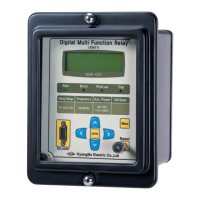
Digital UnderVoltage Relay (GDR-D01) User's Manual V1.10
Kyongbo Electronics Co., Ltd.
Order of Table
【Table 2.1】 Input Voltage ·················································································································· 10
【Table 2.2】 Rated Control Power ······································································································ 10
【Table 2.3】 Case ·································································································································· 10
【Table 2.4】 OverVoltage Element ······································································································ 11
【Table 2.5】 Output Contacts / Capacity ··························································································· 12
【Table 2.6】 Insulation ·························································································································· 13
【Table 2.7】 Vibration, Shock, Earthquake ························································································ 14
【Table 2.8】 Noise Endurance ············································································································· 14
【Table 2.9】 Temperature, Humidity ··································································································· 15
【Table 2.10】 Other Usage Conditions ······························································································· 15
【Table 4.1】 Metering ··························································································································· 17
【Table 4.2】 Communication Method ································································································· 17
【Table 5.1】 Key Pad & Communication Connector ······································································· 21
【Table 5.2】 LED ( Operating Indicators ) ······················································································· 21
【Table 6.1】 UVR Menu ······················································································································ 26
【Table 6.2】 RS-485 Comm. Setting ·································································································· 27
【Table 6.3】 T/S Connection Menus ·································································································· 29
【Table 6.4】 Setting Menus ················································································································· 34
【Table 7.1】 SetGDRSeries Program Menus ······················································································ 36
【Table 7.2】 Communication Port Configuration ··············································································· 38
Appendix 1. Product Factory Default Setting Values ········································································ 43


 To Next Page