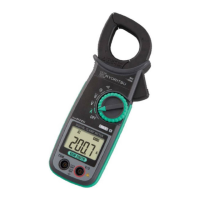
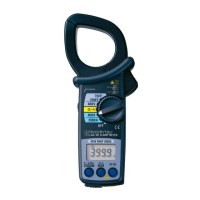
A simple and inexpensive way for Cost Savings through Energy monitoringA simple and inexpensive way for Cost Savings through Energy monitoring
Rotate the Rotary switch to SET UP. All the instrument settings can be easily
selected by using instrument buttons. All the settings can also be selected by
connecting KEW6305 to a PC via USB or Bluetooth
®
.
Starting from OFF position and rotating the Rotary switch clockwise,
KEW6305 is ready to use in 3 simple steps
1.1. SET UPSET UP
Rotate the Rotary switch to WIRING CHECK. The Automatic Wiring check func-
tion will prevent incorrect connections, check the connections and display the
results on the LCD.
Error messages appear on display to indicate wrong orientation of Clamp sen-
sors or incorrect connections.
Everything is OK Error is found
Rotate the Rotary switch to W/Wh/DEMAND. The instrument can perform
Instantaneous, Integration and DEMAND measurements.
START / STOP button to start / stop recording
Two units of KEW6305 can be used simultaneously and perform synchronous measurements on 2 power lines.
PC software application can synchronize recording intervals and internal clocks of two KEW6305 via Bluetooth
®
communication or USB port. Measurements will be transmitted to the PC.
Parameters such as active, reactive and apparent power; active, reactive and apparent energy and demand will
be graphically displayed in real-time.
* For wireless communication, a PC with Bluetooth
®
function is required.
Combined values will be displayed on
a graph in real-time.
Real-time display
Measurements can be displayed in graphic or nu-
meric forms on Android™ devices in real-time via
Bluetooth
®
communication.
Remote checking of measurements is possible
without accessing KEW6305.
Max communication distance: 10m
Supporting Android™ ver. 3.0 or higher.
Bluetooth
®
is a registered trademark of the Bluetooth SIG, Inc.
Android™ and Android Market are registered trademark of the
Google SIG, Inc.
2.2. WIRING CHECKWIRING CHECK
3.3.
W/Wh/DEMAND MeasurementsW/Wh/DEMAND Measurements
PC software application to check synchronous measurements on 2 power linesPC software application to check synchronous measurements on 2 power lines
Real time & remote measurements using Android™ applicationReal time & remote measurements using Android™ application
As easy as 1 As easy as 1
ÜÜ
2 2
ÜÜ
3 ! 3 !
Various measurements by using applications for PCs and Android™ devicesVarious measurements by using applications for PCs and Android™ devices
ÜÜ ÜÜ
Shows “Err” (Error) e.g.: Err PH A
Ô
Current phase (orientation of sensor) may be incorrect.
Shows “Good”
Current Input Terminals (With cover)Current Input Terminals (With cover)
Voltage Input TerminalsVoltage Input Terminals



 To Next Page
 Loading...