37
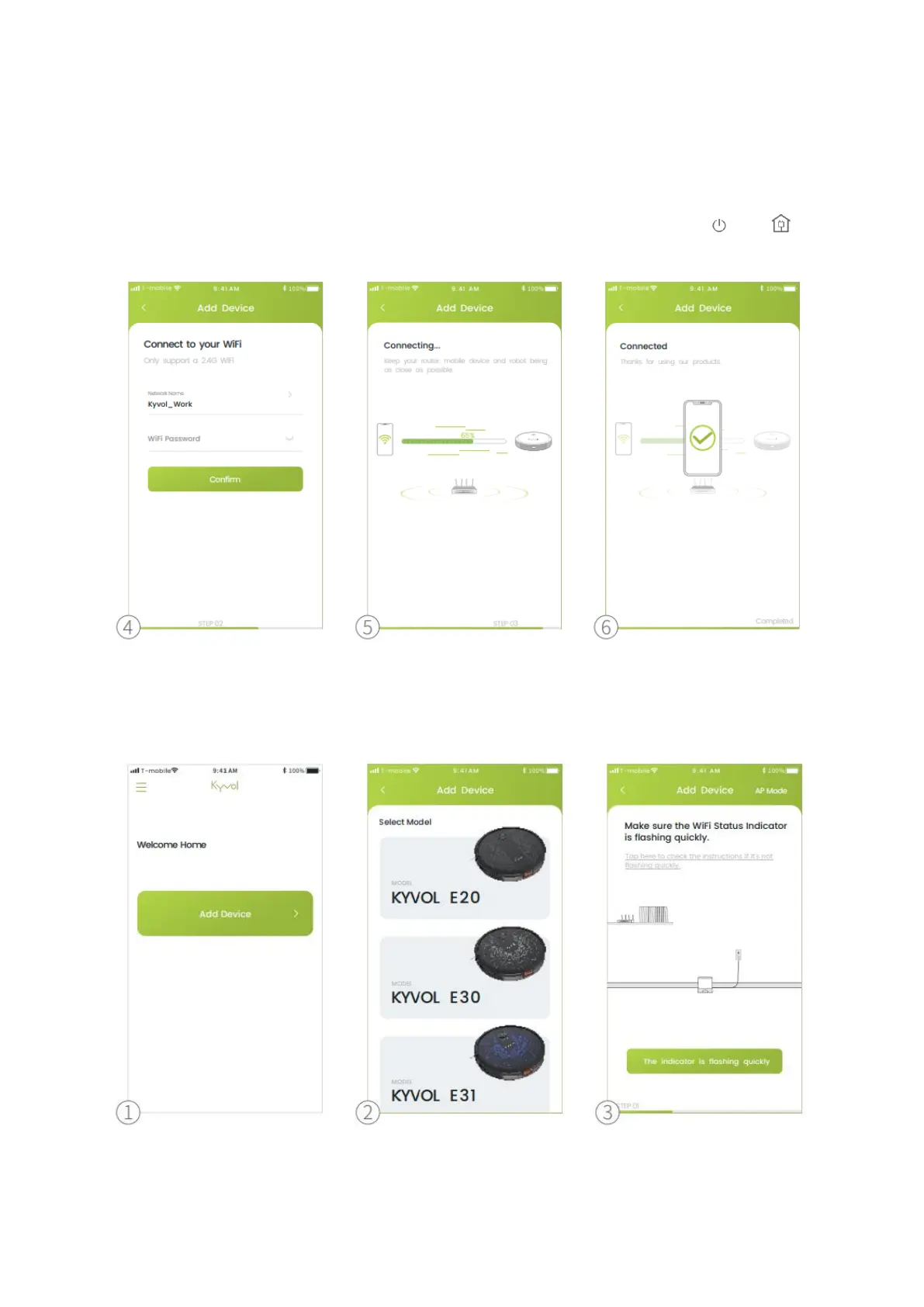
1. Tap Add Device
2. Select the model of your robot.
3. Make sure the WiFi Status Indicator is flashing quickly.
Tip:
If the indicator doesn´t flash quickly, please simultaneously press and hold and
on the robot for 3s until you hear two beeps from the robot.
4. Select the same router´s WiFi and enter the correct password.
5. Connecting.
6. Connected.
Option 2: AP Mode
1. Tap Add Device
2. Select the model of your robot.


 To Next Page