38
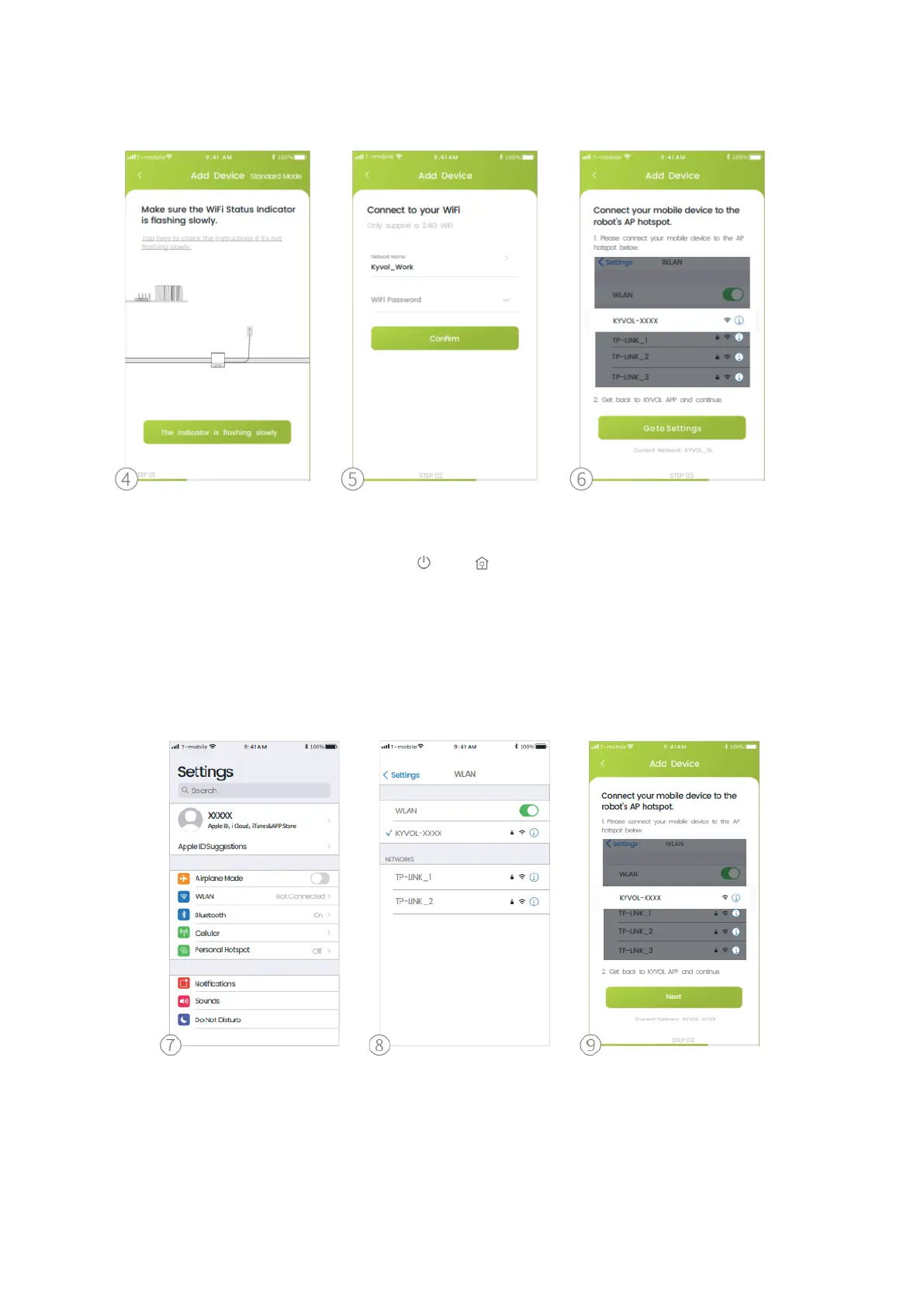
3. Tap AP Mode on the top right corner.
4. Make sure the Wifi Status Indicator is flashing slowly.
Step 1:
Simultaneously press and hold and on the robot for 3s until you hear 2
beeps and the Wifi Status Indicator is flashing quickly.
Step 2:
Withing 10s, simultaneously press and hold the two buttons again until you hear
2 beeps from the robot.
5. Select the same router´s WiFi and enter the correct password.
6. Tap Go to Setting.
7. Tap WLAN.
8. Connect to the robot´s AP hotspot.
9. Go back to Kyvol APP and tap Next.


 To Next Page