39
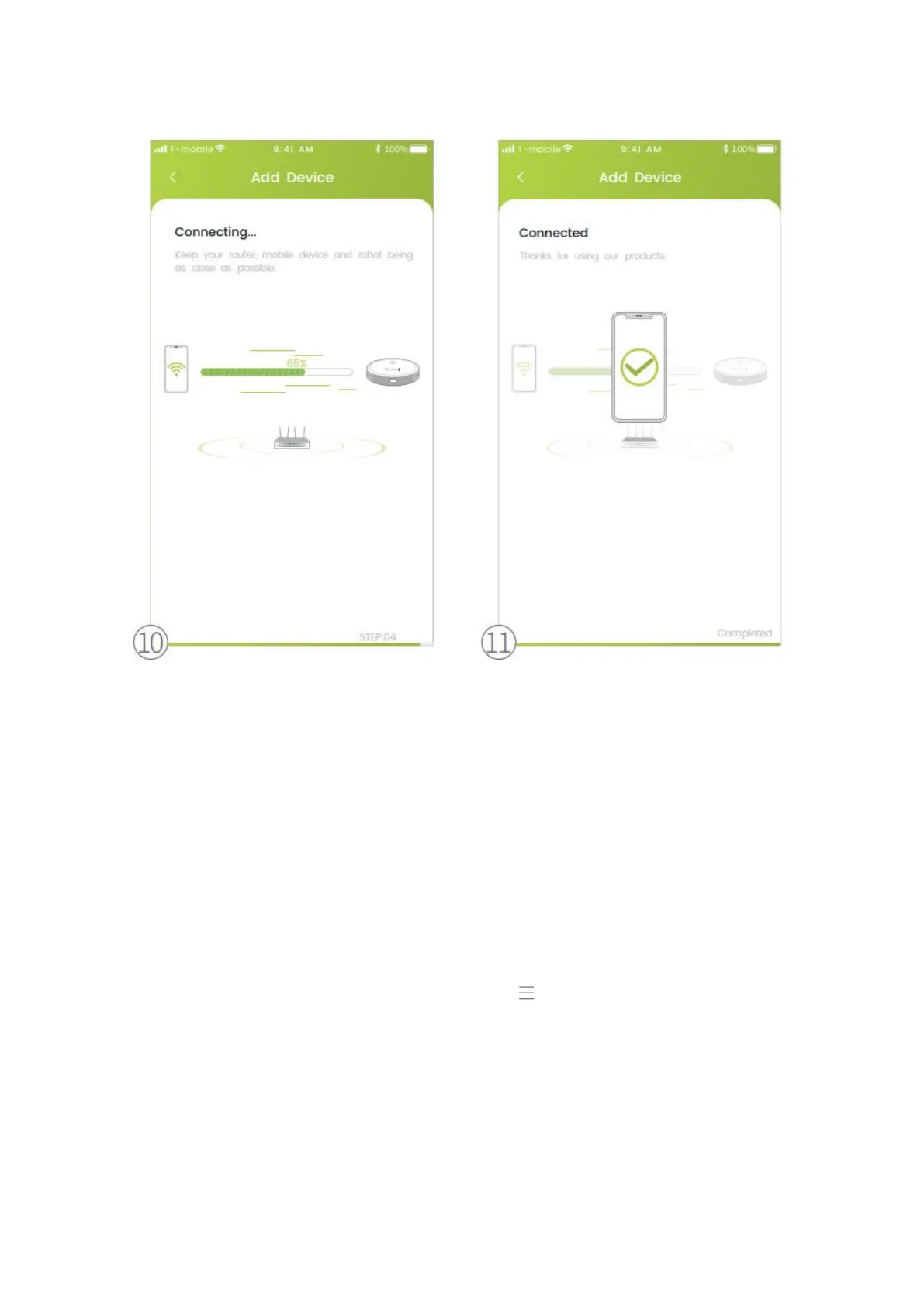
10. Connecting.
11. Connected.
Control the Robot with Amazon Alexa
Important:
1. Make sure the robot has enough power and the Power Switch of the robot is
pressed to ON.
2. You have connected the robot to Kyvol APP.
3. Make sure you´ve installed Alexa APP on your mobile device.
4. Make sure the WiFi connection is stable.
Step 1:
Log in to Alexa APP with your Amazon account, tap on the upper left corner of the
homepage, then select Skills & Games.
Step 2:
Search and select Kyvol Home, then enable it by tapping ENABLE TO USE.
Step 3:
Enter the email address and password for logging in to the Kyvol APP, then tap
Authorize to continue.


 To Next Page