27
SERVICING WARNING WORK SAFELY
Where necessary disconnect from electricity and gas before starting.
Check range is safe when you have finished.
27 To Replace an Oven Fan
Pull the range forward to access the cover boxes at the rear of the range, see the
section ‘How To Move the Range for Servicing’.
Remove the fi xings that secure the cover and lift it clear. Remove the fan wiring,
noting the connection positions. Remove the inner back as detailed in Section
26.
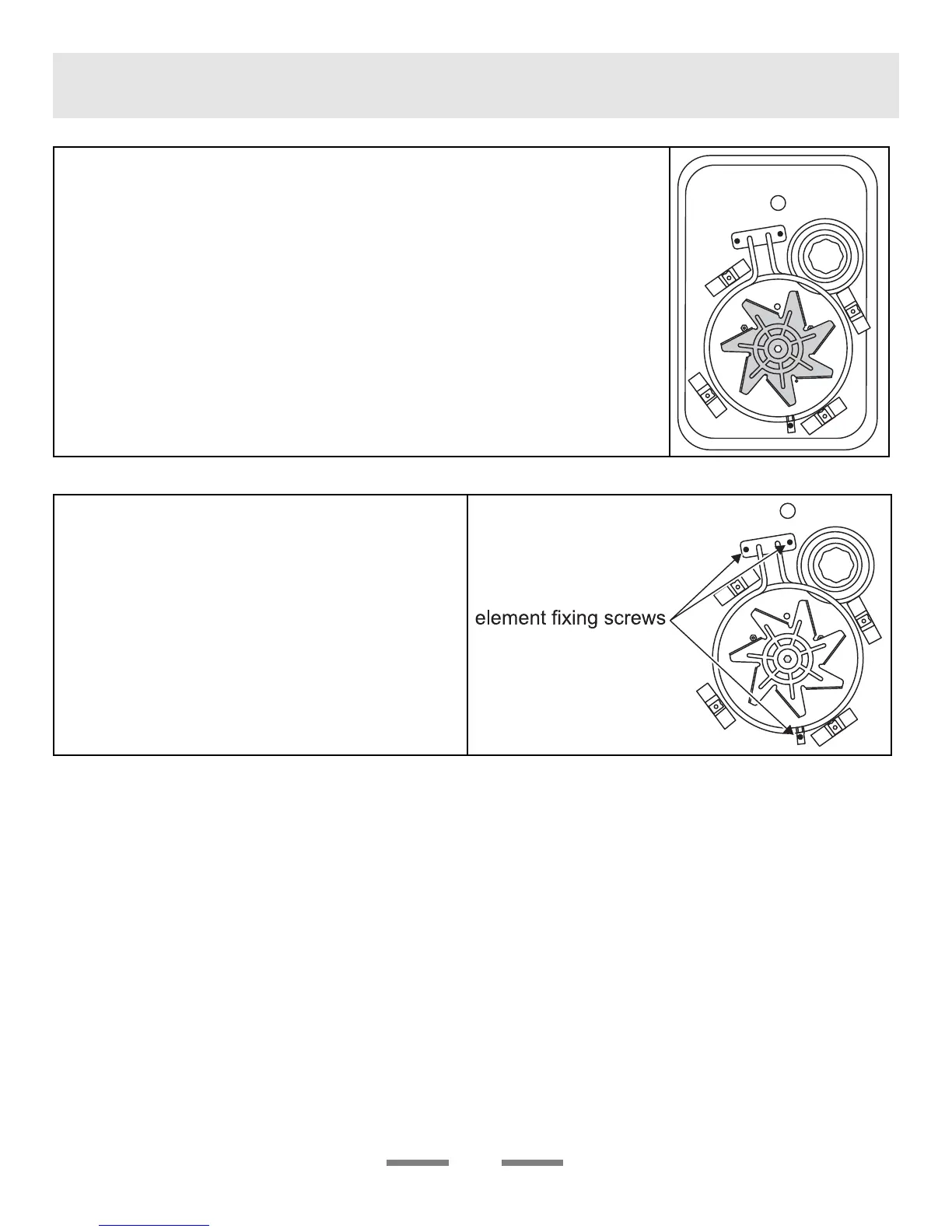
Hold the fan blades and undo the centre nut (left hand thread), brass washers,
fan blade and Circlip.
Undo the fi xings that retain the fan and remove it from the cavity rear.
Fit the replacement and re-assemble parts in reverse order. Check that the oven
operates satisfactorily.
28 To Remove an Oven fan Element
Remove the oven inner back as detailed in Section
26.
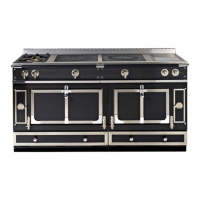
Remove the fi xings that secure the element within
the oven and lift the element away carefully.
Disconnect the leads and connect to the
replacement element and re-assemble parts in
reverse order.


 To Next Page