
 Need help?
Do you have a question about the La Crosse Technology BBB87276 and is the answer not in the manual?
Instructions for inserting batteries and restarting the clock device.
Guide to setting various time, date, and display preferences.
Choose between seconds display or indoor temperature display.
Procedure for setting, activating, and deactivating the alarm.
How to temporarily silence the alarm for 10 minutes.
Initiate a manual search for the atomic time signal.
Guidelines for cleaning contacts and handling batteries.
Details on indoor temperature range, battery type, life, and dimensions.
Information on limited warranty and how to contact customer support.
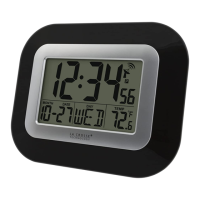
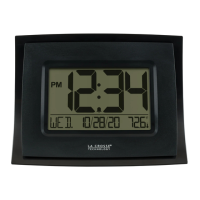
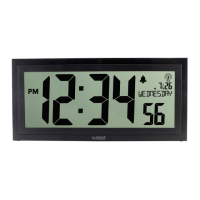
This document describes the La Crosse Technology Digital Atomic Clock, Model BBB87276, an instruction manual dated DC: 031915.
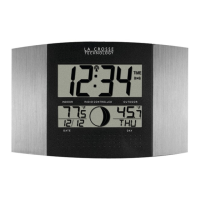
The La Crosse Technology Digital Atomic Clock is a device designed to display time, date, and indoor temperature, with additional features such as an alarm and atomic time synchronization. The clock features a large, easy-to-read digital display.
The primary function of this clock is to provide accurate time, synchronized via the WWVB atomic signal, and to display the indoor temperature. It also includes an alarm function for daily use.
To begin using the clock, three new "AA" Alkaline batteries (not included) must be inserted into the back of the clock, ensuring correct polarity. If the clock needs to be restarted, the batteries should be removed, any button pressed 20 times, and after 15 minutes, the battery insertion process should be repeated.
To set the time and date, the MODE button is held to enter the time set mode. The "+" or "-" buttons are used to adjust values, with a press-and-hold option for fast adjustment. The MODE button is then pressed to confirm adjustments and move to the next setting. The setting order includes: Beep On/OFF, WWVB On/Off, Time Zone, Daylight Saving Time (DST) On/Off, 12/24 Hour Time Format, Hour, Minutes, Year, Month, Date, and Fahrenheit/Celsius. The day of the week automatically sets when the year, month, and date are configured; if incorrect, the year setting should be checked. To exit the setting mode, the MODE button can be pressed, or the clock will automatically return to the normal time display after 20 seconds of inactivity.
The MODE button can be pressed to toggle between displaying seconds or the indoor temperature.
To set the alarm, the ALARM button is held to enter the alarm time set mode. The "+" or "-" buttons are used to adjust the hour and minutes. The ALARM button is pressed to confirm adjustments and move to the next item.
Pressing the ALARM button once displays the alarm time. Pressing it again activates the alarm, indicated by a bell icon appearing on the display. Pressing it a third time deactivates the alarm, and the bell icon disappears.
When the alarm sounds, pressing the SNOOZE button silences it for 10 minutes. A "Zz" icon will appear next to the alarm bell to indicate the snooze function is active. The alarm features a crescendo sound and will sound for 2 minutes before shutting off completely if not silenced.
The "+" button can be pressed to initiate or stop a manual search for the WWVB atomic signal. During the search, the WWVB Icon will flash. Information about WWVB can be found at www.nist.gov/pml/div688/grp40/wwvb.cfm.
After the initial search, the clock is designed to search for the atomic signal only after midnight to maintain accurate time synchronization.
It is important not to mix old and new batteries, nor to mix Alkaline, Standard, Lithium, or Rechargeable Batteries. Always purchase the correct size and grade of battery most suitable for the intended use. All batteries in a set should be replaced at the same time. Before installing batteries, the battery contacts in both the device and the batteries themselves should be cleaned. Batteries must be installed with correct polarity (+ and -). If the equipment is not to be used for an extended period, batteries should be removed. Used batteries should be removed promptly.
The device should not be exposed to extreme temperatures, vibration, or shock. It should be cleaned with a soft, damp cloth, avoiding solvents or scouring agents. The product is not a toy and should be kept out of reach of children. It is not intended for medical purposes or public information, but for home use only. The specifications of the product may change without prior notice. Improper use or unauthorized opening of the housing voids the warranty. If the product is not working properly, changing the batteries is recommended as a first troubleshooting step.
 General
| Display Type | LCD |
|---|---|
| Power Source | Battery |
| Backlight | Yes |
| Snooze | Yes |
| Time Display | 12/24 hour format |
| Temperature Resolution | 0.1°F (0.1°C) |
| Humidity Resolution | 1% |




 To Next Page