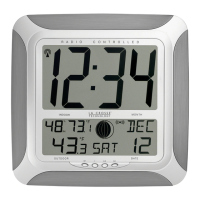
EasyManua.ls Logo

La Crosse Technology WS-8117U-AL - User Manual

La Crosse Technology WS-8117U-AL
10 pages
Print Icon
To Next Page IconTo Next Page
Loading...
WS-8117
OUTDOOR TEMPERATURE TRANSMITTER:
ATOMIC CLOCK WITH OUTDOOR WIRELESS TEMPERATURE AND
MOON PHASE
Instruction Manual
FEATURES:
ATOMIC CLOCK:
WWVB Radio controlled time with manual time setting
12/24 hour time display
Time display: hour, minute, second
Alarm setting with snooze function
Calendar display
Weekday display (3 languages to choose from: English, French and Spanish)
Time zone setting
Daylight savings time ON/OFF option (DST)
ºC or ºF temperature display selectable
Indoor temperature display
Outdoor temperature display via 433MHz transmission
Wall mount or freestanding
Current moon phase display
Remote transmission of outdoor temperature to the atomic clock by 433 MHz signals
Wall mounting case
Holder
TO INSTALL AND REPLACE BATTERIES IN THE ATOMIC CLOCK
The atomic clock uses 2 x AA, 1.5V batteries. To install and replace the batteries, please follow the
steps below:
1. Insert finger or other solid object in the space at the bottom center of the battery compartment
and lift up to remove the cover.
2. Insert batteries observing the correct polarity (see marking inside battery compartment).
3. Replace compartment cover.
DO NOT SET THE CLOCK.
TO INSTALL AND REPLACE BATTERIES IN THE TEMPERATURE TRANSMITTER
The transmitter uses 2 x AA,1.5V batteries. To install and replace the batteries, please follow the
steps below:
1. Remove the cover.
2. Insert the batteries, observing the correct polarity (see marking inside battery compartment).
3. Replace the battery cover on the unit.
Alkaline batteries are recommended for use in both units. Avoid using rechargable batteries.
LCD1
display
LCD2
display
Battery cover
Function keys
Hanging holes
Foldable stand

Questions and Answers

  • K
    kanedavidJul 26, 2025
    What to do if my La Crosse Technology WS-8117U-AL isn't receiving a signal?
    • D
      dustinwashingtonJul 26, 2025
      If your La Crosse Technology Clock isn't receiving the WWVB signal, try these steps: First, face the front of the clock towards Ft. Collins, Colorado, to potentially improve reception. Second, allow the clock to attempt signal acquisition overnight. Third, ensure the clock is at least 6 feet (2 meters) away from electronic devices like TVs or computers. As a last resort, remove the batteries for five minutes, reinsert them, and leave the clock undisturbed overnight without pressing any buttons.
  • S
    Sharon EstesAug 1, 2025
    What to do if my La Crosse Technology WS-8117U-AL Clock shows '--.-' for outdoor temperature?
    • H
      hernandezadamAug 1, 2025
      If you see "--.-" in the outdoor temperature section of your La Crosse Technology Clock, try the following: First, remove the batteries from both the clock and the transmitter for one minute, then reinsert them, ensuring they are new. Second, move the clock closer to the transmitter, ensuring it's within receivable range. Finally, move both units to another location to avoid interference from other electrical devices operating on the same frequency (433MHz).
  • D
    Dylan LarsonAug 7, 2025
    Why is the hour wrong on my La Crosse Technology WS-8117U-AL Clock?
    • J
      Julia HallAug 7, 2025
      If the hour is incorrect on your La Crosse Technology Clock, but the minute and date are correct, ensure that you have selected the correct time zone and daylight saving time settings.
  • E
    Elizabeth ScottAug 13, 2025
    What to do if my La Crosse Technology WS-8117U-AL Clock displays 'OFL' for indoor temperature?
    • K
      Kathleen DennisAug 13, 2025
      If "OFL" appears in the indoor temperature section of the LCD on your La Crosse Technology Clock, it indicates that the current surrounding temperature is outside the measuring range. Move the clock to an area with a warmer or cooler surrounding temperature.
  • S
    Samantha BrownAug 19, 2025
    How to fix a faint LCD on La Crosse Technology WS-8117U-AL?
    • B
      brenda12Sep 12, 2025
      If the LCD on your La Crosse Technology Clock is faint, replace the batteries.

Summary

Product Overview and Features

Battery Installation Procedures

Atomic Clock Battery Setup

Instructions for installing or replacing batteries in the main clock unit.

Transmitter Battery Setup

Instructions for installing or replacing batteries in the outdoor transmitter.

Initial Setup and Operation

Device Setup and Waiting Period

Guides on initial battery placement and the necessary waiting time for signal acquisition.

Introduction to Manual Settings

Overview of manual configuration options for time, date, and other parameters.

Manual Configuration Details

Manual Time and Date Entry

Steps to manually set the clock and calendar if automatic signal reception fails.

Advanced Settings and Functions

Alarm and Snooze Management

How to set alarms, activate snooze, and turn the alarm off.

Signal Reception and Display Modes

Understanding WWVB Time Signal

Explains the atomic time signal reception process from the WWVB station.

Transmitter Mounting and Troubleshooting

Resolving Common Device Issues

Solutions for typical problems like faint display, signal loss, and inaccurate temperature readings.

La Crosse Technology WS-8117U-AL Specifications

General IconGeneral
Display TypeLCD
Atomic TimeYes
Temperature DisplayYes
Indoor Temperature Range32°F to 122°F (0°C to 50°C)
Outdoor Temperature Range-40°F to 140°F (-40°C to 60°C)
TypeWireless Weather Station
Power Source (Indoor)2 x AA batteries (not included)
Power Source (Outdoor)2 x AA batteries (not included)
Humidity Range20% to 95% RH
Transmission Range330 ft (100 meters) in open air

Related product manuals