EasyManua.ls Logo

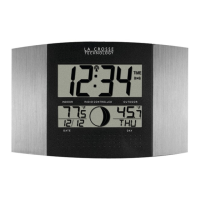
La Crosse Technology WS-8418U-IT - User Manual

La Crosse Technology WS-8418U-IT
7 pages
Print Icon
To Next Page IconTo Next Page
Loading...
Model: WS-8418U-IT
Instruction Manual!
DC: 062915
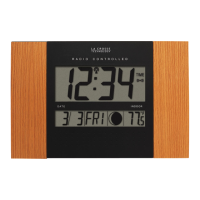
ATOMIC WALL CLOCK
With Moon Phase and IN/OUT Temperature
WS-8418U-IT www.lacrossetechnology.com/support Page | ! 1
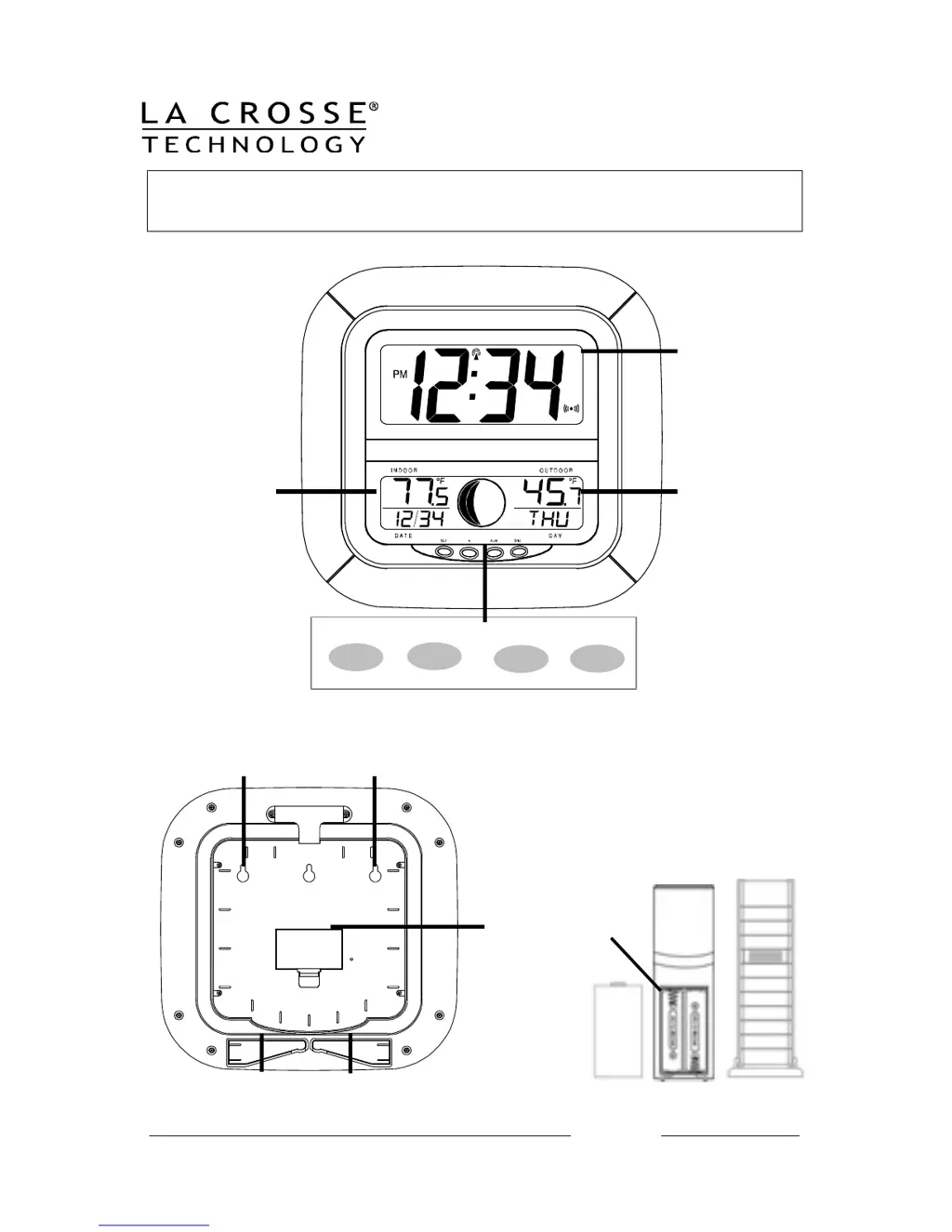
Time, Alarm, +
WWVB Icon
Foldout Stands
Indoor Temp,
Month, Date,
+ Moon Phase
Battery
Cover
TX37U-IT
Sensor
Buttons
Battery
Compartment
2 “AA” batteries
Outdoor Temp
+ Weekday
Wall Hanging Hooks
Front
Back

Questions and Answers

  • T
    Timothy LewisJul 26, 2025
    What to do if "--.-" appears on La Crosse Technology WS-8418U-IT Clock outdoor temperature?
    • N
      nicolefoxJul 26, 2025
      If "--.-" appears in the outdoor temperature section of your La Crosse Technology Clock's LCD, try the following: * Remove the batteries from both the clock and the sensor for ten minutes, then reinsert them with new, fresh batteries. * Move the clock closer to the sensor, ensuring it's within receivable range. * Move the units to another location, as interferences from other electrical devices operating on the same signal frequency (915MHz) may prevent correct signal transmission and reception.
  • S
    sarah57Jul 30, 2025
    What to do if "OF.L" appears on La Crosse Technology Clock indoor temperature?
    • J
      Julie MarshallJul 31, 2025
      If "OF.L“ appears in the indoor temperature section of the LCD of your La Crosse Technology Clock, it means the current surrounding temperature is outside the measuring range. Move the clock to an area with a warmer or cooler surrounding temperature. Also, try changing the batteries.
  • M
    Mrs. Lacey HarveyAug 4, 2025
    What to do if "OF.L" appears on La Crosse Technology WS-8418U-IT Clock outdoor temperature?
    • B
      Betty ThomasAug 5, 2025
      If "OF.L“ appears in the outdoor temperature section of the LCD of your La Crosse Technology Clock, it could be due to the current temperature being outside the measuring range of the sensor. Wait until the current surrounding temperature cools down or increases. You can also try changing the batteries.
  • M
    Monique ArnoldAug 9, 2025
    How to fix no WWVB signal on La Crosse Technology Clock?
    • B
      Barry JamesAug 9, 2025
      If your La Crosse Technology Clock is not receiving the WWVB signal, try the following: 1. Face the front of the clock in the general direction of Ft. Collins, Colorado. 2. Wait overnight for signal reception. 3. Ensure the clock is at least 6 feet (2 meters) away from electrical devices like TVs or computers. 4. Remove the batteries for five minutes, reinsert them, and leave the unit alone overnight without pressing any keys.
  • R
    Robert ReyesAug 14, 2025
    How to fix a faint LCD on La Crosse Technology WS-8418U-IT?
    • K
      Kayla MartinAug 15, 2025
      If the LCD is faint on your La Crosse Technology Clock, replace the batteries.
  • J
    justin23Aug 19, 2025
    Why is the hour incorrect on my La Crosse Technology Clock?
    • A
      Albert SmithAug 19, 2025
      If the hour is incorrect on your La Crosse Technology Clock, but the minute and date are correct, ensure that the correct time zone and daylight saving time are selected.

Summary

Setting Up Your Atomic Clock

Initial Battery Installation

Insert fresh AA batteries into the sensor and atomic clock according to polarity markings.

Time Zone and Unit Configuration

Set the time zone, date, 12/24 hour format, and temperature units (Fahrenheit/Celsius).

Language and Daylight Saving

Select the display language and configure the Daylight Saving Indicator setting.

Alarm and Display Features

Setting and Managing Alarms

Instructions for setting alarm time, activating, deactivating, and using the snooze function.

Customizing Display Modes

Learn to cycle through display modes to show seconds or different temperature combinations.

Atomic Time and Sensor Operations

WWVB Radio-controlled Time

Understand the WWVB icon for atomic signal reception and search process.

Moon Phase Display

Explanation of how the 12 moon phases are depicted on the LCD screen.

Battery Status and Sensor Placement

Interpreting low battery icons and optimal placement for the outdoor sensor.

Device Restart Procedure

Steps to restart the clock and sensor if the outdoor temperature shows dashes.

Product Information and Support

Specifications Overview

Details on temperature ranges, transmission distance, power, battery life, and dimensions.

Care and Maintenance Guidelines

Recommendations for battery handling, cleaning, and general device upkeep.

Warranty and Contact Information

Information on the limited warranty and how to contact customer support.

Regulatory Compliance

FCC Statement and Interference

Details on FCC compliance, device operation conditions, and measures to manage interference.

La Crosse Technology WS-8418U-IT Specifications

General IconGeneral
Display TypeLCD
Atomic TimeYes
Time Display12/24 hour
Date DisplayYes
Indoor Temperature DisplayYes
Outdoor Temperature Range-39.8°F to 139.8°F (-39.9°C to 59.9°C)
Humidity DisplayYes
Wireless Range330 feet (100 meters)
Temperature Resolution0.1°F/°C
Power Source (Clock)2 AA batteries
Power Source (Sensor)2 x AA batteries (not included)

Related product manuals